
Static Analysis in Cybersecurity
Introduction to Static Analysis
Static analysis is an important technique in cybersecurity that helps security professionals examine software, applications, and program code without executing them. It is used to identify security vulnerabilities, programming mistakes, suspicious instructions, and weaknesses that attackers might exploit.
Static analysis is commonly used during software development, secure code reviews, malware analysis, and application security testing. It helps developers and security analysts find potential problems before software is released or executed.
For example, imagine a developer creates a login page for an online shopping website. The code contains a database query that could allow an attacker to bypass authentication through SQL injection. A static analysis tool may identify this dangerous query by examining the source code without running the application.
Static analysis is useful because it allows security teams to detect many problems early, reducing the cost and effort required to fix them.
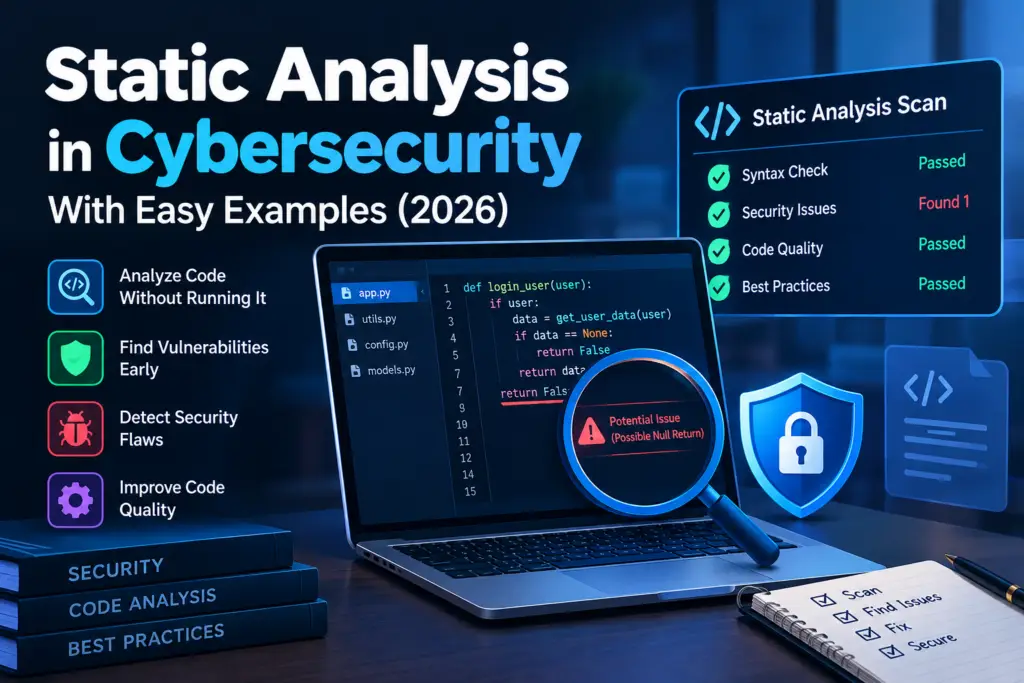
Table of Contents
What Is Static Analysis
Static analysis is the process of examining the internal structure of software without executing the program. Depending on the available material, analysts may review source code, compiled binaries, configuration files, scripts, or application packages.
The main purpose of static analysis is to discover weaknesses and suspicious behavior before they cause damage.
During static analysis, security professionals may look for
- Hardcoded passwords and API keys
- Insecure database queries
- Weak encryption practices
- Unsafe handling of user input
- Incorrect access control
- Outdated or dangerous functions
- Suspicious code patterns
- Misconfigured security settings
- Potential malware indicators
Static analysis can be performed manually by reviewing code or automatically with specialized tools.
How Static Analysis Works
Static analysis follows a structured process. The exact steps depend on whether the analyst is examining source code, an executable file, or another software component.
Step One. Collect the Software or Code
The first step is to obtain the material that needs to be examined. This might be a source code repository, a mobile application package, a script, or a compiled executable.
Security analysts should obtain authorization before examining software that belongs to another organization.
For example, a company may ask its security team to review the source code of a newly developed customer portal before launching it.
Step Two. Examine the Code Structure
The analyst or tool examines how the software is organized and identifies potentially risky instructions.
For source code, this may involve examining functions, variables, conditions, database queries, file operations, and authentication logic.
For compiled software, analysts may inspect strings, imported functions, program structure, and assembly instructions using appropriate tools.
Step Three. Identify Potential Security Weaknesses
The analysis process searches for known vulnerability patterns, insecure programming practices, suspicious code, and violations of security rules.
For example, a tool may detect that an application stores a database password directly in its source code instead of retrieving it from a protected configuration system.
Step Four. Review the Findings
Not every warning represents a genuine vulnerability. Some findings may be false positives, which means the tool identifies a potential problem that is not actually exploitable in the specific context.
Security analysts must review the surrounding code and determine the seriousness of each finding.
Step Five. Fix the Problems
Developers or security teams correct confirmed weaknesses and improve the software’s security.
For example, they may replace an unsafe database query with a parameterized query, remove exposed credentials, or strengthen access control.
Step Six. Perform Another Review
After fixing the identified problems, the code should be analyzed again to confirm that the changes address the findings and have not introduced new weaknesses.
Types of Static Analysis in Cybersecurity
Static analysis can be divided into several categories according to the type of software being examined and the purpose of the investigation.
Source Code Analysis
Source code analysis examines programming languages such as Python, Java, JavaScript, C, C++, and PHP.
It helps developers identify coding mistakes and vulnerabilities before an application is deployed.
For example, a security analyst reviewing a PHP website might discover that a page uses unvalidated user input in a database query. This could create a SQL injection vulnerability.
Common source code analysis tools include SonarQube, Semgrep, and CodeQL.
Binary Analysis
Binary analysis examines compiled programs without executing them. These programs may include Windows executables, Linux binaries, and compiled application components.
Analysts inspect the binary structure, embedded strings, imported functions, and other indicators that may reveal how the program operates.
Binary analysis is especially useful when source code is unavailable.
For example, a security researcher receives a suspicious executable file. By examining its strings and imported functions, the researcher discovers references to system directories and network communication routines that deserve further investigation.
These indicators do not automatically prove that the program is malicious, but they help guide the investigation.
Malware Static Analysis
Malware static analysis focuses on examining suspicious files without running them.
Security researchers may inspect file metadata, hashes, strings, imported functions, embedded URLs, file structure, and disassembled instructions.
The purpose is to understand what a suspicious program might do while reducing the risks associated with executing it.
For example, an analyst examines a suspicious email attachment and finds strings associated with file encryption and a payment demand. These findings may indicate ransomware behavior, although additional evidence is needed to confirm the conclusion.
Configuration Analysis
Configuration analysis examines settings that control how software and systems operate.
Security teams use it to identify weak permissions, insecure services, exposed secrets, and unsafe application settings.
For example, an analyst reviews a cloud application configuration and discovers that a storage resource allows public access to files that should remain private.
Correcting the configuration can prevent unauthorized access to sensitive information.
Dependency and Software Composition Analysis
Modern applications often rely on external libraries and software packages. Dependency analysis examines these components to identify known vulnerabilities and outdated versions.
For example, a web application may use an older JavaScript library with a publicly documented security vulnerability. A dependency analysis tool can flag the affected version so the development team can update it.
Dependency analysis is often considered a related application security practice. Its exact scope varies between tools, and it may include metadata checks rather than analysis of the program code itself.
Static Analysis in Malware Investigation
Static analysis plays an important role in malware investigation because security professionals can examine suspicious files before deciding whether dynamic analysis is necessary.
Examining File Hashes
A cryptographic hash creates a fixed length value that can help identify a particular file.
Analysts may calculate a SHA 256 hash and compare it with trusted threat intelligence sources or internal records.
For example, if an organization discovers an attachment that matches a known malicious file hash, the match can provide useful evidence for investigation.
However, a hash match depends on the accuracy of the reference information, and a different hash does not prove that a file is safe.
Searching for Suspicious Strings
Strings are readable sequences of characters found within a file.
During malware analysis, an analyst may search for
- Suspicious URLs or IP addresses
- Command and control server references
- File paths
- Registry locations
- PowerShell commands
- Encryption related messages
- Unusual domain names
For example, a suspicious Windows program contains a readable domain name and a message instructing the user to pay for file recovery. These strings may help the analyst identify possible network communication and ransomware behavior.
Modern malware may hide strings through encryption, compression, or obfuscation, so the absence of readable indicators does not mean that a file is safe.
Examining Imported Functions
Compiled programs often reference functions provided by the operating system or external libraries.
Analysts can examine these references to understand which capabilities a program may use.
For example, a Windows executable that imports functions associated with process creation, registry modification, and network communication may warrant closer inspection.
However, legitimate programs also use these functions. Analysts must consider the complete context rather than treating individual functions as proof of malicious activity.
Inspecting Program Instructions
More advanced analysis may involve disassembly, which converts machine code into a human readable representation of processor instructions.
Analysts use disassemblers to investigate program logic, suspicious routines, and potentially harmful behavior.
For example, a researcher may inspect an executable to determine whether it contains routines associated with persistence or credential theft.
This work requires technical knowledge because compiled instructions can be difficult to interpret and may not reveal the full behavior of a program.
Examples of Static Analysis
Example One. Detecting SQL Injection in a Website
Imagine an online shopping website that allows customers to sign in with a username and password.
A developer writes a database query that directly combines user input with an SQL statement. An attacker might manipulate the input to change the meaning of the query.
A static analysis tool examines the source code and identifies the unsafe construction of the query.
The developer replaces it with a parameterized query and reviews the authentication logic.
This example shows how static analysis can help prevent a vulnerability before an attacker exploits it.
Example Two. Investigating a Suspicious Email Attachment
An employee receives an unexpected email containing an executable attachment.
The security team suspects that the file may contain malware. Instead of opening it on a normal workstation, the analyst calculates its hash and examines the file metadata and readable strings.
The analyst discovers suspicious references to system directories and an unfamiliar external domain.
These findings are recorded and used to decide whether further investigation is required. The file is not declared malicious based only on the strings; additional evidence is collected.
This approach reduces the risk of accidentally infecting a production computer during the initial investigation.
Example Three. Finding Exposed Credentials
A developer uploads application source code to a repository. The code contains a hardcoded database password.
A static analysis tool detects the credential pattern and alerts the development team.
The team removes the exposed secret, moves credentials into an appropriate secrets management system, and rotates the compromised password.
This example demonstrates how static analysis can help prevent unauthorized access caused by poor credential management.
Example Four. Identifying an Outdated Software Library
A company maintains an online learning platform that uses several third party libraries.
During a security review, a dependency analysis tool identifies a library version associated with a known vulnerability.
The development team checks whether the application is affected, updates the dependency, and tests the application before deployment.
This helps reduce the risk of attackers exploiting a known weakness in an outdated component.
Popular Static Analysis Tools
Several tools help cybersecurity professionals and developers examine software without executing it.
SonarQube
SonarQube analyzes source code to identify code quality problems, security issues, and maintainability concerns.
It supports integration into development workflows so teams can review findings during software development.
Semgrep
Semgrep is a code analysis tool that uses rules to identify patterns associated with security vulnerabilities and insecure programming practices.
Security teams can use existing rules or develop custom rules for their own applications.
CodeQL
CodeQL analyzes code by representing program elements and their relationships in a queryable form.
Security researchers and developers can write queries to identify particular vulnerability patterns across supported programming languages.
Ghidra
Ghidra is a software reverse engineering framework that supports the analysis of compiled programs.
It provides capabilities such as disassembly and decompilation, which can help analysts understand program structure without executing the target file.
strings
The strings utility extracts readable character sequences from files.
It is useful for an initial examination of suspicious binaries, although readable strings alone rarely provide enough evidence to determine whether a program is malicious.
YARA
YARA helps security researchers identify files using patterns and rules.
It can be used in malware research to search for known strings, byte sequences, and other indicators associated with particular file families.
YARA is a pattern matching tool rather than a complete static analysis solution.
Advantages of Static Analysis
Static analysis offers several benefits in software security and malware investigation.
- It can identify vulnerabilities before software is executed or released.
- It helps detect insecure coding practices early in development.
- It can be automated and integrated into continuous integration pipelines.
- It can examine suspicious files without running them.
- It supports consistent security reviews across large codebases.
- It can reduce the cost of fixing vulnerabilities by detecting problems earlier.
- It helps organizations establish and enforce secure coding standards.
One major advantage is that static analysis can examine many possible code paths that may be difficult to reproduce during manual testing.
Limitations of Static Analysis
Although static analysis is valuable, it cannot identify every security problem.
False Positives
A tool may report a potential vulnerability that is not exploitable in the actual application.
Security professionals must investigate the finding before deciding whether a fix is necessary.
False Negatives
A tool may fail to identify a real vulnerability because the relevant pattern is not covered by its rules or the behavior is too complex to detect.
Therefore, a clean static analysis report does not guarantee that software is secure.
Limited Understanding of Runtime Behavior
Static analysis examines software without executing it. It may not reveal problems that depend on runtime conditions, system configuration, network responses, or interactions with other components.
Dynamic testing can help identify these issues.
Obfuscated or Complex Code
Malware may use obfuscation, packing, encrypted strings, or complicated control flow to make analysis more difficult.
Analysts may need specialized reverse engineering techniques or dynamic analysis to understand such programs.
Dependence on Tool Configuration
Results depend on the quality of the analysis rules, language support, configuration, and the code or files being examined.
Poorly configured tools may miss important weaknesses or produce too many irrelevant warnings.
Static Analysis vs Dynamic Analysis
Static analysis and dynamic analysis are two complementary techniques used in cybersecurity.
| Feature | Static Analysis | Dynamic Analysis |
| Execution | Examines software without executing it | Observes software while it runs |
| Main focus | Code structure and potential weaknesses | Actual behavior during execution |
| Common use | Secure code review and initial malware investigation | Runtime testing and behavioral malware analysis |
| Main advantage | Can detect problems before execution | Can reveal behavior that appears only at runtime |
| Main limitation | May not reveal actual runtime behavior | May miss behavior that is not triggered during testing |
| Example tools | Semgrep, CodeQL, Ghidra | Debuggers, sandbox environments, runtime monitoring tools |
For example, static analysis might identify a suspicious function inside a program, while dynamic analysis might reveal whether that function actually connects to a remote server when the program runs.
Using both techniques provides a more complete security assessment.
Best Practices for Performing Static Analysis
Cybersecurity professionals should follow established practices to obtain reliable results.
- Use trusted tools that support the relevant programming language or file type.
- Analyze software only when authorized.
- Keep analysis tools and detection rules updated.
- Review high severity findings first.
- Investigate warnings before classifying them as vulnerabilities.
- Remove hardcoded credentials and rotate exposed secrets.
- Integrate source code analysis into the development process.
- Use dependency analysis to identify vulnerable third party components.
- Document findings, evidence, severity, and recommended fixes.
- Combine static analysis with dynamic testing and manual security review when appropriate.
When analyzing suspicious files, avoid opening or executing them on a normal workstation. Use an appropriately isolated and controlled analysis environment when further testing is required.
A Practical Static Analysis Workflow for Beginners
Students can learn the basic process by examining a small application they own or have permission to test.
Step One. Choose a Small Code Project
Select a simple Python, JavaScript, or PHP application.
Step Two. Run a Suitable Analysis Tool
Use a static analysis tool that supports the selected language. Review the tool’s installation instructions and configure it for the project.
Step Three. Review the Warnings
Look for findings involving unsafe input handling, hardcoded secrets, weak cryptographic practices, or insecure file operations.
Step Four. Understand the Cause
Read the relevant code and determine why the tool reported the issue.
Do not assume that every warning represents a confirmed vulnerability.
Step Five. Correct the Problem
Apply an appropriate security fix, such as input validation, parameterized database queries, or secure secret management.
Step Six. Analyze the Code Again
Run the tool a second time and review whether the original issue has been resolved.
This workflow helps beginners understand how static analysis fits into secure software development.
Frequently Asked Questions
What is static analysis in cybersecurity?
Static analysis is the examination of software, source code, binaries, or configuration files without executing the program. It helps identify potential vulnerabilities, insecure coding practices, and suspicious patterns.
Is static analysis used in malware analysis?
Yes. Malware analysts use static analysis to inspect suspicious files, examine strings, review imported functions, calculate file hashes, and investigate program instructions without running the malware.
What is the difference between static analysis and dynamic analysis?
Static analysis examines software without executing it, while dynamic analysis observes software during execution. Static analysis focuses on potential weaknesses in code or structure, whereas dynamic analysis helps reveal actual runtime behavior.
Which tools are used for static analysis?
Common tools include SonarQube, Semgrep, CodeQL, Ghidra, the strings utility, and YARA. The best choice depends on whether the analyst is examining source code, compiled software, or suspicious files.
Can static analysis detect all vulnerabilities?
No. Static analysis can detect many common weaknesses, but it may produce false positives or miss vulnerabilities. It should be combined with other security testing methods where appropriate.
Why is static analysis important?
Static analysis helps organizations detect security weaknesses earlier, improve code quality, reduce remediation costs, and identify suspicious software characteristics before execution.
Is static analysis safe for examining malware?
Static analysis is generally safer than executing a suspicious file because it does not require running the program. However, analysts should still use appropriate precautions when handling potentially malicious files.
Conclusion
Static analysis is a fundamental cybersecurity technique for identifying potential weaknesses in software without executing it. It supports secure code reviews, vulnerability detection, dependency checks, and the initial investigation of suspicious files.
By learning how to inspect code, interpret tool findings, identify suspicious indicators, and recommend appropriate fixes, cybersecurity students can develop practical skills that apply to software development, application security, and malware research.
Static analysis is not a guarantee that software is secure. Its greatest value comes from combining automated tools, careful human review, secure development practices, and additional testing methods to build and maintain safer systems.


