
Active Directory Basics
Active Directory Basics Introduction
Active Directory is one of the most important technologies used in Windows based business networks. It provides a centralized system for managing users, computers, servers, groups, security policies, and access to network resources.
For cybersecurity professionals, Active Directory is especially important because it controls identity and access across many enterprise networks. If Active Directory is properly configured, it can help an organization protect its systems and data. If it is poorly configured or compromised, an attacker may be able to move through the network and gain access to sensitive resources.
A simple way to understand Active Directory is to think of it as a central identity and access management system for a Windows organization.
For example, imagine a company with 500 employees. Every employee may need access to a computer, shared folders, printers, applications, and internal systems. Managing these accounts individually on hundreds of computers would be difficult.
Active Directory allows the IT department to manage many of these resources centrally.
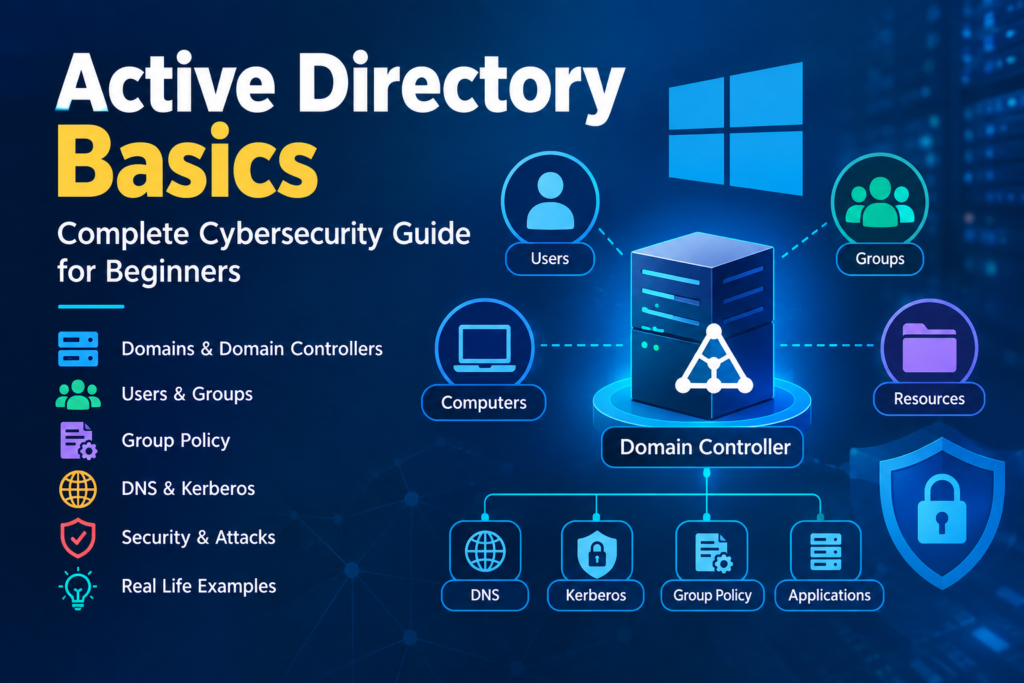
Table of Contents
What Is Active Directory
Active Directory is a directory service developed by Microsoft for Windows domain networks.
It stores information about users, computers, groups, and other resources and provides services that help organizations manage authentication and authorization.
An Active Directory environment can contain objects such as:
- User accounts
- Computer accounts
- Security groups
- Organizational Units
- Servers
- Printers
- Shared resources
- Service accounts
The main purpose is to provide centralized management of identities and resources.
Why Active Directory Is Important in Cybersecurity
Active Directory is closely connected to enterprise security because it controls who can access organizational resources.
For example, a company may have:
- Employees who need access to normal business applications
- Finance employees who need access to financial records
- HR employees who need access to employee information
- IT administrators who need administrative privileges
- Security analysts who need access to security monitoring systems
Active Directory can help the organization manage these different access requirements.
From a cybersecurity perspective, Active Directory is important because it provides:
- Centralized identity management
- Authentication
- Authorization
- Access control
- Security policy management
- User and computer management
- Group based permissions
- Administrative control
- Security monitoring opportunities
However, its central role also makes Active Directory a high value target for attackers.
Example
Consider a company called ABC Software.
The company has:
- 200 employees
- 200 Windows computers
- 10 servers
- Several shared folders
- An internal database
- An internal application system
The company creates an Active Directory domain.
Each employee receives a domain account.
For example:
- Ali works in IT
- Ahmed works in Finance
- Sara works in HR
- Usman works in Sales
Instead of creating separate accounts on every computer, the company manages these identities through Active Directory.
When Sara leaves the company, the administrator can disable her account.
After the account is disabled, Sara should no longer be able to authenticate to the organization’s domain using that account.
This is much easier and more secure than manually managing hundreds of individual computers.
Active Directory Domain
What Is a Domain
A domain is a logical security and management environment within an Active Directory infrastructure.
It contains users, computers, groups, and other resources that are managed under a common directory.
For example, an organization might have a domain such as:
company.example
The domain provides a common environment where users and computers can authenticate and receive organizational policies.
Domain Example
Suppose a company has a domain named company.example.
An employee might have an account such as:
ali@company.example
A company computer might be named:
HRPC01
Both the user and computer can be managed within the same Active Directory environment.
Domain Controller
What Is a Domain Controller
A Domain Controller is a Windows Server that hosts Active Directory Domain Services and performs important identity and authentication functions.
The Domain Controller maintains directory information and helps authenticate users and computers.
When an employee logs into a domain joined Windows computer, the computer communicates with domain services to verify the user’s identity.
A simplified process looks like this:
- The user enters their username and password
- The computer communicates with the domain
- The authentication service verifies the credentials
- Authentication succeeds or fails
- The user receives access based on their permissions and policies
Why Domain Controllers Are Important
Domain Controllers are extremely important from a cybersecurity perspective.
If an attacker gains administrative control of a Domain Controller, the attacker may potentially gain extensive control over the organization’s domain environment.
For this reason, organizations should protect Domain Controllers using strong security controls.
These can include:
- Regular security updates
- Strong administrator authentication
- Restricted physical access
- Network segmentation
- Security monitoring
- Limited administrative access
- Regular security audits
- Reliable backups
Active Directory Objects
Active Directory represents users, computers, groups, and other resources as objects.
Each object contains attributes that describe it.
For example, a user object can contain information such as:
- Username
- Display name
- Email address
- Department
- Group memberships
- Account status
- Security related attributes
Common Active Directory objects include:
- Users
- Computers
- Groups
- Organizational Units
- Printers
- Servers
- Service accounts
User Accounts
What Is a User Account
A user account represents an identity within the Active Directory environment.
For example:
Ali is an employee in the IT department.
His Active Directory account might contain:
- Username
- Full name
- Department
- Job information
- Group memberships
- Access permissions
When Ali signs into a domain joined computer, Active Directory can authenticate his identity and determine which resources he is allowed to access.
Account Security
User accounts should be protected because compromised accounts can be used by attackers.
Organizations should consider:
- Strong password policies
- Multi factor authentication where available
- Account lockout controls
- Monitoring suspicious logins
- Removing unnecessary accounts
- Disabling inactive accounts
- Protecting privileged accounts
Computer Accounts
Computers that join an Active Directory domain normally have computer accounts in the directory.
For example:
- HRPC01
- FINANCEPC01
- ITPC01
- SERVER01
These computer accounts allow administrators to manage domain joined systems.
They can also be associated with policies and permissions.
Example
Suppose an employee receives a new company laptop.
The IT administrator joins the laptop to the company domain.
The computer can then:
- Authenticate with the domain
- Receive Group Policy settings
- Be managed by administrators
- Communicate with authorized network resources
- Participate in the organization’s security controls
Groups
What Is a Group
A group is a collection of users or other accounts that can be managed together.
Groups are particularly useful for permissions.
Instead of assigning access individually to 100 employees, an administrator can create a group and assign the required permissions to that group.
For example:
- HR Department
- Finance Department
- IT Department
- Sales Department
- Security Team
Users can then be added to the appropriate groups.
Example
Suppose 20 employees need access to a finance folder.
Instead of configuring access for each employee separately, the administrator can create a Finance Access group.
The required permissions are assigned to the group.
The 20 employees are added to that group.
If another finance employee joins the company, the administrator can add the employee to the group.
This makes access management easier and more consistent.
Security Groups
Security groups are commonly used to assign permissions to resources.
For example, an organization could create:
Finance Shared Folder Access
Members of this group can access the finance shared folder.
Another group could be:
IT Administrators
Members of this group may receive elevated administrative permissions.
Because group membership can grant significant access, administrators should regularly review privileged group memberships.
Organizational Units
What Is an Organizational Unit
An Organizational Unit is commonly called an OU.
An OU is a container used to organize Active Directory objects.
For example, an organization could create:
- HR
- Finance
- IT
- Sales
- Management
- Workstations
- Servers
Users and computers can be placed into appropriate OUs.
Why OUs Matter
OUs are useful for organization and administration.
They are also important because Group Policy can be applied to OUs.
For example, an organization might have a Workstations OU containing company computers.
A security policy can then be applied to those computers through Group Policy.
Group Policy
What Is Group Policy
Group Policy is a feature that allows administrators to centrally configure Windows users and computers.
It is one of the most important administration and security features in an Active Directory environment.
Administrators can use Group Policy to configure settings such as:
- Password requirements
- Account lockout policies
- Windows Firewall settings
- Security configuration
- Software deployment
- Desktop restrictions
- Device restrictions
- System configuration
- User permissions
Group Policy Example
Imagine a company has 500 Windows computers.
The security team wants to ensure that users cannot disable the Windows Firewall.
Manually configuring 500 computers would take significant time.
Instead, administrators can configure an appropriate Group Policy and apply it to the required computers.
This provides centralized and consistent security configuration.
Authentication
What Is Authentication
Authentication is the process of verifying a user’s identity.
In simple terms, authentication answers:
Who are you
For example, when an employee enters a username and password, the organization needs to verify that the person actually owns that identity.
Active Directory provides authentication services for domain users and computers.
Authorization
What Is Authorization
Authorization determines what an authenticated user is allowed to do.
In simple terms, authorization answers:
What are you allowed to access
For example, Ahmed successfully authenticates to the company network.
However, authentication does not mean Ahmed can access every resource.
He may be authorized to access:
- Finance applications
- Shared business documents
- Company email
He may not be authorized to access:
- Domain Controller administration
- HR records
- Security administration systems
This separation between authentication and authorization is fundamental to cybersecurity.
Active Directory and DNS
Why DNS Is Important
DNS is extremely important in Active Directory environments.
Active Directory uses DNS to locate services and communicate with Domain Controllers.
A domain joined computer needs to be able to locate appropriate domain services.
If DNS is incorrectly configured, Active Directory operations may fail.
For example, a Windows computer might have problems with:
- Joining the domain
- Finding a Domain Controller
- Logging into the domain
- Accessing domain resources
- Applying Group Policy
Therefore, cybersecurity and system administrators should understand the relationship between DNS and Active Directory.
Active Directory and Kerberos
What Is Kerberos
Kerberos is an important authentication protocol used by Active Directory environments.
It uses tickets to support secure authentication between users and network services.
Instead of repeatedly sending a user’s password to different services, Kerberos uses a ticket based authentication model.
This helps provide secure authentication within a domain environment.
Kerberos and Cybersecurity
Cybersecurity professionals should understand Kerberos because attackers may attempt to abuse authentication mechanisms.
Common attack concepts include:
- Kerberoasting
- Pass the Ticket
- Golden Ticket
These techniques require advanced knowledge and should only be studied in an authorized cybersecurity laboratory.
Privileged Accounts
What Is a Privileged Account
A privileged account has more permissions than a normal user account.
Examples can include accounts used by:
- Domain administrators
- Server administrators
- Security administrators
- System administrators
Privileged accounts can make significant changes to an environment.
For example, an administrator may be able to:
- Create users
- Disable users
- Change permissions
- Manage servers
- Modify security policies
- Access sensitive systems
Because of their power, privileged accounts are attractive targets for attackers.
Principle of Least Privilege
The principle of least privilege means users should receive only the permissions required to perform their responsibilities.
For example, a receptionist does not normally need Domain Administrator privileges.
A finance employee may need access to financial systems but does not need access to every server.
A security analyst may need access to security monitoring systems but may not need permission to modify financial databases.
Applying least privilege reduces the potential impact of a compromised account.
Active Directory Security Risks
Active Directory environments can face many security risks.
Common problems include:
- Weak passwords
- Reused passwords
- Excessive permissions
- Unnecessary administrator privileges
- Inactive accounts
- Unpatched systems
- Poor Group Policy configuration
- Compromised credentials
- Insecure service accounts
- Poor monitoring
- Excessive group memberships
- Weak protection of Domain Controllers
Each of these weaknesses can increase the attack surface of an organization.
Active Directory Attack Scenario
Consider a company employee who receives a phishing email.
The email contains a fake login page that looks like the company’s login portal.
The employee enters their username and password.
An attacker obtains the credentials.
The attacker now has a valid user account.
The attacker may attempt to:
- Authenticate to internal systems
- Discover computers and servers
- Identify valuable accounts
- Identify privileged groups
- Search for additional credentials
- Move between systems
- Attempt privilege escalation
If the compromised account has excessive privileges, the consequences could be much more serious.
This is why identity security is a major part of enterprise cybersecurity.
Active Directory Attack Concepts
Cybersecurity professionals should understand common Active Directory attack concepts.
Credential Theft
Attackers may attempt to obtain usernames, passwords, password hashes, tickets, or other authentication material.
Password Attacks
Attackers may attempt to guess weak passwords or crack stolen password hashes.
Kerberoasting
Kerberoasting is an attack technique involving Kerberos service accounts.
An attacker with appropriate access may request service tickets and attempt to crack information associated with those tickets offline.
Weak service account passwords can increase the risk.
Pass the Hash
Pass the Hash involves using a stolen password hash for authentication rather than recovering the original password.
This demonstrates why protecting credential material is important.
Pass the Ticket
Pass the Ticket involves abusing stolen Kerberos authentication tickets.
An attacker may attempt to use a stolen ticket to access services as the associated identity.
Privilege Escalation
Privilege escalation occurs when an attacker attempts to move from a lower privilege position to a higher privilege position.
For example, an attacker may compromise a normal employee account and then search for weaknesses that could provide administrative privileges.
Lateral Movement
Lateral movement occurs when an attacker moves from one compromised system to other systems within a network.
For example:
- Computer A is compromised
- The attacker obtains additional credentials
- The attacker accesses Computer B
- The attacker discovers a server
- The attacker attempts to access the server
This can allow an attacker to move deeper into an organization.
Protecting Active Directory
Organizations should use multiple security controls to protect Active Directory.
Important practices include:
- Use strong passwords
- Use multi factor authentication where supported
- Apply least privilege
- Protect privileged accounts
- Separate administrative and normal accounts
- Disable inactive accounts
- Remove unnecessary accounts
- Regularly review group memberships
- Keep Domain Controllers patched
- Monitor authentication activity
- Monitor privileged account activity
- Use endpoint security
- Segment critical systems
- Apply secure Group Policies
- Protect service accounts
- Maintain reliable backups
- Regularly audit Active Directory security
Security should not depend on one control.
A strong Active Directory security strategy combines identity protection, access control, monitoring, patching, network security, and incident response.
Active Directory Monitoring
Monitoring is essential because attackers may attempt to abuse legitimate accounts rather than immediately deploy obvious malware.
Security teams can monitor events such as:
- Repeated failed login attempts
- Successful logins from unusual locations
- New administrator accounts
- Changes to privileged groups
- Unexpected password changes
- Unusual account activity
- Suspicious authentication patterns
- Access to sensitive servers
- Unexpected administrative activity
Security Information and Event Management systems can collect and analyze logs from Active Directory and other systems.
Active Directory in a Security Operations Center
A Security Operations Center monitors organizational systems for suspicious activity.
Consider this example.
A normal employee usually logs into one workstation during office hours.
One day, the same account starts authenticating to several servers within a short period.
A security analyst may investigate because the behavior could indicate:
- Credential compromise
- Malware activity
- Lateral movement
- Unauthorized administrative activity
The analyst can examine authentication logs, endpoint activity, network traffic, and other security information.
This demonstrates why Active Directory logs can be valuable to a Security Operations Center.
Active Directory Lab Environment
Students learning cybersecurity should practice Active Directory in an isolated laboratory rather than testing against real organizations.
A basic lab could contain:
- One Windows Server acting as a Domain Controller
- One or more Windows client machines
- Several test user accounts
- Multiple security groups
- Several Organizational Units
- Different Group Policy configurations
- A dedicated cybersecurity testing machine
Students can practice:
- Creating a domain
- Joining computers to a domain
- Creating users
- Creating groups
- Managing permissions
- Configuring Group Policy
- Understanding authentication
- Monitoring login activity
- Auditing permissions
- Studying common Active Directory security weaknesses
All testing should be performed on systems that you own or have explicit permission to test.
Active Directory and Cybersecurity Careers
Active Directory knowledge can be useful in many IT and cybersecurity careers.
Relevant roles include:
- SOC Analyst
- Security Analyst
- System Administrator
- Network Administrator
- Penetration Tester
- Red Team Operator
- Blue Team Analyst
- Incident Responder
- Security Engineer
- Identity and Access Management Specialist
Understanding Active Directory is particularly valuable for professionals working with enterprise Windows environments.
Active Directory Security Checklist
A security team can use the following checklist as a starting point:
- Review privileged accounts
- Remove unnecessary administrator privileges
- Disable inactive accounts
- Review security group membership
- Enforce strong authentication
- Apply multi factor authentication where possible
- Keep Domain Controllers updated
- Monitor authentication events
- Monitor privileged changes
- Review Group Policy settings
- Protect service accounts
- Apply least privilege
- Segment critical infrastructure
- Protect administrator workstations
- Regularly audit Active Directory
- Maintain tested backups
- Develop an incident response procedure
Final Example
Imagine a university with thousands of students, teachers, and employees.
The university has hundreds of computers and many internal systems.
The IT department uses Active Directory to manage staff accounts, computers, servers, and access permissions.
For example:
- Teachers receive access to teaching resources
- Finance employees receive access to financial systems
- HR employees receive access to employee records
- IT administrators receive administrative permissions
- Students receive limited access
- Security teams monitor authentication activity
Group Policy can be used to apply security settings to university computers.
When an employee leaves the university, the account can be disabled.
When a new employee joins, the IT department can create an account and assign the appropriate groups and permissions.
This demonstrates the central purpose of Active Directory.
It provides a structured way to manage identities, authentication, authorization, computers, policies, and resources across a large Windows environment.
Key Takeaways
Active Directory is a Microsoft directory service used to manage identities and resources in Windows domain environments.
The most important concepts to remember are:
- A domain provides a centralized Active Directory environment
- A Domain Controller provides important Active Directory services
- Users represent identities
- Computer accounts represent domain joined computers
- Groups simplify permission management
- Organizational Units organize Active Directory objects
- Group Policy provides centralized configuration
- Authentication verifies identity
- Authorization determines access
- DNS is essential to Active Directory operation
- Kerberos provides an important authentication mechanism
- Privileged accounts require strong protection
- Least privilege reduces unnecessary access
- Active Directory is a major target in enterprise attacks
- Credential theft, privilege escalation, and lateral movement are important security concepts
- Monitoring and auditing help detect suspicious activity
Conclusion
Active Directory is much more than a Windows administration technology.
It is a fundamental component of identity and access management in many enterprise environments.
For cybersecurity students, learning Active Directory provides an important foundation for understanding how organizations manage identities and access and how attackers may attempt to abuse those systems.
A strong understanding of Active Directory should include both administration and security.
You should understand how users, computers, groups, Organizational Units, Domain Controllers, DNS, Group Policy, authentication, authorization, and Kerberos work together.
Once these fundamentals are clear, you can move toward more advanced topics such as Active Directory enumeration, privilege escalation, credential attacks, lateral movement, BloodHound, detection engineering, and Active Directory hardening.


