Google Ads Keyword Research, Customer Journey
Course: Google Ads Complete Course
Lecture: 2 of 15
Level: Beginner → Intermediate
Format: Theory + Practical + Assignment
Recommended Duration: 2–3 hours

Table of Contents
Learning Objectives
By the end of this lecture, students will be able to:
- Explain the role of Google Ads in digital marketing.
- Understand the marketing funnel and customer journey.
- Identify a target audience and create a basic buyer persona.
- Understand search intent.
- Differentiate informational, navigational, commercial, and transactional searches.
- Identify short-tail and long-tail keywords.
- Use Google Keyword Planner for keyword research.
- Understand search volume and competition.
- Group keywords according to intent and relevance.
- Perform basic competitor keyword research.
1. What Is Digital Marketing?
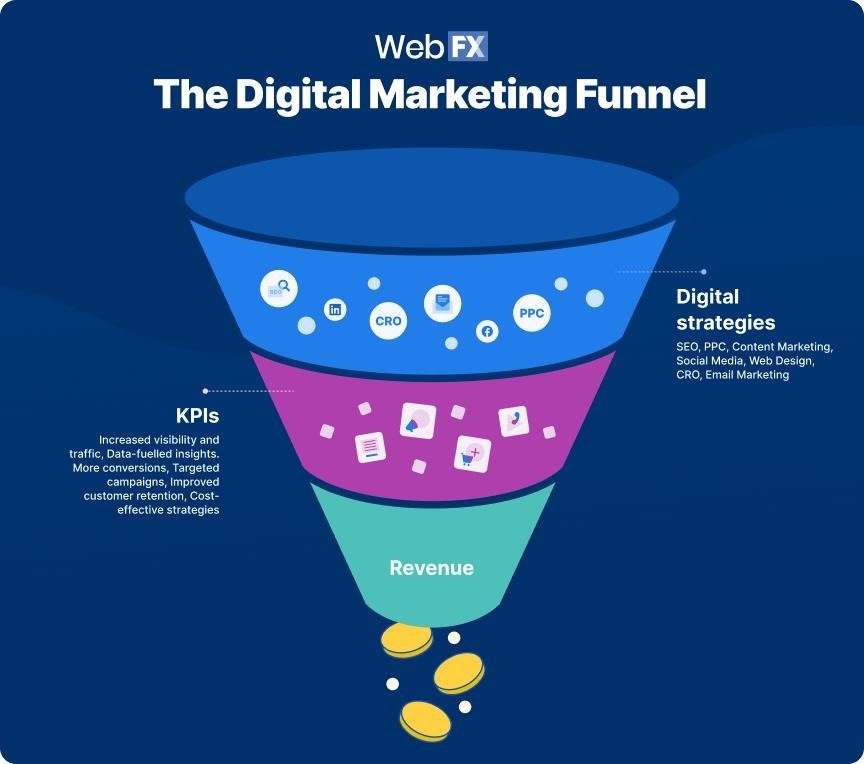
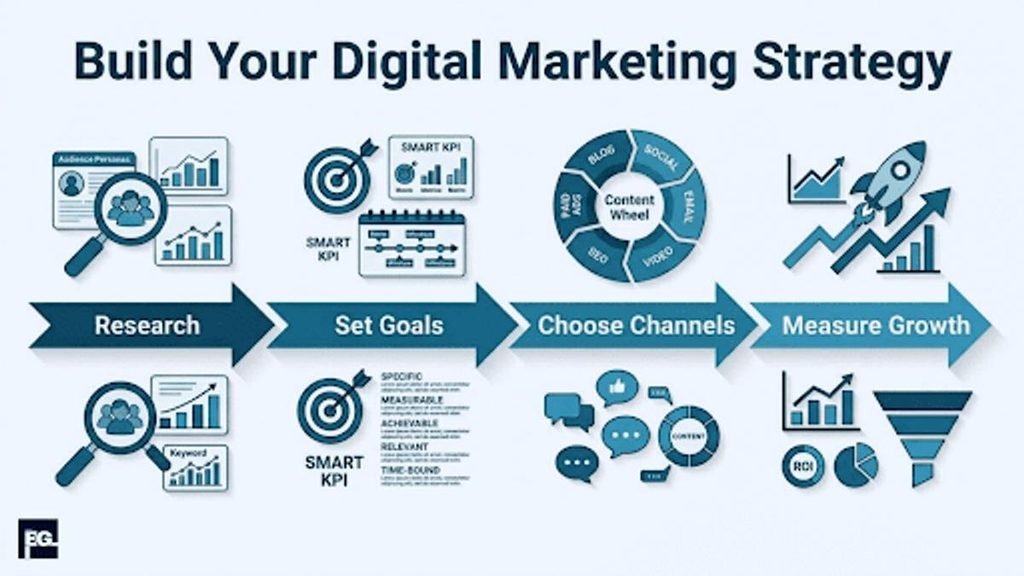
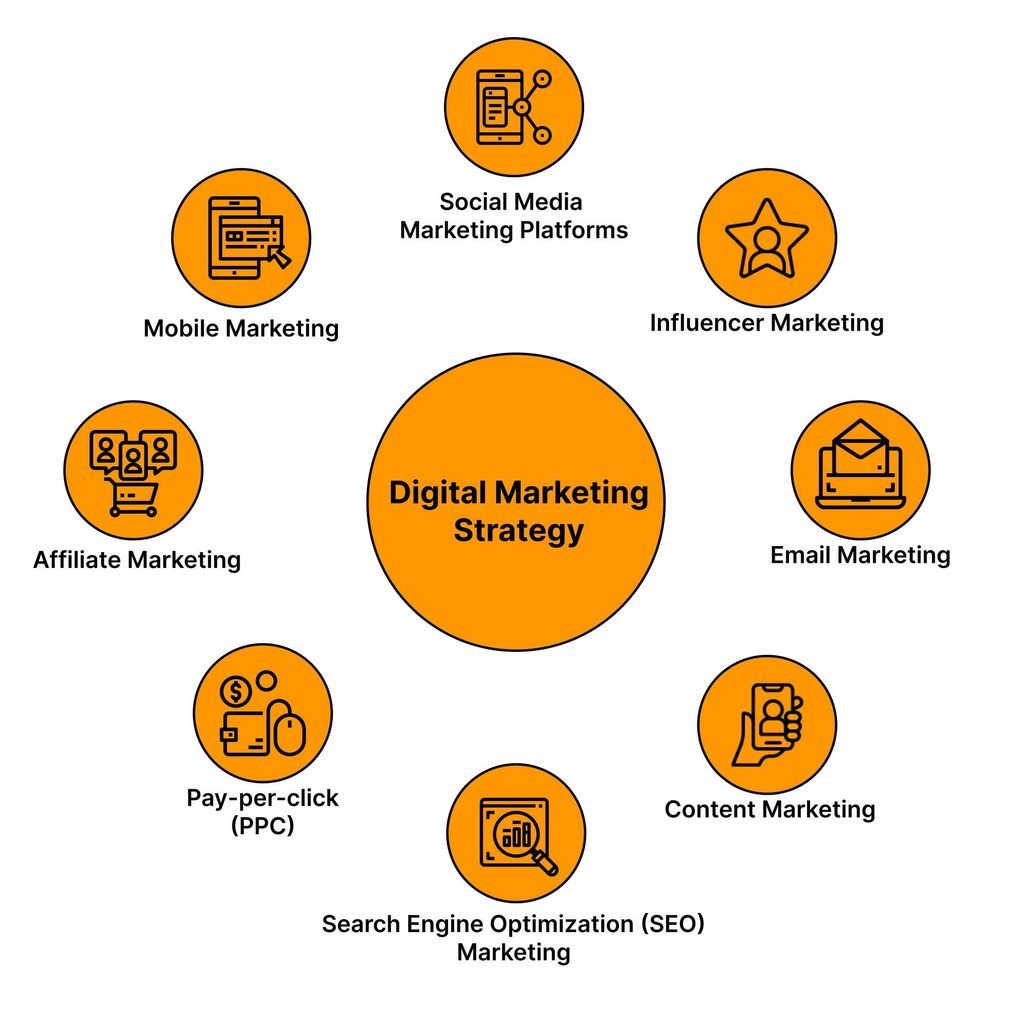
Digital marketing is the promotion of products, services, or brands through digital channels.
Major digital marketing channels include:
- Search engines
- Social media
- Websites
- Content marketing
- SEO
- Paid advertising
- Video platforms
- Mobile apps
Example
Suppose CodeCraft Web Development Institute wants to attract students.
It could use:
- SEO → rank for web development course searches
- Google Ads → advertise its courses
- Facebook/Instagram → build awareness
- YouTube → publish educational videos
- Email → communicate with potential students
- Website → provide course information and collect registrations
Google Ads is therefore one component of a broader digital marketing strategy.
2. Where Google Ads Fits Into Digital Marketing
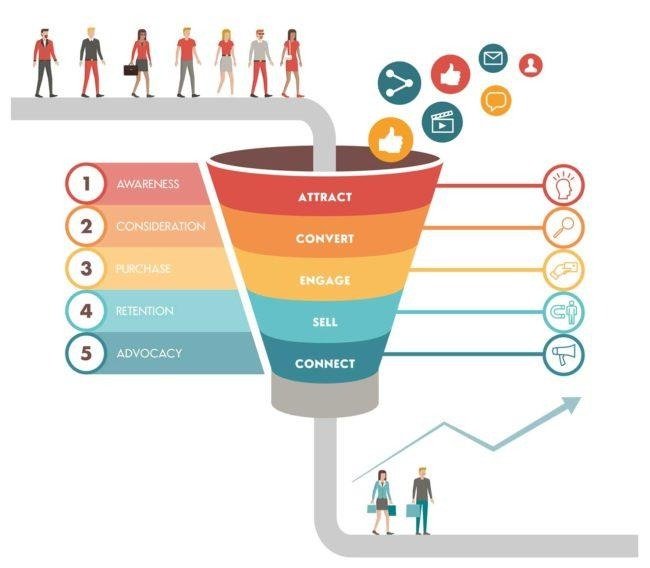
Google Ads can support several stages of the customer journey.
- Awareness
- Interest
- Consideration
- Conversion
- Retention
Example
A person sees an advertisement for a web development course.
Awareness:
They discover the institute.
Interest:
They visit the website.
Consideration:
They compare the course with alternatives.
Conversion:
They submit an inquiry or register.
Retention:
They continue learning and may later purchase another course.
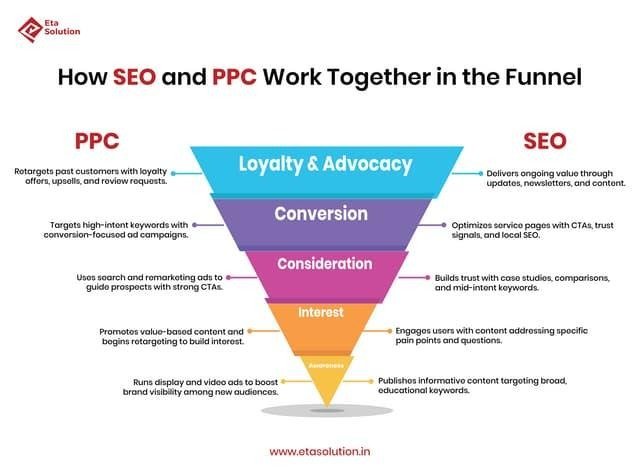
3. Marketing Funnel
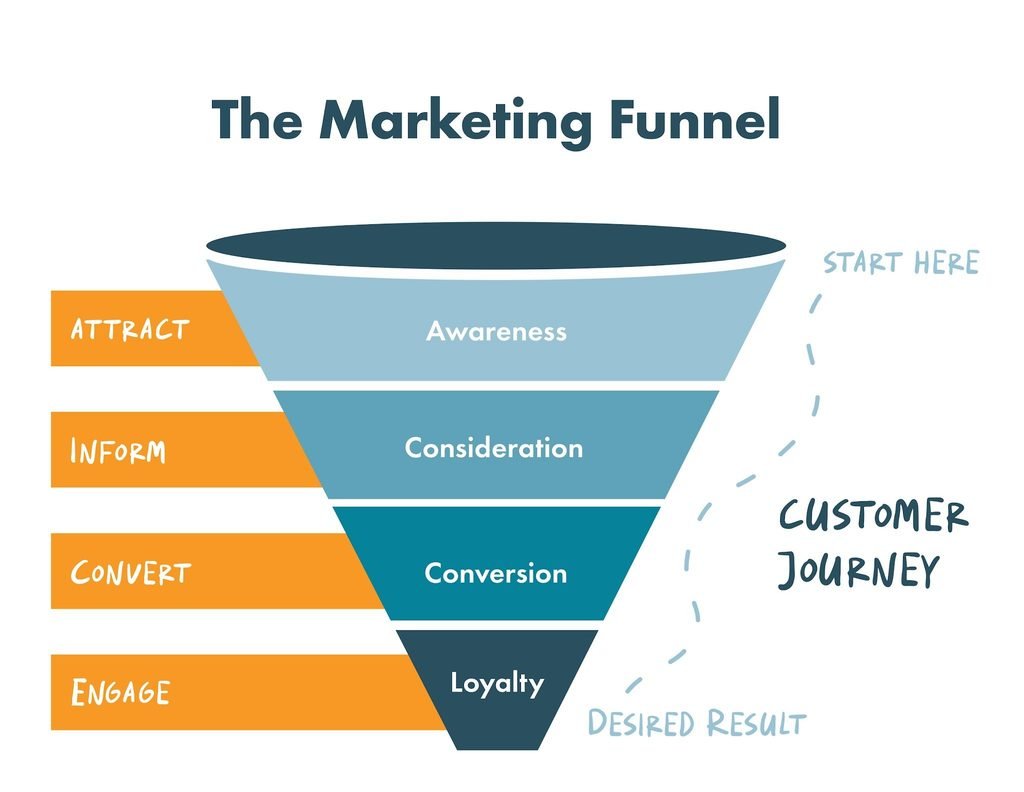
The marketing funnel helps marketers understand how people move from discovering a business to taking an action.
Top of Funnel Awareness
The customer is becoming aware of a problem, product, service, or brand.
Example:
“How can I learn web development?”
Possible marketing channels:
- YouTube
- Display advertising
- Social media
- Blog content
Middle of Funnel Consideration
The customer is researching possible solutions.
Example:
“Best web development course”
The customer may compare:
- Course content
- Duration
- Price
- Reviews
- Location
- Certification
- Training format
Bottom of Funnel Conversion
The customer is close to taking action.
Example searches:
“web development course admission”
“web development course near me”
“enroll web development course”
These searches can indicate stronger commercial or transactional intent.
4. Customer Journey
A customer journey describes the stages a person goes through before and after interacting with a business.
A simplified journey:
- Problem
- Research
- Solutions
- Comparison
- Decision
- Purchase
- Experience
- Repeat / Referral
Example — CodeCraft
Problem:
“I need a skill for a technology career.”
↓
Research:
“How to learn web development?”
↓
Comparison:
“Best web development course”
↓
Decision:
“CodeCraft web development course”
↓
Conversion:
Student submits registration form.
5. Target Audience
A target audience is the group of people a business wants to reach.
For CodeCraft:
Possible Audience
- Age: 18–35
- Students
- Job seekers
- Freelancers
- Beginners
- Technology learners
But simply knowing demographics is not enough.
We should also understand:
- Goals
- Problems
- Motivations
- Search behavior
- Budget
- Level of knowledge
- Buying intent
6. Buyer Persona
A buyer persona is a simplified representation of an ideal customer.
Example
Name: Ahmed
Age: 22
Occupation: University student
Goal: Learn web development
Problem: Has limited programming experience
Motivation: Wants freelance or employment opportunities
Searches:
- web development course
- learn HTML CSS
- PHP course
- full stack course
Why Personas Matter
Personas help advertisers create:
- Better keywords
- Better advertisements
- Better landing pages
- Better offers
- More relevant messaging
7. Pain Points
A pain point is a problem or difficulty experienced by the customer.
For our fictional institute:
Pain Point 1
“I don’t know where to start learning web development.”
Pain Point 2
“Most tutorials are too theoretical.”
Pain Point 3
“I need practical projects.”
Pain Point 4
“I want training that fits my schedule.”
These pain points can influence advertising messages.
Example Ad Message
Instead of:
Learn Web Development
We could communicate:
Build Real Websites With Practical Web Development Training
The second message addresses the customer’s desire for practical skills.
8. What Is Search Intent?
Search intent is the reason behind a user’s search query.
Understanding intent is one of the most important skills in Google Ads keyword research.
Consider these searches:
what is web development
best web development courses
web development course near me
CodeCraft web development course
They don’t necessarily represent the same intent.
9. Four Common Search Intent Categories
1. Informational Intent
The user wants information.
Examples:
- what is web development
- how does HTML work
- what is JavaScript
- how to learn coding
The user is primarily looking for knowledge.
2. Navigational Intent
The user wants to reach a particular website, brand, or destination.
Examples:
- CodeCraft Institute
- CodeCraft web development course
- Google Ads login
The user may already know the destination.
3. Commercial Investigation
The user is researching options before making a decision.
Examples:
- best web development course
- web development courses comparison
- best coding institute
- web development course reviews
The user is considering different options.
4. Transactional Intent
The user is ready or relatively close to taking an action.
Examples:
- enroll web development course
- buy web development course
- web development course admission
- web development course price
The desired action could be:
- Purchase
- Registration
- Booking
- Enrollment
- Lead submission
10. Search Intent Exercise
Classify the following keywords:
| Keyword | Intent |
| what is web development | Informational |
| how to learn JavaScript | Informational |
| CodeCraft Institute | Navigational |
| best web development course | Commercial |
| web development course reviews | Commercial |
| enroll web development course | Transactional |
| web development course price | Transactional |
| HTML tutorial | Informational |
Key Lesson
Never assume that all keywords related to the same topic have the same intent.
11. What Is a Keyword?
A keyword is a word or phrase used by an advertiser to help target relevant searches in Search advertising.
Examples:
- web development course
- SEO course
- Python training
- WordPress course
- digital marketing training
Keywords help advertisers connect advertising with relevant search demand.
12. Keyword vs Search Term
These two terms are extremely important.
Keyword
The targeting term selected by the advertiser.
Example:
web development course
Search Term
The actual query entered by the user.
Example:
best practical web development course for beginners
A user’s search term can differ from the keyword selected by the advertiser.
Later, we will use the Search Terms Report to analyze actual searches.
13. Short Tail Keywords
Short-tail keywords are generally broad and relatively short phrases.
Examples:
- web development
- SEO
- coding
- WordPress
- programming
Advantages
- Broad reach
- Potentially larger search demand
Challenges
- Less specific
- Can have mixed search intent
- May attract irrelevant searches
- Can be highly competitive
14. Long-Tail Keywords
Long-tail keywords are generally more specific phrases.
Examples:
- web development course for beginners
- online web development course with certificate
- PHP web development course for beginners
Advantages
- More specific
- Often clearer intent
- Can better match specialized offers
Example
Compare:
Short:
web development
Long-tail:
web development course for beginners
The second keyword gives us considerably more information about what the user may want.
15. Branded Keywords
Branded keywords contain a brand name.
Examples:
- CodeCraft Institute
- CodeCraft web development course
- CodeCraft admission
Why They Matter
Branded searches can represent users who already know the business.
Advertisers may analyze branded and non-branded search activity separately.
16. Non-Branded Keywords
Non-branded keywords don’t contain the business name.
Examples:
- web development course
- web development training
- coding institute
- programming classes
These can help businesses reach people who may not yet know their brand.
17. Keyword Research
Keyword research is the process of discovering and evaluating search terms relevant to a business, product, service, or content topic.
A basic workflow:
- Business
- Products / Services
- Target Audience
- Customer Problems
- Keyword Ideas
- Search Intent
- Search Volume
- Competition
- Keyword Grouping
- Campaign Structure
18. Start With Seed Keywords
A seed keyword is an initial idea used to discover additional keyword opportunities.
For CodeCraft:
Seed Keywords
- web development course
- web development training
- coding course
- programming course
- full stack course
These can be expanded into more specific keywords.
19.Google Ads Keyword Planner
Google Keyword Planner is a Google Ads tool that can help advertisers discover keyword ideas and estimate search-related information.
It can be used to:
- Discover keyword ideas
- Explore search demand
- Review historical metrics
- Group keyword ideas
- Develop campaign plans
Basic Workflow
Google Ads
↓
Keyword Planner
↓
Discover New Keywords
↓
Enter Seed Keyword
↓
Review Keyword Ideas
↓
Evaluate Relevance
↓
Select Useful Keywords
20. Keyword Relevance
Not every keyword suggested by a keyword tool is useful.
Suppose CodeCraft offers:
Web Development Course
A tool may produce:
- web development course
- web development jobs
- web development salary
- web development company
- web developer resume
- web development tutorial
All are related to web development.
But are they all relevant to a training institute?
No.
Relevant
web development course
Potentially irrelevant
web development jobs
web development company
web developer salary
The advertiser needs to evaluate the actual business intent behind each keyword.
21. Search Volume
Search volume is an estimate of how frequently a keyword is searched during a particular period.
Example:
| Keyword | Example Monthly Search Volume |
| web development | 20,000 |
| web development course | 5,000 |
| PHP course | 2,000 |
| web development course for beginners | 500 |
These numbers are fictional and are being used only to demonstrate the concept.
Important
Higher search volume does not automatically mean better keyword.
A keyword should also be evaluated for:
- Relevance
- Search intent
- Competition
- Business value
- Landing-page relevance
22. Keyword Competition
Keyword tools can provide competition-related information.
However, students should understand an important distinction:
Keyword Planner Competition
This generally relates to advertiser competition in Google Ads.
SEO Keyword Difficulty
This is a different concept used by many SEO tools to estimate organic ranking difficulty.
Don’t confuse:
Google Ads competition
with
SEO keyword difficulty.
23. Keyword Grouping
Once keywords have been researched, organize them into closely related groups.
Example
Group 1 — Web Development Course
- web development course
- web development courses
- web development course online
Group 2 — Web Development Training
- web development training
- web development training institute
- web development classes
Group 3 — Full Stack
- full stack development course
- full stack web development training
- full stack course
Grouping makes it easier to create relevant ads and landing pages.
24. Why Keyword Grouping Matters
Imagine one ad group contains:
web development course
python course
graphic design course
digital marketing course
SEO course
This is too broad.
The advertiser would struggle to write one highly relevant ad for all these searches.
Instead:
Web Development Course
↓
Relevant Keywords
↓
Relevant Ads
↓
Relevant Landing Page
This creates stronger message alignment.
25. Keyword-to-Ad-to-Landing-Page Relevance
One of the most important concepts in Google Ads is:
Keyword → Ad → Landing Page
Example:
Keyword
web development course
Ad
Practical Web Development Course
Landing Page
Web Development Course — Course Details & Registration
All three communicate essentially the same offer.
This is called message relevance/alignment.
26. Competitor Research
Competitor research helps advertisers understand the market.
You can investigate:
- Competitor brands
- Their offers
- Ad messaging
- Landing pages
- Course names
- Calls to action
- Pricing information
- Unique selling points
Example Competitors
For the fictional CodeCraft institute:
- Competitor A — Online coding academy
- Competitor B — Local IT institute
- Competitor C — Online learning platform
The goal is to understand the market and identify opportunities—not simply copy competitors.
27. Customer Journey + Keyword Research
The customer journey can help us organize keywords.
| Customer Stage | Example Search | Intent |
| Awareness | what is web development | Informational |
| Research | how to learn web development | Informational |
| Consideration | best web development course | Commercial |
| Comparison | web development course reviews | Commercial |
| Decision | web development course price | Transactional |
| Action | enroll web development course | Transactional |
This helps advertisers understand where the user is in the decision process.
28. Practical Keyword Research Example
Business:
CodeCraft Web Development Institute
Seed Keyword
web development course
Keyword Ideas
web development course
web development classes
web development training
web development course online
web development course for beginners
full stack web development course
PHP web development course
front end development course
web development institute
web development training institute
Now classify them.
Course Intent
- web development course
- web development course online
- web development course for beginners
Training Intent
- web development training
- web development training institute
- web development classes
Specialized Course Intent
- PHP web development course
- full stack web development course
- front end development course
29. Keyword Research Checklist
Before adding a keyword, ask:
Question 1
Is it relevant to my business?
Question 2
What is the search intent?
Question 3
Can my ad satisfy this search?
Question 4
Does my landing page satisfy the search?
Question 5
Is the keyword commercially valuable?
Question 6
Could it attract irrelevant searches?
This checklist will become especially important when we study negative keywords.
30. Common Keyword Research Mistakes
Mistake 1 — Choosing Only High-Volume Keywords
High search volume doesn’t automatically mean high business value.
Mistake 2 — Ignoring Search Intent
A keyword may have significant search volume but the wrong intent.
Mistake 3 — Using Irrelevant Keywords
A web development institute shouldn’t automatically target every keyword containing “web development.”
Mistake 4 — Mixing Different Intent Types
For example:
what is web development
web development course price
web development course admission
These represent different stages of the customer journey.
Mistake 5 — Ignoring Long-Tail Keywords
Specific searches can provide valuable opportunities.
Mistake 6 — Copying Competitors
Competitor research should inform strategy, not replace independent research.
31. Practical Exercise
Business
CodeCraft Web Development Institute
Task 1 — Identify the Audience
Create 3 customer personas.
For each persona, define:
- Age
- Occupation
- Goal
- Problem
- Motivation
- Possible Google searches
Task 2 — Create Seed Keywords
Find 10 seed keywords for the institute.
Example:
web development course
Task 3 — Expand Keywords
Expand your seed keywords into at least 50 keyword ideas.
Task 4 — Classify Search Intent
Classify your keywords as:
- Informational
- Navigational
- Commercial
- Transactional
Task 5 — Classify Keyword Type
Identify:
- Short-tail
- Long-tail
- Branded
- Non-branded
Task 6 — Create Keyword Groups
Organize your keywords into at least 5 closely related groups.
Example:
Group 1 — Web Development Course
Group 2 — Web Development Training
Group 3 — Full Stack Course
Group 4 — PHP Course
Group 5 — Front-End Course
32. Student Keyword Research Sheet
| # | Keyword | Intent | Keyword Type | Relevant? | Group |
| 1 | web development course | Commercial | Long-tail | Yes | Course |
| 2 | web development training | Commercial | Long-tail | Yes | Training |
| 3 | what is web development | Informational | Long-tail | Maybe | Information |
| 4 | CodeCraft Institute | Navigational | Branded | Yes | Brand |
| 5 | enroll web development course | Transactional | Long-tail | Yes | Course |
Students should complete this table with their own 50 keywords.
33. Knowledge Check
Q1. What is digital marketing?
Digital marketing is the promotion of products, services, or brands through digital channels.
Q2. What is search intent?
Search intent is the reason or purpose behind a user’s search query.
Q3. What are the four common search-intent categories?
- Informational
- Navigational
- Commercial
- Transactional
Q4. What is a long-tail keyword?
A more specific keyword phrase, often containing multiple words and communicating clearer intent.
Q5. What is a seed keyword?
An initial keyword idea used to discover additional keyword opportunities.
Q6. What is keyword grouping?
Organizing closely related keywords according to their topic, intent, or theme.
Q7. Is high search volume always better?
No. Relevance, intent, competition, and business value also matter.
Q8. What is the difference between a keyword and a search term?
A keyword is selected/targeted by the advertiser, while a search term is the actual query entered by the user.
34. Lecture 2 Summary
In this lecture, we covered:
- Digital marketing
- The role of Google Ads
- Marketing funnels
- Customer journeys
- Target audiences
- Buyer personas
- Customer pain points
- Search intent
- Informational searches
- Navigational searches
- Commercial searches
- Transactional searches
- Keywords
- Search terms
- Short-tail keywords
- Long-tail keywords
- Branded keywords
- Non-branded keywords
- Keyword research
- Google Keyword Planner
- Search volume
- Competition
- Keyword relevance
- Keyword grouping
- Competitor research
- Keyword → Ad → Landing Page alignment
Key Formula
Remember this process:
Business → Audience → Customer Problem → Search Intent → Keyword → Ad → Landing Page → Conversion
The next lecture builds on this foundation by turning keyword research into an actual Google Search campaign structure and campaign settings.
- Create the Lecture 2 student worksheet