Python Data Types in Depth
Course: Complete Python for Web Development
Chapter: 2 — Strings, Lists, Tuples, Sets & Dictionaries
Level: Beginner → Intermediate
Goal: Learn the Python data structures you will use constantly when building websites, APIs, dashboards, and database applications.
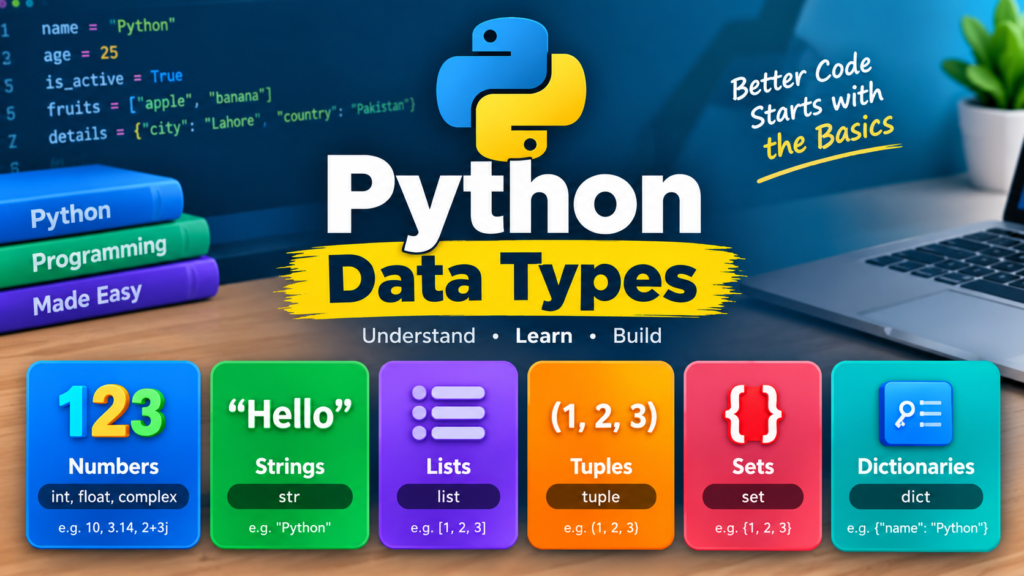
2.1 — Understanding Python Data Types
A data type tells Python what kind of data a variable contains.
For example:
name = “Saqib”
age = 25
price = 99.99
is_active = True
These variables have different types:
| Variable | Value | Type |
| name | “Saqib” | str |
| age | 25 | int |
| price | 99.99 | float |
| is_active | True | bool |
In this Chapter, we’ll focus on Python’s major collection and text types:
str
list
tuple
set
dict
These are extremely important for web development.
2.2 — Strings
What Is a String?
A string is a sequence of characters.
name = “Saqib”
You can use:
name = “Saqib”
or:
name = ‘Saqib’
Both are valid.
You can also use triple quotes for multiline text:
message = “””
Welcome to Python.
This is a multiline message.
“””
print(message)
String Indexing
Each character has a position called an index.
name = “Python”
Positions:
P y t h o n
0 1 2 3 4 5
Access a character:
print(name[0])
Output:
P
Another example:
print(name[3])
Output:
h
Negative Indexing
Python also supports negative indexes.
P y t h o n
-6 -5 -4 -3 -2 -1
Example:
name = “Python”
print(name[-1])
Output:
n
This is particularly useful when you want the last character of a string.
2.3 — String Slicing
Slicing allows you to extract part of a string.
Syntax:
string[start:end]
Example:
language = “Python”
print(language[0:3])
Output:
Pyt
The ending index is not included.
More examples
text = “Python Programming”
print(text[0:6])
print(text[7:18])
Output:
Python
Programming
You can also omit the beginning:
print(text[:6])
Or omit the ending:
print(text[7:])
Step Size
You can use:
string[start:end:step]
Example:
text = “Python”
print(text[::2])
Output:
Pto
Reverse a string:
print(text[::-1])
Output:
nohtyP
2.4 — Important String Methods
Python provides many useful string methods.
lower()
name = “SAQIB”
print(name.lower())
Output:
saqib
upper()
name = “saqib”
print(name.upper())
Output:
SAQIB
title()
name = “muhammad saqib”
print(name.title())
Output:
Muhammad Saqib
strip()
Removes extra spaces around a string:
email = ” saqib@example.com “
print(email.strip())
This is very useful when processing form input.
replace()
text = “I like PHP”
text = text.replace(“PHP”, “Python”)
print(text)
Output:
I like Python
find()
text = “Python Web Development”
position = text.find(“Web”)
print(position)
count()
text = “python python python”
print(text.count(“python”))
Output:
3
startswith()
url = “https://example.com”
print(url.startswith(“https”))
Output:
True
endswith()
filename = “website.html”
print(filename.endswith(“.html”))
Output:
True
2.5 — Splitting and Joining Strings
These methods are extremely useful when processing web data.
split()
skills = “HTML,CSS,Python,Django”
result = skills.split(“,”)
print(result)
Output:
[‘HTML’, ‘CSS’, ‘Python’, ‘Django’]
Now you have a list.
join()
The opposite operation:
skills = [“HTML”, “CSS”, “Python”, “Django”]
result = “, “.join(skills)
print(result)
Output:
HTML, CSS, Python, Django
Web-development use case
Suppose a user selects several skills from a form:
Python
Django
SQL
Git
You might store or display them as:
skills = [“Python”, “Django”, “SQL”, “Git”]
print(“, “.join(skills))
2.6 — f-Strings
f-strings are one of the most useful ways to create dynamic text.
name = “Saqib”
course = “Python”
message = f”{name} is learning {course}.”
print(message)
Output:
Saqib is learning Python.
Web example
username = “Saqib”
role = “Admin”
message = f”Welcome {username}. Your role is {role}.”
print(message)
A web template engine such as Jinja2 uses similar concepts for dynamic content.
2.7 — String Validation
Python provides useful methods for validating text.
isalpha()
name = “Saqib”
print(name.isalpha())
Returns:
True
isdigit()
age = “25”
print(age.isdigit())
Returns:
True
isalnum()
username = “Saqib123”
print(username.isalnum())
Returns:
True
These can be useful for basic input validation, although production web applications should use more comprehensive validation.
Exercise — Strings
Create a program that asks for:
Full Name:
Email:
City:
Then:
- Remove extra spaces.
- Convert the name to title case.
- Convert the email to lowercase.
- Display the information.
Example:
Full Name: muhammad saqib
Email: SAQIB@EXAMPLE.COM
City: khairpur
Expected:
Name: Muhammad Saqib
Email: saqib@example.com
City: khairpur
2.8 — Lists
A list stores multiple values.
skills = [“HTML”, “CSS”, “Python”, “Django”]
Lists use square brackets:
[]
A list can contain different types:
data = [“Saqib”, 25, True, 99.5]
List Indexing
skills = [“HTML”, “CSS”, “Python”, “Django”]
Indexes:
HTML 0
CSS 1
Python 2
Django 3
Example:
print(skills[0])
Output:
HTML
List Slicing
skills = [“HTML”, “CSS”, “JavaScript”, “Python”, “Django”]
Get the first three:
print(skills[0:3])
Output:
[‘HTML’, ‘CSS’, ‘JavaScript’]
Modifying Lists
Lists are mutable, meaning their contents can be changed.
skills = [“HTML”, “CSS”, “Python”]
skills[1] = “JavaScript”
print(skills)
Output:
[‘HTML’, ‘JavaScript’, ‘Python’]
Adding Items
append()
Adds an item to the end:
skills = [“HTML”, “CSS”]
skills.append(“Python”)
print(skills)
Result:
[‘HTML’, ‘CSS’, ‘Python’]
insert()
skills.insert(1, “JavaScript”)
Removing Items
remove()
skills = [“HTML”, “CSS”, “Python”]
skills.remove(“CSS”)
pop()
skills.pop()
Removes the last item.
You can also specify an index:
skills.pop(0)
clear()
skills.clear()
Removes everything.
Useful List Methods
skills = [“Python”, “HTML”, “CSS”, “Python”]
Length
print(len(skills))
Count
print(skills.count(“Python”))
Find index
print(skills.index(“CSS”))
Sort
skills.sort()
Reverse
skills.reverse()
List Loop
You can process every item:
skills = [“HTML”, “CSS”, “Python”]
for skill in skills:
print(skill)
Output:
HTML
CSS
Python
This becomes very useful when displaying database records.
Web Development Use Case — Product List
Imagine an e-commerce website:
products = [
“Laptop”,
“Keyboard”,
“Mouse”,
“Monitor”
]
You could loop through products:
for product in products:
print(product)
Later, a database might provide hundreds of products instead of a manually written list.
Exercise — Lists
Create a list containing five courses:
courses = […]
Then:
- Print the first course.
- Print the last course.
- Add a new course.
- Remove one course.
- Sort the courses.
- Loop through all courses.
2.9 — Tuples
A tuple is similar to a list, but tuples are immutable.
Syntax:
coordinates = (10, 20)
Another example:
user = (“Saqib”, “saqib@example.com”, 25)
Access values:
print(user[0])
Output:
Saqib
List vs Tuple
List
skills = [“Python”, “Django”, “SQL”]
Can be modified:
skills.append(“Git”)
Tuple
coordinates = (10, 20)
You cannot normally change an element:
coordinates[0] = 50
This produces an error.
When Are Tuples Useful?
Tuples are useful when data should remain fixed.
For example:
months = (
“January”,
“February”,
“March”,
“April”
)
Or:
location = (30.3753, 69.3451)
They can also be useful for returning multiple values from a function.
Tuple Unpacking
user = (“Saqib”, 25, “Pakistan”)
name, age, country = user
print(name)
print(age)
print(country)
Output:
Saqib
25
Pakistan
Exercise — Tuples
Create a tuple containing:
Student name
Age
Course
City
Then unpack the tuple into separate variables and display the values.
2.10 — Sets
A set is an unordered collection of unique values.
Syntax:
skills = {“Python”, “HTML”, “CSS”}
Duplicate values are automatically removed:
skills = {“Python”, “Python”, “HTML”, “CSS”}
print(skills)
The result contains only one “Python”.
Adding to a Set
skills = {“Python”, “HTML”}
skills.add(“Django”)
print(skills)
Removing from a Set
skills.remove(“HTML”)
You can also use:
skills.discard(“HTML”)
discard() does not raise an error if the item isn’t present.
Set Operations
Sets become particularly useful when comparing collections.
Union
frontend = {“HTML”, “CSS”, “JavaScript”}
backend = {“Python”, “SQL”, “Django”}
all_skills = frontend | backend
print(all_skills)
Intersection
skills1 = {“Python”, “SQL”, “HTML”}
skills2 = {“Python”, “Django”, “SQL”}
common = skills1 & skills2
print(common)
Result:
{‘Python’, ‘SQL’}
Difference
difference = skills1 – skills2
Web Development Use Case — Removing Duplicates
Suppose users submit duplicate tags:
tags = [
“python”,
“web”,
“python”,
“django”,
“web”
]
Convert to a set:
unique_tags = set(tags)
print(unique_tags)
Now duplicates are removed.
This can be useful when processing:
- Tags
- Categories
- Permissions
- User roles
- Selected skills
Exercise — Sets
Create two sets:
students_python
students_django
Find:
- Students taking both courses.
- Students taking either course.
- Students taking Python but not Django.
2.11 — Dictionaries
Dictionaries are extremely important for web development.
A dictionary stores data as:
key → value
Syntax:
user = {
“name”: “Saqib”,
“age”: 25,
“email”: “saqib@example.com”
}
Accessing Dictionary Values
print(user[“name”])
Output:
Saqib
Another method:
print(user.get(“email”))
Adding Data
user[“city”] = “Khairpur”
Now:
print(user)
Updating Data
user[“age”] = 26
Removing Data
user.pop(“city”)
Or:
del user[“age”]
Dictionary Methods
Keys
print(user.keys())
Values
print(user.values())
Items
print(user.items())
Looping Through a Dictionary
user = {
“name”: “Saqib”,
“age”: 25,
“city”: “Khairpur”
}
for key, value in user.items():
print(key, “:”, value)
Output:
name : Saqib
age : 25
city : Khairpur
Web Development Use Case — User Data
Dictionaries are commonly used to represent structured information:
user = {
“id”: 101,
“name”: “Saqib”,
“email”: “saqib@example.com”,
“role”: “admin”,
“active”: True
}
This resembles the structure of a user record.
2.12 — Nested Dictionaries
Dictionaries can contain dictionaries.
user = {
“name”: “Saqib”,
“contact”: {
“email”: “saqib@example.com”,
“phone”: “03000000000”
}
}
Access the email:
print(user[“contact”][“email”])
Lists of Dictionaries
This is extremely important for web development.
users = [
{
“name”: “Saqib”,
“role”: “admin”
},
{
“name”: “Ali”,
“role”: “user”
},
{
“name”: “Ahmed”,
“role”: “user”
}
]
Loop through users:
for user in users:
print(user[“name”])
Output:
Saqib
Ali
Ahmed
This structure is similar to data you may receive from an API.
2.13 — JSON and Python Dictionaries
Here are the official Python documentation links for JSON and Python Dictionaries:
- Python Dictionaries — Official Tutorial
Python Dictionaries
Covers creating dictionaries, key-value pairs, accessing values, modifying dictionaries, and dictionary methods. - Python
jsonModule — Official Documentation
Python JSON Module
Coversjson.dumps(),json.loads(),json.dump(),json.load(), JSON encoding/decoding, and Python-to-JSON data conversion. - Python Data Model — Dictionary Reference
Python Dictionary Data Model
Useful for understanding how Python dictionaries work internally and their mapping behavior. - Python Tutorial — Saving Structured Data with JSON
Saving Structured Data with JSON
Explains how Python dictionaries and other data structures can be serialized to JSON and loaded back into Python.
Web APIs frequently exchange data using JSON.
Example JSON:
{
“name”: “Saqib”,
“email”: “saqib@example.com”,
“role”: “admin”
}
Python can represent the same information using a dictionary:
user = {
“name”: “Saqib”,
“email”: “saqib@example.com”,
“role”: “admin”
}
Later, you’ll learn how to convert between Python objects and JSON using Python’s json module.
This becomes essential when building REST APIs.
2.14 — Choosing the Right Data Structure
| Structure | Ordered | Mutable | Duplicates | Typical Use |
| String | Yes | No | Yes | Text |
| List | Yes | Yes | Yes | Collection of items |
| Tuple | Yes | No | Yes | Fixed data |
| Set | No | Yes | No | Unique items |
| Dictionary | Yes* | Yes | Keys unique | Structured data |
*Modern Python dictionaries preserve insertion order.
Simple rule
Use:
String → text
“name”
List → collection that changes
[“HTML”, “CSS”, “Python”]
Tuple → fixed collection
(10, 20)
Set → unique values
{“Python”, “Django”}
Dictionary → labeled/structured data
{“name”: “Saqib”, “age”: 25}
2.15 — Combining Data Structures
Real applications often combine them.
For example:
students = [
{
“name”: “Saqib”,
“courses”: [“Python”, “Django”],
“skills”: {“HTML”, “CSS”, “Python”}
},
{
“name”: “Ali”,
“courses”: [“JavaScript”, “React”],
“skills”: {“HTML”, “CSS”, “JavaScript”}
}
]
Now you have:
List
└── Dictionary
├── String
├── List
└── Set
Access data:
print(students[0][“name”])
Output:
Saqib
Access a course:
print(students[0][“courses”][0])
Output:
Python
Chapter 2 Practical Project — Student Management System
Now combine everything you’ve learned.
Requirements
Create a program that stores students like this:
students = []
Ask the user for:
Student Name
Age
City
Courses
Create a dictionary:
student = {
“name”: name,
“email”: email,
“age”: age,
“city”: city,
“courses”: courses
}
Add it to the list:
students.append(student)
Display all students:
for student in students:
print(student[“name”])
Challenge Version
Add a menu:
==============================
STUDENT MANAGEMENT
==============================
1. Add Student
2. View Students
3. Search Student
4. Delete Student
5. Exit
Choose an option:
This project will prepare you for concepts you’ll later use in:
- Flask
- Django
- Databases
- CRUD applications
- Admin dashboards
- REST APIs
Chapter 2 Exercises
Beginner
Exercise 1
Create a string containing your full name and:
- Convert it to uppercase.
- Convert it to lowercase.
- Convert it to title case.
- Count its characters.
Exercise 2
Create a list of 10 programming languages.
Perform:
- Add
- Remove
- Update
- Sort
- Reverse
Exercise 3
Create a tuple containing five countries and print each country.
Exercise 4
Create two sets of programming skills and find their common skills.
Exercise 5
Create a dictionary containing:
name
phone
city
course
Display each value.
Intermediate Exercises
Exercise 6 — Product Catalog
Create:
products = [
{
“name”: “Laptop”,
“price”: 1000,
“category”: “Electronics”
},
{
“name”: “Keyboard”,
“price”: 50,
“category”: “Accessories”
}
]
Display all products.
Exercise 7 — User Roles
Create:
users = [
{“name”: “Saqib”, “role”: “admin”},
{“name”: “Ali”, “role”: “user”},
{“name”: “Ahmed”, “role”: “editor”}
]
Display only users whose role is “admin”.
Exercise 8 — API-Style Data
Create a list of dictionaries representing five blog posts:
posts = [
{
“title”: “…”,
“author”: “…”,
“category”: “…”,
“tags”: […]
}
]
Then display:
Title
Author
Category
Tags
Chapter 2 Assessment
Before moving to Chapter 3, you should be able to:
Strings
- Create strings
- Index strings
- Slice strings
- Use string methods
- Format strings
- Validate basic input
Lists
- Create lists
- Access elements
- Modify elements
- Add/remove elements
- Sort lists
- Loop through lists
Tuples
- Create tuples
- Access tuple values
- Understand immutability
- Unpack tuples
Sets
- Create sets
- Remove duplicates
- Add/remove values
- Perform union/intersection/difference
Dictionaries
- Create dictionaries
- Access values
- Add/update/delete data
- Loop through dictionaries
- Work with nested dictionaries
Web Development
You should understand how these structures represent:
User data
Product data
Blog posts
API responses
Form data
Categories
Tags
Roles
Permissions
Chapter 2 Final Project
Build a Student Management System using:
- Strings
- Lists
- Tuples
- Sets
- Dictionaries
- Loops
- User input
- Basic validation
Features:
1. Add Student
2. View All Students
3. Search Student
4. Update Student
5. Delete Student
6. Show Courses
7. Show Unique Skills
8. Exit
This will be our bridge from basic Python into control flow and functions.
Next Chapter
Chapter 3 — Python Control Flow
We’ll cover:
Learn Python control flow with if, elif, else, nested conditions, comparison and logical operators, loops, break, continue, pass, web-form validation, login systems, and practical projects.