Control Flow
Introduction to Control Flow in Python
Control flow is one of the most important concepts in Python programming. It allows a program to make decisions, repeat tasks, and control the order in which instructions are executed.
When you write a Python program, you often need to check whether a condition is true or false, repeat an action several times, or stop a loop when a particular situation occurs. Python provides several control flow statements to handle these tasks.
For example, an online learning system may check whether a student has passed an examination, a shopping website may calculate a discount based on the total purchase amount, and a login system may allow access only when the username and password are correct.
In this Chapter, you will learn how to use conditional statements, comparison operators, logical operators, nested conditions, loops, and loop control statements with practical examples.
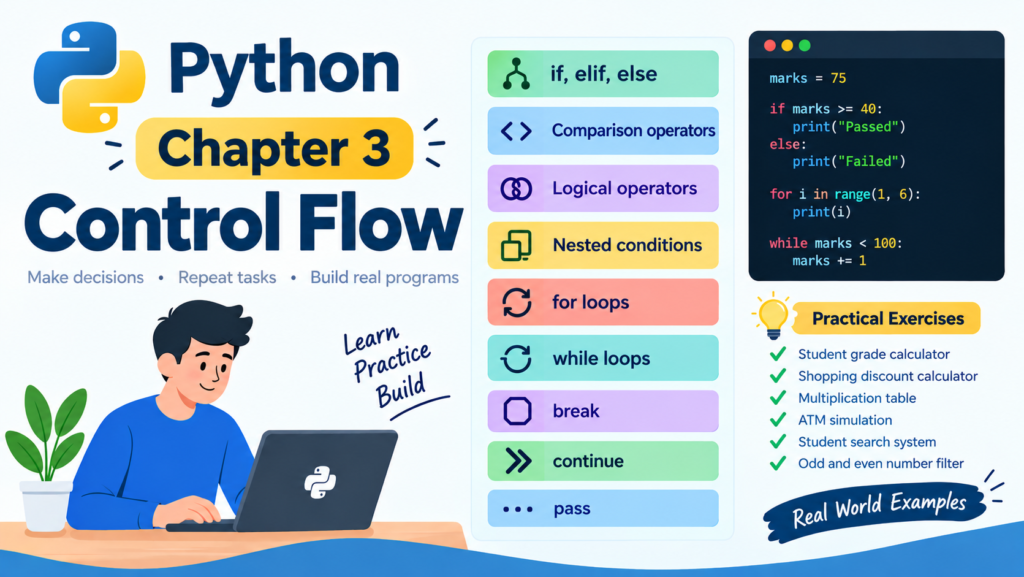
Table of Contents
1. If, Elif, and Else Statements
Conditional statements allow a Python program to make decisions based on specific conditions.
Python provides three main conditional statements called if, elif, and else.
The If Statement
The if statement executes a block of code when a condition is true.
For example, suppose you are developing a student management system and want to check whether a student has passed an examination. If the student’s marks are 40 or above, the program should display a message that the student has passed.
Example
Python
Run
marks = 75
if marks >= 40:
print(“Congratulations! You have passed.”)
Output
Congratulations! You have passed.
In this example, the variable marks contains the value 75. Python checks whether the marks are greater than or equal to 40. Because the condition is true, the print statement executes.
If the marks are below 40, the message will not be displayed.
The Else Statement
The else statement executes when the if condition is false. It allows you to provide an alternative action.
For example, a school examination system can display a different message depending on whether a student passes or fails.
Python
Run
marks = 32
if marks >= 40:
print(“You have passed.”)
else:
print(“You have failed.”)
Output
You have failed.
Here, the condition is false because the marks are below 40. Therefore, Python executes the code inside the else block.
The Elif Statement
The elif statement means else if. It allows you to check multiple conditions in a program.
For example, a college may assign grades according to students’ examination marks.
Python
Run
marks = 85
if marks >= 90:
print(“Grade A Plus”)
elif marks >= 80:
print(“Grade A”)
elif marks >= 70:
print(“Grade B”)
elif marks >= 60:
print(“Grade C”)
elif marks >= 40:
print(“Grade D”)
else:
print(“Fail”)
Output
Grade A
Python checks the conditions from top to bottom. When it finds a true condition, it executes that block and skips the remaining conditions.
In this example, 85 is not greater than or equal to 90, but it is greater than or equal to 80. Therefore, the program displays Grade A.
Example of Conditional Statements
Consider an online shopping website that provides discounts according to the purchase amount.
Python
Run
total_amount = 6000
if total_amount >= 10000:
discount = 20
elif total_amount >= 5000:
discount = 10
else:
discount = 0
discount_amount = total_amount * discount / 100
final_amount = total_amount – discount_amount
print(“Total amount:”, total_amount)
print(“Discount:”, discount, “%”)
print(“Discount amount:”, discount_amount)
print(“Final amount:”, final_amount)
Output
Total amount: 6000
Discount: 10 %
Discount amount: 600.0
Final amount: 5400.0
This example demonstrates how an e-commerce website can calculate a discount based on the customer’s purchase amount.
2. Comparison Operators in Python
Comparison operators are used to compare two values. They return either True or False.
These operators are frequently used in conditional statements and loops.
| Operator | Meaning | Example |
| == | Equal to | 5 == 5 |
| != | Not equal to | 5 != 3 |
| > | Greater than | 10 > 5 |
| < | Less than | 3 < 8 |
| >= | Greater than or equal to | 10 >= 10 |
| <= | Less than or equal to | 4 <= 6 |
Example of Comparison Operators
Python
Run
a = 10
b = 5
print(a == b)
print(a != b)
print(a > b)
print(a < b)
print(a >= 10)
print(b <= 5)
Output
False
True
True
False
True
True
Example of an Age Verification System
Suppose a website requires users to be at least 18 years old to access a particular service.
Python
Run
age = 20
if age >= 18:
print(“Access granted.”)
else:
print(“Access denied. You must be at least 18.”)
Output
Access granted.
The program compares the user’s age with 18. If the age is 18 or above, access is granted. Otherwise, the program displays an access denied message.
Comparison operators are useful for validating user input, checking examination results, verifying account balances, and implementing business rules.
3. Logical Operators in Python
Logical operators allow you to combine multiple conditions in a single expression.
Python provides three main logical operators called and, or, and not.
The And Operator
The and operator returns True only when both conditions are true.
For example, a student may be eligible for a certificate if they have obtained at least 80 marks and completed the course.
Python
Run
marks = 85
course_completed = True
if marks >= 80 and course_completed:
print(“You are eligible for the certificate.”)
else:
print(“You are not eligible for the certificate.”)
Output
You are eligible for the certificate.
Both conditions are true, so the student qualifies for the certificate.
The Or Operator
The or operator returns True when at least one condition is true.
For example, a website may allow a user to log in with either an email address or a username, provided the relevant login information is valid.
Python
Run
email_login = False
username_login = True
if email_login or username_login:
print(“Login method accepted.”)
else:
print(“Please choose a valid login method.”)
Output
Login method accepted.
Because the username login condition is true, the entire expression evaluates to True.
The Not Operator
The not operator reverses a Boolean value. It changes True to False and False to True.
Python
Run
account_locked = False
if not account_locked:
print(“You can access your account.”)
else:
print(“Your account is locked.”)
Output
You can access your account.
The expression not account_locked evaluates to True because the account is not locked.
Example of Logical Operators
Consider an online examination system that allows students to enter an examination only if they are registered and have paid the examination fee.
Python
Run
registered = True
fee_paid = True
if registered and fee_paid:
print(“You can enter the examination.”)
else:
print(“You cannot enter the examination.”)
Output
You can enter the examination.
This example demonstrates how multiple conditions can be combined to implement a practical business rule.
4. Nested Conditions in Python
Nested conditions are conditional statements placed inside other conditional statements.
They are useful when a program needs to make a decision based on more than one level of checking.
For example, a login system may first check whether a username is correct. If the username is correct, it then checks whether the password is correct.
Example of Nested If Statements
Python
Run
username = “admin”
password = “python123”
if username == “admin”:
if password == “python123”:
print(“Login successful.”)
else:
print(“Incorrect password.”)
else:
print(“Incorrect username.”)
Output
Login successful.
In this example, Python first checks the username. When the username matches, it enters the first if block and checks the password. Since both values are correct, the program displays the login success message.
If the username is incorrect, Python skips the inner condition and displays the username error message.
Note that this is a learning example only. Real authentication systems should securely store password hashes and use appropriate authentication protections instead of hardcoding passwords.
Example of Student Admission
Suppose a college requires students to obtain at least 50 marks to qualify for admission. Students who meet this requirement must also submit their admission documents.
Python
Run
marks = 65
documents_submitted = True
if marks >= 50:
if documents_submitted:
print(“Admission approved.”)
else:
print(“Please submit your documents.”)
else:
print(“You do not meet the admission requirements.”)
Output
Admission approved.
This example demonstrates how nested conditions can be used in college admission systems, employee recruitment applications, and online registration platforms.
5. For Loops in Python
A for loop is used to repeat a block of code for each item in a sequence or other iterable object.
You can use a for loop to process lists, strings, tuples, dictionaries, and ranges of numbers.
For example, if you want to display the names of five students, you do not need to write five separate print statements. You can use a loop to display each name automatically.
Basic For Loop Example
Python
Run
for number in range(1, 6):
print(number)
Output
1
2
3
4
5
The range function generates numbers starting from 1 and ending before 6. Therefore, the loop displays numbers from 1 to 5.
Loop Through a List
Suppose you have a list of students enrolled in a Python course.
Python
Run
students = [“Ali”, “Ahmed”, “Sara”, “Ayesha”, “Usman”]
for student in students:
print(“Student name:”, student)
Output
Student name: Ali
Student name: Ahmed
Student name: Sara
Student name: Ayesha
Student name: Usman
Python takes each item from the list and assigns it to the variable student. The print statement then displays the current student’s name.
Using a For Loop to Calculate a Total
A for loop can also be used to calculate the total price of products purchased by a customer.
Python
Run
prices = [500, 1200, 800, 1500]
total = 0
for price in prices:
total = total + price
print(“Total shopping amount:”, total)
Output
Total shopping amount: 4000
The loop processes each price and adds it to the total variable. After the loop finishes, the program displays the combined price.
Example of a Student Marks Report
Python
Run
marks = [75, 82, 68, 90, 55]
for mark in marks:
if mark >= 40:
print(mark, “Passed”)
else:
print(mark, “Failed”)
Output
75 Passed
82 Passed
68 Passed
90 Passed
55 Passed
This example combines a for loop with an if statement to check multiple students’ results.
6. While Loops in Python
A while loop repeatedly executes a block of code as long as its condition remains true.
Unlike a for loop, which is commonly used to process a sequence or a known range of items, a while loop is useful when the number of repetitions depends on a condition.
Basic While Loop Example
Python
Run
number = 1
while number <= 5:
print(number)
number = number + 1
Output
1
2
3
4
5
The program starts with number equal to 1. The while loop continues while number is less than or equal to 5.
After displaying each number, the program increases the value by 1. When number becomes 6, the condition becomes false and the loop stops.
Example of an ATM Withdrawal
Suppose you are creating a basic ATM simulation that allows a customer to withdraw money while their account balance remains sufficient.
Python
Run
balance = 5000
while balance > 0:
print(“Current balance:”, balance)
withdrawal = int(input(“Enter withdrawal amount: “))
if withdrawal <= 0:
print(“Enter a valid withdrawal amount.”)
elif withdrawal > balance:
print(“Insufficient balance.”)
else:
balance = balance – withdrawal
print(“Withdrawal successful.”)
print(“Remaining balance:”, balance)
if balance == 0:
print(“Your balance is zero.”)
This program repeatedly asks the user to enter a withdrawal amount while the balance remains above zero. It checks whether the amount is valid and whether sufficient funds are available.
For this example, enter positive whole numbers and do not enter text. In a real ATM system, you would also need to validate input, enforce withdrawal limits, and handle transactions securely.
Important: A while loop must have a suitable stopping condition. If the condition never becomes false and the loop is not interrupted, the program may run indefinitely. This is known as an infinite loop.
7. Break Statement in Python
The break statement immediately terminates the loop in which it appears. The program then continues executing the code after that loop.
It is useful when you want to stop searching after finding a particular item or end a process when a condition is met.
Basic Break Example
Python
Run
for number in range(1, 11):
if number == 6:
break
print(number)
Output
1
2
3
4
5
When number becomes 6, the break statement terminates the loop. Therefore, 6 and the remaining numbers are not printed.
Example of Searching for a Student
Python
Run
students = [“Ali”, “Ahmed”, “Sara”, “Ayesha”]
search_name = “Sara”
for student in students:
if student == search_name:
print(“Student found:”, student)
break
Output
Student found: Sara
Once Python finds Sara in the list, the break statement stops the search. This avoids checking unnecessary items after the target has been found.
8. Continue Statement in Python
The continue statement skips the remaining statements in the current loop iteration and moves to the next iteration.
Unlike break, continue does not terminate the entire loop.
It is useful when you want to ignore particular values and continue processing the remaining items.
Basic Continue Example
Python
Run
for number in range(1, 6):
if number == 3:
continue
print(number)
Output
1
2
4
5
When number becomes 3, Python skips the print statement for that iteration. The loop then continues with number equal to 4.
Example of Processing Student Marks
Suppose you want to display marks for all students except those whose marks have not yet been entered. You can use None to represent missing marks.
Python
Run
marks_list = [75, None, 82, None, 90]
for marks in marks_list:
if marks is None:
continue
print(“Student marks:”, marks)
Output
Student marks: 75
Student marks: 82
Student marks: 90
The program skips missing marks and displays the available results.
The expression marks is None checks whether the value represents missing data.
9. Pass Statement in Python
The pass statement is a placeholder that performs no operation when executed.
It is useful when you need to create a function, conditional block, loop, or class that you plan to complete later.
Python requires an indented statement after certain constructs, such as an if statement or a function definition. The pass statement allows you to write the structure without implementing its logic yet.
Basic Pass Example
Python
Run
age = 20
if age >= 18:
pass
else:
print(“You are under 18.”)
The program produces no output because the condition is true and the pass statement does nothing.
Example of a Future Feature
Suppose you are developing a student management system and want to create a function for generating student reports later.
Python
Run
def generate_student_report():
pass
print(“Student management system started.”)
Output
Student management system started.
The function is defined but does not perform any action yet. The pass statement prevents a syntax error caused by an empty function body.
Remember that pass is not the same as break or continue. It does not stop a loop or skip an iteration. It simply does nothing.
10. Practical Programming Exercises
Now that you understand the main control flow concepts, it is time to practise writing your own Python programs. These exercises are designed to help beginners apply their knowledge to real situations.
Exercise 1: Student Grade Calculator
Beginner
Create a program that asks the user to enter examination marks between 0 and 100. Use if, elif, and else to display the appropriate grade.
Requirements
- Display Grade A for marks of 80 or above.
- Display Grade B for marks from 70 to 79.
- Display Grade C for marks from 60 to 69.
- Display Grade D for marks from 40 to 59.
- Display Fail for marks below 40.
- Display an error message for marks outside the valid range.
Exercise 2: Shopping Discount Calculator
Beginner
Develop a program for an online store that calculates a discount according to the total purchase amount.
Requirements
- Ask the customer to enter the total amount.
- Apply a 20 percent discount for purchases of 10,000 or more.
- Apply a 10 percent discount for purchases of 5,000 or more.
- Apply no discount for purchases below 5,000.
- Display the discount and final amount.
Exercise 3: Multiplication Table
Beginner
Write a program that asks the user to enter a number and displays its multiplication table from 1 to 10 using a for loop.
Example for input 5
5 x 1 = 5
5 x 2 = 10
5 x 3 = 15
Continue until the table reaches 10.
Exercise 4: Simple ATM Simulation
Intermediate
Create a program that starts with an account balance of 10,000 and allows the user to withdraw money.
Requirements
- Use a while loop to repeat the withdrawal process.
- Reject zero or negative withdrawal amounts.
- Display an error if the withdrawal exceeds the balance.
- Deduct valid withdrawals from the balance.
- Stop the program when the user enters 0 to exit.
Exercise 5: Student Search System
Intermediate
Create a list containing the names of five students. Ask the user to enter a student’s name and use a for loop to search the list.
Requirements
- Display a message if the student is found.
- Use break to stop searching after finding the student.
- Display a not found message if the name is absent.
Exercise 6: Odd and Even Number Filter
Intermediate
Write a program that displays numbers from 1 to 20 but skips all even numbers using a for loop and the continue statement.
Expected output
1
3
5
7
9
…
19
11. Complete Practical Project
Student Result Management System
In this project, you will combine conditional statements, comparison operators, logical operators, loops, and input validation to create a simple student result management program.
The program will accept marks for three subjects, calculate the total and average, and determine whether the student has passed or failed.
Python Code
Python
Run
print(“Student Result Management System”)
name = input(“Enter student name: “)
total = 0
passed = True
for subject in range(1, 4):
marks = float(input(f”Enter marks for subject {subject}: “))
if marks < 0 or marks > 100:
print(“Invalid marks. Enter a value from 0 to 100.”)
passed = False
break
total = total + marks
if marks < 40:
passed = False
if passed:
average = total / 3
print(“\nStudent Name:”, name)
print(“Total Marks:”, total)
print(“Average Marks:”, average)
if average >= 80:
print(“Grade: A”)
elif average >= 70:
print(“Grade: B”)
elif average >= 60:
print(“Grade: C”)
else:
print(“Grade: D”)
print(“Result: Pass”)
else:
print(“Result: Failed or invalid marks entered.”)
How the Project Works
First, the program asks the user to enter the student’s name.
Next, a for loop repeats three times to collect marks for three subjects. The program checks that every mark is between 0 and 100. If an invalid mark is entered, break stops the loop.
The program also checks whether each subject’s marks are at least 40. If any subject has marks below 40, the passed variable becomes False.
After all three subjects have been processed, the program calculates the average and displays the grade if the student has passed.
This is a basic learning project. In a more complete version, you could distinguish invalid input from a genuine failing result and validate that the entered marks are numeric.
12. Summary of Python Control Flow
| Concept | Purpose |
| if | Executes code when a condition is true |
| elif | Checks another condition |
| else | Executes an alternative block |
| Comparison operators | Compare values |
| Logical operators | Combine or reverse conditions |
| Nested conditions | Check conditions inside other conditions |
| for loop | Iterates over a sequence or range |
| while loop | Repeats while a condition is true |
| break | Terminates the current loop |
| continue | Skips the current iteration |
| pass | Acts as a placeholder without performing an operation |
Conclusion
Control flow is an essential part of Python programming because it enables you to build programs that make decisions and perform repetitive tasks automatically.
By understanding if, elif, and else statements, you can create decision making systems. Comparison and logical operators help you evaluate conditions, while nested conditions allow you to implement more complex rules. For and while loops help you process data and repeat tasks, while break, continue, and pass give you additional control over program execution.
Practise the exercises in this tutorial and try modifying the examples with your own values. Once you are comfortable with these concepts, you will be ready to use them in more advanced Python projects, including student management systems, online stores, login applications, and data processing programs.
Next Chapter
Chapter 4 — Functions
We’ll cover:
Learn Python functions from scratch, including creating functions, parameters, arguments, return values, default and keyword arguments, *args, **kwargs, lambda functions, scope, and recursion with practical examples.