
Malware Analysis Reporting
Malware analysis reporting is an important part of cybersecurity. It helps security professionals explain what a suspicious file does, how it behaves, what damage it may cause, and how an organization can protect its computers and data.
When analysts discover malware, they must do more than identify the suspicious file. They need to collect evidence, examine its behavior, understand its purpose, and communicate their findings clearly. A malware analysis report brings all this information together in one organized document.
For example, imagine that an employee receives an email containing an invoice. The employee opens the attachment, and the computer begins behaving strangely. Unknown processes appear, files are created in temporary folders, and the computer attempts to connect to an unfamiliar internet address. The security team investigates the attachment and discovers that it is a malicious program.
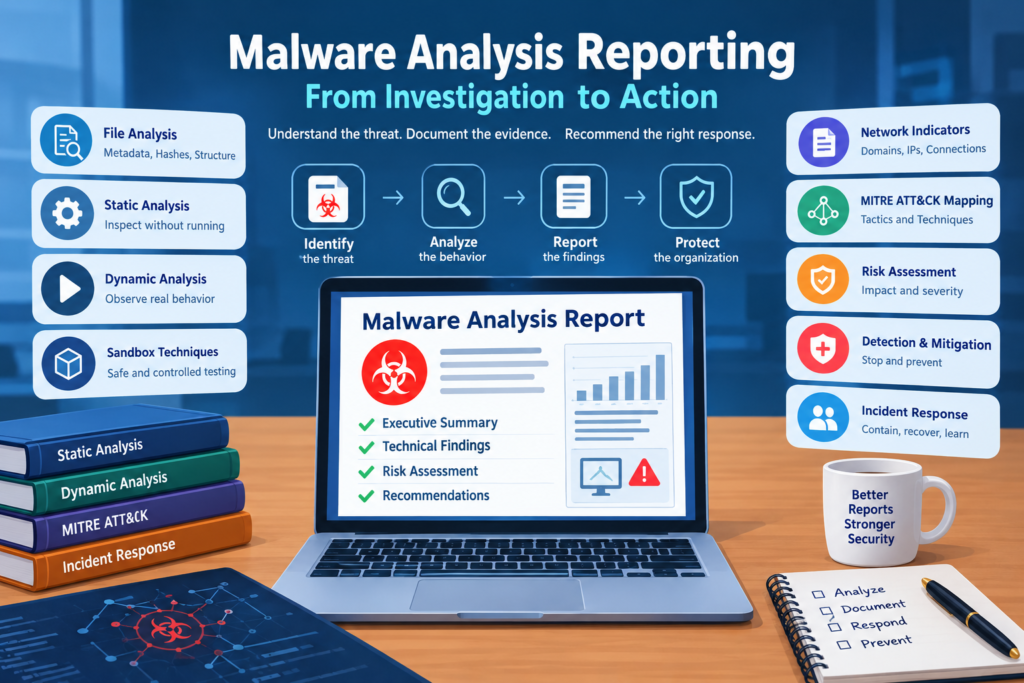
The analyst records the file information, examines its code, observes its behavior in a controlled environment, and studies its network activity. The analyst then prepares a report explaining what happened, what evidence was found, how serious the threat may be, and what the organization should do next.
A good malware analysis report should be accurate, understandable, and supported by evidence. It should help both technical and nontechnical readers make informed decisions.
Table of Contents
Structure of a Malware Analysis Reporting
The structure of a malware analysis report determines how easily readers can understand the investigation. A well organized report presents information in a logical order, beginning with a brief explanation of the threat and continuing with the technical evidence.
The report should identify the suspicious file, explain why it was investigated, describe the analysis methods used, and present the findings. It should also explain the possible impact and recommend actions to detect, contain, and prevent the threat.
The amount of technical detail depends on the intended audience. A security engineer may need process logs, file hashes, network records, and registry changes. A manager may need a clear explanation of the risk, affected systems, and actions required to protect the organization.
For example, suppose a company discovers a suspicious program on an employee computer. The report could explain that the program attempted to create a startup entry and communicate with an unknown external server. The technical section would include the relevant registry location, connection records, timestamps, and supporting evidence.
The report should clearly separate observed facts from assumptions. If the analyst suspects that the program could steal passwords but has not observed any successful credential theft, the report should describe this as a potential risk rather than a confirmed event.
A complete malware analysis report generally includes the executive summary, sample information, static analysis findings, dynamic analysis findings, network indicators, MITRE ATT&CK mappings, risk assessment, and recommendations. These sections help readers understand the threat from identification through response.
Executive Summary and Technical Findings
The executive summary is a short explanation of the most important results of the investigation. It allows readers to understand the situation without reading every technical detail.
It should explain what was investigated, what the analyst discovered, how serious the threat appears to be, and which actions are recommended. The summary should use simple language and avoid unnecessary technical terms.
For example, an executive summary might state that a suspicious email attachment was found to create an additional file, attempt to establish persistence on a Windows computer, and contact an unfamiliar external server. The report may recommend isolating the affected computer, checking other systems for similar activity, and investigating whether sensitive information was exposed.
The summary should not contain conclusions that are unsupported by the investigation. If the analyst has confirmed suspicious network communication but has not confirmed data theft, the summary should make that distinction clear.
Technical findings provide the detailed evidence behind the summary. They explain what the analyst observed and how the evidence supports the conclusions.
For example, the analyst may find that the suspicious program launches another process, writes a file to a temporary directory, and attempts to modify a Windows registry entry. The report should explain why these activities are important and whether they indicate possible persistence or additional malicious behavior.
Technical findings can also include relevant tool output, screenshots, log entries, file paths, process names, and timestamps. Each piece of evidence should have enough context for another analyst to understand and verify it.
The executive summary answers the question of what the organization needs to know. The technical findings explain how the analyst reached that conclusion.
Sample Metadata and File Hashes
Sample metadata is the basic information recorded about a suspicious file. It helps analysts identify the exact sample under investigation and maintain a reliable record of the evidence.
The metadata may include the file name, file type, file size, file location, collection date, analysis date, and the environment used for testing. The report should also include a cryptographic hash, especially the SHA256 hash.
A file hash is a value calculated from the contents of a file. It works like a digital fingerprint. If the contents of a file change, its hash will normally change as well. Analysts use hashes to compare files, search threat intelligence sources, and identify known malware samples.
For example, an employee reports receiving a suspicious attachment named invoice.pdf.exe. The file name may be designed to make the attachment look like a PDF document, but its actual file type may be a Windows executable.
The analyst examines the file type and calculates its SHA256 hash. The hash is then compared with information available from trusted security sources. If the hash matches a known malicious sample, the match provides useful evidence about the file’s identity.
However, a hash match should be evaluated carefully. A new hash does not automatically mean that a file is safe, and a matching hash alone does not explain everything the malware can do.
A sample record could contain the following information.
Sample name: invoice.pdf.exe
File type: Windows executable
File size: Actual size of the collected file
SHA256 hash: Actual hash calculated from the sample
Source: Email attachment collected during the investigation
Analysis environment: Isolated Windows virtual machine
Analysis date: Actual date of examination
Analyst: Name or identifier of the responsible analyst
The report should use real values collected during the investigation. Analysts should not invent hashes or copy values from unrelated samples.
It is also important to preserve the original sample securely and record where it was collected. This helps maintain the chain of custody, which is the documented record of how evidence was collected, handled, stored, and transferred.
Static Analysis Findings
Static analysis is the examination of a suspicious file without running it. It allows analysts to inspect its structure and identify characteristics that may indicate malicious behavior.
During static analysis, an analyst may examine file metadata, readable strings, executable headers, imported functions, digital signatures, and other details. Specialized tools can help reveal how the program is organized and which operating system functions it may use.
For example, a suspicious Windows executable may contain references to temporary folders, registry locations, or unfamiliar domains. It may also import functions associated with creating processes, writing files, or changing registry settings.
These findings can help the analyst develop an initial understanding of the program. However, the presence of a particular string or function does not prove that the program actually performs the related action. Further examination may be needed.
Suppose an analyst discovers that a suspicious file contains a reference to a Windows startup registry location. This location can be used by programs that start automatically when a user signs in.
The analyst may record that the file contains a string associated with a possible persistence mechanism. During dynamic analysis, the analyst can then check whether the program actually creates or modifies that registry entry.
Static analysis can also reveal signs of packing or obfuscation. Packing is a technique that compresses or transforms executable code, while obfuscation makes code more difficult to understand. Malware authors may use these methods to make detection and investigation harder.
For example, a file may contain very few readable strings and have an unusual executable structure. These characteristics may suggest that the program is packed or obfuscated. The report should describe the evidence and avoid claiming that packing proves the file is malicious.
A strong static analysis section explains the finding, the tool or method used, the evidence collected, and the significance of that evidence.
Dynamic Analysis Findings
Dynamic analysis Findings examines a suspicious program while it runs in a controlled environment. Unlike static analysis, which studies the file without executing it, dynamic analysis helps analysts observe the program’s actual behavior during testing.
Analysts may monitor processes, files, registry entries, system services, scheduled tasks, and network connections. They may also compare system activity before and after execution to identify changes caused by the sample.
For example, an analyst runs a suspicious file inside an isolated Windows virtual machine. The analyst observes that the program creates a file in a temporary directory and starts another process. A monitoring tool also records an attempt to create a registry entry that could allow the program to run automatically when the user signs in.
The analyst records the process names, file paths, registry location, timestamps, and other relevant details. The report explains that the observed changes may indicate an attempt to maintain access to the system.
Dynamic analysis can also help determine whether malware attempts to download additional files, collect information, modify documents, or communicate with an external server.
For example, a program may attempt to retrieve another executable after it starts. If the download succeeds in the controlled environment, the analyst can preserve and examine the additional file separately. If the attempt fails, the report should state that a download was attempted but not successfully completed.
Testing conditions are important because malware may behave differently on different systems. Some samples remain inactive when they detect a virtual machine, lack internet connectivity, or fail to find a particular file or user account.
Therefore, the report should describe the testing environment and any limitations. If the sample shows no harmful activity during a particular test, that result does not prove that the file is safe.
The purpose of dynamic analysis reporting is to document what the sample actually did, when it did it, and what evidence supports the observations.
Network Indicators and Behavioral Evidence
Network indicators help analysts understand how malware communicates with other systems. Behavioral evidence describes the actions the malware performs on the infected computer.
Network indicators may include domain names, IP addresses, DNS requests, connection timestamps, network protocols, and relevant packet captures. Behavioral evidence may include process creation, file modification, registry changes, and attempts to collect or transmit information.
For example, an analyst observes that a suspicious program repeatedly attempts to connect to an unfamiliar domain. Network monitoring shows that the program sends requests to the same destination at regular intervals.
This pattern may suggest command and control communication. Command and control is the communication channel an attacker may use to send instructions to compromised systems or receive information from them.
However, an unfamiliar domain or repeated connection is not enough by itself to prove that a server is malicious. The analyst should consider the available network records, domain reputation, program behavior, and other supporting evidence.
The report should record the destination, time of activity, protocol, relevant logs, and the reason the connection is considered suspicious. If the domain or IP address is confirmed malicious, the report should explain the evidence supporting that conclusion.
Behavioral evidence should also be documented in detail.
For example, the analyst may observe that the program creates a file, starts a child process, and attempts to contact an external server. These activities can be connected through timestamps to establish the sequence of events.
A timeline can help explain what happened first and what followed. This is especially useful when investigating whether the program downloaded another file, established persistence, or attempted to send information outside the organization.
The report must distinguish between an attempted action and a successful result. An attempted network connection does not prove that communication was completed. Similarly, an attempted data transfer does not prove that information reached the destination.
Clear network and behavioral evidence allows incident response teams to search other computers for related activity and determine whether the incident affected additional systems.
Mapping Findings to MITRE ATT&CK
Mapping Findings MITRE ATT&CK is a cybersecurity knowledge base that organizes common tactics and techniques used by attackers. It provides a shared language for describing malicious behavior and helps security teams connect investigation findings with known attack methods.
A malware analysis report can use MITRE ATT&CK to explain which techniques are supported by the evidence. The analyst should map observed behavior rather than simply guessing which techniques a particular malware family might use.
For example, suppose an analyst observes that a program creates a Windows registry entry that causes it to run automatically when a user signs in. This behavior may correspond to the Windows Registry Run Keys and Startup Folder technique in MITRE ATT&CK.
The report should include the verified technique name, its identifier, and the evidence supporting the mapping. The analyst should also explain the observed behavior in plain language.
Another example involves suspicious PowerShell activity. If the investigation confirms that a program uses PowerShell to perform a particular action, the analyst can examine the relevant ATT&CK technique and determine whether the observed behavior fits its definition.
The technique should not be assigned merely because PowerShell appeared in a process log. The analyst must consider what the program actually did.
Mapping findings to MITRE ATT&CK helps security teams understand the behavior in a standardized way. It can also support the development of detection rules, security monitoring improvements, incident comparisons, and threat hunting.
The report should distinguish between confirmed techniques and possible techniques that require further investigation. This makes the analysis more accurate and prevents readers from treating assumptions as proven facts.
Risk Assessment and Impact Analysis
Risk assessment explains how seriously the malware could affect an organization. Impact analysis examines what the malware has already affected and what consequences may result from its behavior.
The analyst should consider the systems involved, the privileges available to the malware, the type of information accessible to the affected account, the observed behavior, and the importance of the affected systems.
For example, malware discovered on an employee’s computer may initially appear to affect only one device. However, if that computer has access to shared company folders or administrative accounts, the potential impact may extend to other systems.
The report should distinguish between confirmed damage and possible damage.
Suppose an analyst confirms that malware encrypted several files on a workstation. The report can describe the affected files and the resulting loss of access.
If the program also contains behavior associated with collecting information but the analyst has not observed a successful transfer, the report should explain that information theft remains a potential risk rather than a confirmed outcome.
Organizations often classify risk as low, medium, high, or critical. The classification should follow the organization’s risk assessment criteria and reflect both the likelihood of harm and its potential consequences.
A suspicious file blocked before execution may present a lower immediate impact than an active ransomware infection affecting a shared business server. However, the organization may still need to investigate whether the file reached other computers.
Impact analysis should consider confidentiality, integrity, and availability.
Confidentiality concerns whether unauthorized people could access sensitive information. Integrity concerns whether information or systems were changed without authorization. Availability concerns whether users can access the systems and information they need.
For example, spyware may create a confidentiality risk if it collects sensitive information. Malware that modifies business records may affect integrity. Ransomware may affect availability by preventing employees from opening important files.
The report should explain which security objectives were affected, which effects were confirmed, and which risks require further investigation.
A clear risk assessment helps managers and incident response teams decide which actions should be performed first.
Detection and Mitigation Recommendations
Detection and mitigation recommendations explain how an organization can identify the malware, limit its spread, remove the threat, and reduce the chance of a similar incident happening again.
Detection recommendations should be based on the evidence collected during analysis. They may include searching for known file hashes, monitoring suspicious process behavior, checking registry changes, reviewing endpoint security alerts, and searching network logs for confirmed indicators.
For example, if an analyst confirms that a malicious sample creates a particular file in a specific location, the security team can search other endpoints for that file. The team should also examine related process activity to determine whether the same behavior occurred elsewhere.
File hashes can help identify an exact sample, but they may not detect modified versions of the malware. For this reason, organizations may also need behavior based detection rules and additional indicators.
Mitigation recommendations focus on reducing harm and restoring security.
If malware is active on a computer, the response team may need to isolate the device from the network while preserving evidence. The team can then investigate the infection, remove the malicious files, identify persistence mechanisms, and determine whether other systems were affected.
If the investigation identifies a malicious domain or IP address, the organization may consider blocking it through appropriate security controls. Such decisions should account for the reliability of the evidence and the possibility of blocking legitimate services.
If credential theft is suspected or confirmed, the organization may need to reset affected passwords, revoke active sessions, review account activity, and check for unauthorized access.
In a ransomware incident, the organization should prioritize containment, preserve evidence, assess the scope of encryption, and restore clean data from verified backups when appropriate.
Recommendations should be prioritized according to urgency. Immediate containment actions should be separated from longer term improvements, such as employee awareness training, stronger email filtering, software patching, and improved endpoint monitoring.
Each recommendation should explain what needs to be done and why it matters. Where possible, the report should identify the responsible team and the evidence that should be checked to confirm that the action was completed successfully.
Writing an Incident Response Report
An incident response report documents the wider security incident and the actions taken to investigate, contain, and recover from it. A malware analysis report focuses on the technical examination of the sample, while an incident response report explains how the organization handled the incident as a whole.
These Incident Response Report may be prepared separately or combined, depending on the organization’s procedures.
An incident response report should describe how the incident was discovered, which systems were affected, what evidence was collected, what actions were taken, and what the investigation established.
For example, an employee reports receiving an unusual invoice attachment. After opening it, the employee notices unexpected computer activity and contacts the IT department.
The security team collects the suspicious file, calculates its hash, and examines it in an isolated environment. The analysis identifies suspicious process activity and an attempt to communicate with an unfamiliar external server.
The response team isolates the affected computer and checks other endpoints for the same file and related indicators. It reviews relevant security logs to determine whether the malware executed elsewhere and whether any sensitive information may have been exposed.
The incident response report should record the timeline of these actions, the affected assets, the evidence collected, and the results of the investigation.
It should also document containment and recovery activities. For example, the report may explain when the computer was isolated, when the malicious file was removed, whether the operating system required recovery, and when the system was approved for normal use.
The final report should clearly state what was confirmed and what remains uncertain. If the available evidence cannot establish whether data was stolen, the report should explain that limitation and recommend any additional investigation required.
The report should also include lessons learned. These may involve improving email security, reviewing user permissions, strengthening endpoint monitoring, updating software, and improving employee awareness of suspicious attachments.
The final objective is to create a reliable record of the incident, explain how it was handled, and identify improvements that can reduce the likelihood or impact of similar incidents in the future.
A well prepared incident response report helps technical teams learn from the investigation, supports management decisions, and improves the organization’s overall cybersecurity readiness.


