
YARA Rules and Malware Detection
Introduction to YARA
YARA is a tool used by cybersecurity experts to find and identify suspicious files. It helps analysts detect malware by searching for specific patterns inside files.
These patterns may include text, numbers, or sequences of bytes. When a file contains the patterns defined in a YARA rule, the tool reports a match.
YARA is useful because security analysts often need to check hundreds or thousands of files. Instead of opening every file one by one, they can use YARA to search for known patterns automatically.
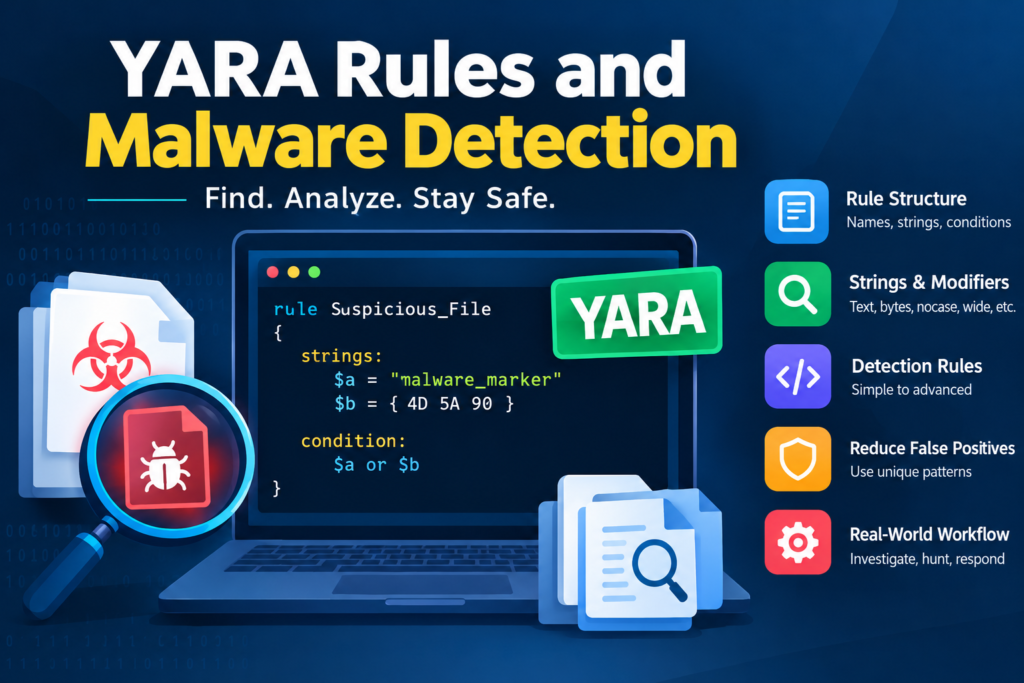
Table of Contents
Example
Imagine that an employee receives a suspicious email attachment. The cybersecurity team wants to check whether the attachment contains signs of malware.
The team creates a YARA rule that searches for a known suspicious text pattern. When they scan the attachment, YARA finds the pattern and reports a match.
The analyst then investigates the file further to decide whether it is actually malicious.
Remember that a YARA match does not always mean a file is dangerous. It only means that the file contains the pattern described in the rule.
YARA Rule Structure
A YARA rule is a set of instructions that tells YARA what to search for inside a file and when to report a match.
A basic YARA rule has three main parts.
Rule Name
The rule name identifies the rule. It should describe what the rule is designed to find.
For example, a rule named Training_File_Check can be used to identify a file containing a specific training marker.
Strings Section
The strings section defines the text or byte patterns that YARA should search for.
For example, a rule may search for a special text value inside a file.
Condition Section
The condition section tells YARA when the rule should match. It checks whether the required patterns are present.
Simple YARA Rule Example
rule Training_File_Check
{
strings:
$marker = “training_example”
condition:
$marker
}
In this example, the rule searches for the text training_example.
If the text is found inside a file, YARA reports a match.
This is a simple educational example. The text is not a real malware indicator.
Understanding the Example
The rule name is Training_File_Check.
The string variable named marker contains the text that YARA must search for.
The condition checks whether that text exists in the file.
This basic structure is used in many YARA rules, including more advanced rules created by cybersecurity professionals.
Strings, Conditions, and Modifiers
Strings, conditions, and modifiers are important parts of YARA. Understanding them helps you write useful detection rules.
What Are Strings
Strings are the patterns that YARA searches for inside files.
A string may be ordinary text, a sequence of bytes, or a pattern that follows a particular format.
For example, an analyst may search for a special text marker found in a suspicious program.
rule Simple_String_Check
{
strings:
$text = “cyber_training”
condition:
$text
}
This rule matches a file if it contains the text cyber_training.
In real malware analysis, an analyst may search for a unique program identifier or a suspicious configuration value found in a known sample.
What Are Conditions
Conditions tell YARA which patterns must be present for a rule to match.
For example, a rule may require one string or two strings to appear in the same file.
rule Two_String_Check
{
strings:
$first = “training_marker_one”
$second = “training_marker_two”
condition:
$first and $second
}
This rule matches only when both strings are found.
If the file contains only one of the two strings, the rule does not match.
This approach can help analysts create more accurate rules because one common string alone may not be enough to identify a suspicious file.
YARA also supports the logical operators and, or, and not.
The and operator requires all specified conditions to be true.
The or operator requires at least one condition to be true.
The not operator checks that a condition is false.
What Are Modifiers
Modifiers change how YARA searches for a string.
One useful modifier is nocase. It allows YARA to find text without considering whether the letters are uppercase or lowercase.
For example, if a rule searches for the word Malware with the nocase modifier, it can also match malware or MALWARE.
Another modifier is wide. It helps search for text stored using two bytes per character, as often happens with UTF 16 text in Windows programs.
The ascii modifier is used for ordinary ASCII text.
The fullword modifier helps match a complete word rather than the same text appearing as part of a longer word.
These modifiers help analysts find text that may be stored in different formats.
Writing Basic Detection Rules
Writing a basic YARA rule is easier when you follow a few simple steps.
First, decide what you want to find.
Second, identify a useful pattern in the file.
Third, write the string in the strings section.
Finally, add a condition that tells YARA when to report a match.
Example of a Basic Detection Rule
Suppose a cybersecurity teacher creates several practice files containing the same unique marker. The teacher wants students to find these files automatically.
The following rule can be used for this purpose.
rule Practice_File_Detection
{
strings:
$marker = “practice_file_2026”
condition:
$marker
}
When YARA scans a file containing practice_file_2026, it reports a match.
If the marker is not present, the rule does not match.
How This Is Used in Cybersecurity
In a real investigation, analysts may find a distinctive pattern in a suspicious file. They can create a rule to search for the same pattern in other files.
If another file contains that pattern, it becomes a candidate for further investigation.
A good detection rule should have a clear name and use patterns that are useful for identifying the files of interest.
Analysts should also test their rules before using them in real security investigations.
Detecting Malware Through Strings and Byte Patterns
Malware detection often involves searching for special text or byte patterns inside suspicious files.
Some malware contains readable text, such as configuration values, error messages, or web addresses. Other malware contains binary patterns that are not easily understood by reading the file.
YARA can search for both types of patterns.
Detecting Malware Through Text Strings
Suppose an analyst examines a suspicious program and finds a unique text value that also appears in several confirmed malware samples.
The analyst can create a YARA rule to search for that value in other files.
If another file contains the same text, it may be related to the known samples.
However, the analyst must investigate further because the same text could appear in a harmless file.
Detecting Malware Through Byte Patterns
A byte pattern is a sequence of bytes found inside a file.
Computers store program instructions and other information as bytes. Some byte sequences can help identify particular files or parts of a program.
YARA allows analysts to search for these patterns using hexadecimal values.
For example, an analyst may discover a distinctive byte sequence in a known malware sample. A rule can search for that sequence in other files.
This can help identify related samples even when they do not contain useful readable text.
Why One Pattern May Not Be Enough
Malware developers can change their programs by modifying the code, hiding strings, or using packing and encryption techniques.
These changes may prevent an older rule from detecting a new version of the malware.
For better results, analysts can use several distinctive patterns together. They should also update their rules when new information becomes available.
Creating Rules for Malware Families
A malware family is a group of related malicious programs that share some common features.
For example, several malware samples may contain similar code, configuration information, or text patterns. Analysts can use these similarities to create YARA rules that help identify related files.
Example of Malware Family Detection
Imagine that a cybersecurity team discovers three suspicious files.
After examining them, the team finds that all three contain the same unusual configuration marker and a distinctive text value.
The analyst creates the following educational rule.
rule Example_Malware_Family
{
strings:
$config = “sample_config_marker”
$identifier = “sample_family_identifier”
condition:
$config and $identifier
}
This rule searches for both patterns.
If a new file contains both values, YARA reports a match. The analyst can then compare the new file with the previously discovered samples.
The example uses fictional markers and does not identify a real malware family.
Why Malware Family Rules Are Useful
These rules help analysts search large collections of files for possible members of a known malware family.
They can also help security teams investigate whether several suspicious files are connected to the same incident.
However, a matching rule does not prove that two files belong to the same malware family. Analysts must examine additional evidence before reaching that conclusion.
Malware changes over time, so rules should be reviewed and updated as new variants are discovered.
Testing and Tuning YARA Rules
After writing a YARA rule, analysts need to test it. Testing helps them determine whether the rule finds the intended files and avoids unnecessary matches.
Test the Rule on Known Files
Start with a file that contains the pattern you want to detect.
For example, if a rule searches for training_example, scan a practice file containing that exact text.
If the rule matches, it is working as expected for that example.
If it does not match, check whether the string and condition are written correctly.
Test the Rule on Harmless Files
Next, scan a collection of legitimate files.
This step helps identify whether the rule matches files that it was not designed to detect.
For example, a rule may search for a common word that appears in many legitimate programs. As a result, it may report hundreds of unnecessary matches.
The analyst can improve the rule by using a more distinctive pattern or requiring additional evidence.
Improve the Rule
Tuning means making changes to a rule to improve its accuracy.
An analyst may change the string, add another pattern, or adjust the condition.
For example, instead of matching a file when one common word is present, the analyst may require two distinctive markers to appear together.
Every change should be tested again to confirm that the rule still detects the intended files.
Good testing helps make YARA rules more useful and reliable.
Reducing False Positives
A false positive happens when a security tool identifies a harmless file as suspicious or malicious.
False positives can create extra work for cybersecurity teams because analysts must spend time checking files that are not actually dangerous.
Why False Positives Happen
A false positive may occur when a YARA rule uses a common word or a pattern that appears in many different programs.
For example, an analyst creates a rule to find a particular networking function. Many legitimate applications use that function, so the rule matches both harmless and suspicious files.
The rule is not necessarily broken. It may simply be too general.
Use Unique Patterns
One way to reduce false positives is to search for patterns that are more distinctive.
A common word may appear in thousands of files, while a unique configuration value may be found in only a small group of related samples.
Distinctive patterns generally make more useful detection rules.
Combine Multiple Indicators
Another approach is to require more than one indicator.
For example, a rule may require both an unusual text value and a distinctive byte pattern.
This can reduce unnecessary matches when the two patterns are supported by reliable evidence.
However, adding too many requirements may cause the rule to miss modified malware samples. Analysts must balance accuracy with the ability to detect different variants.
Check the File Carefully
A YARA match should be treated as a reason to investigate, not as final proof of malware.
Analysts can check the file’s digital signature, origin, metadata, hash, and observed behavior to understand the result.
They should also record known false positives and update rules when necessary.
The goal is to find a useful balance between detecting suspicious files and avoiding unnecessary alerts.
Integrating YARA into Malware Analysis Workflows
YARA is more useful when it is included in a complete malware analysis process.
Cybersecurity teams can use it to search suspicious files, investigate incidents, and look for known patterns across collections of files.
Using YARA During an Investigation
Imagine that a company discovers a suspicious email attachment on an employee’s computer.
The security team collects the attachment and examines it in a safe analysis environment.
During the investigation, analysts identify a distinctive pattern and create a YARA rule to search for it.
The team then scans other authorized files and systems for the same pattern.
If additional files match the rule, the analysts investigate them to determine whether they are related to the original incident.
This process can help the company understand whether the problem is limited to one computer or affects other systems as well.
Using YARA for Threat Hunting
Threat hunting means actively searching for signs of suspicious activity within an organization’s systems.
Security teams can use YARA rules to search file collections for patterns associated with known threats.
For example, if researchers publish reliable indicators associated with a malware sample, an organization may create and test a suitable rule to check whether similar files exist in its environment.
Any matches should be investigated before the team decides that an infection has occurred.
Managing YARA Rules
Organizations should maintain their rules in an organized way.
Each rule should have a meaningful name and a clear explanation of what it detects. Analysts should also document where the patterns came from and how the rule performed during testing.
Rules should be reviewed when new malware samples or investigation findings become available.
A rule that works well for one malware version may not detect a newer version. Regular testing helps security teams identify these limitations.
Combining YARA with Other Security Tools
YARA should not be the only tool used to investigate suspicious files.
Analysts can combine its results with file hashing, antivirus detections, sandbox analysis, network monitoring, and other security evidence.
For example, a file may match a YARA rule and also show suspicious network communication during controlled analysis. These separate findings can provide stronger evidence for further investigation than the YARA match alone.
Conclusion
YARA is a useful tool for finding suspicious files through patterns. It allows cybersecurity analysts to create rules that search for specific text, byte sequences, and other file characteristics.
By understanding rule structure, strings, conditions, and modifiers, beginners can learn to create simple detection rules. They can then develop more advanced rules for identifying related malware samples.
Testing and tuning are important because a rule may miss modified malware or match harmless files. Analysts should use distinctive patterns, investigate matches carefully, and update rules when necessary.
With regular practice, YARA can become an important part of malware analysis, threat hunting, and incident response.


