
Network Penetration Testing
Introduction
Network penetration testing is an authorized security assessment performed to identify weaknesses in a computer network before malicious attackers can exploit them.
A penetration tester acts like a controlled attacker. The tester examines network devices, servers, applications, services, authentication systems, and security controls. The purpose is to understand how an attacker could enter the network, what systems could potentially be affected, and how the organization can reduce the risk.
Network penetration testing is different from attacking a network illegally. Professional penetration testing requires permission from the organization that owns or operates the systems.
For example, a company may have an internet facing VPN server. The company may believe that the VPN is secure. During an authorized penetration test, security professionals may discover that the VPN software is outdated. The company can then update the software before a real attacker discovers the weakness.
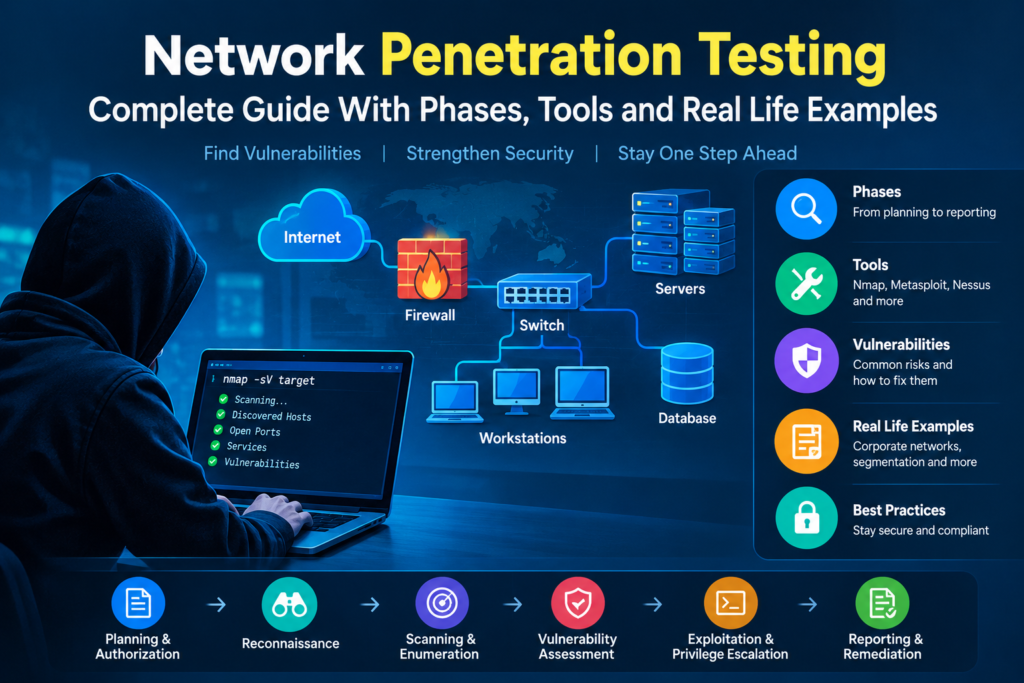
Table of Contents
What Is Network Penetration Testing
Network penetration testing is the process of simulating authorized attacks against network infrastructure.
The main objectives are to
• Identify security vulnerabilities
• Discover exposed services
• Find insecure configurations
• Test authentication controls
• Evaluate firewall rules
• Assess network segmentation
• Identify weak access controls
• Validate security monitoring
• Determine possible attack paths
• Measure the potential impact of vulnerabilities
• Provide recommendations for remediation
The purpose is not simply to find as many vulnerabilities as possible. The tester must understand how vulnerabilities could affect the organization.
What Is a Network
Before understanding network penetration testing, it is important to understand what a network contains.
A typical organizational network may include
• Computers
• Laptops
• Servers
• Routers
• Switches
• Firewalls
• Wireless access points
• Printers
• Network attached storage
• Domain controllers
• Database servers
• Web servers
• Mail servers
• VPN gateways
• Cloud systems
• Security monitoring systems
• Internet connections
Each device or service can introduce potential security risks if it is improperly configured or maintained.
Why Network Penetration Testing Is Important
Organizations store valuable information on network connected systems.
Examples include
• Customer information
• Employee information
• Financial information
• Business documents
• Passwords
• Authentication credentials
• Intellectual property
• Database records
• Internal communications
If attackers gain unauthorized access to a network, they may attempt to steal information, disrupt services, install malware, or move to other systems.
Network penetration testing helps organizations identify weaknesses before these problems occur.
Main Goals of Network Penetration Testing
The major goals include
Identify Vulnerabilities
The tester identifies weaknesses in systems, services, configurations, and network devices.
Identify Attack Paths
The tester determines whether one weakness could lead to access to another system.
Test Security Controls
Firewalls, authentication mechanisms, intrusion detection systems, and other controls can be evaluated.
Evaluate Network Segmentation
The tester determines whether sensitive systems are properly separated from less trusted systems.
Measure Potential Impact
The organization needs to understand what could happen if a vulnerability were successfully exploited.
Provide Remediation Guidance
The final goal is to help the organization fix the identified problems.
Types of Network Penetration Testing
External Network Penetration Testing
External testing examines systems that can be reached from the internet.
Typical targets include
• Public web servers
• VPN gateways
• Mail servers
• DNS servers
• Remote access services
• Public APIs
• Firewalls
• Public IP addresses
The tester approaches the environment from an external perspective.
Internal Network Penetration Testing
Internal testing examines the network from inside the organization.
The tester may be given access to an internal workstation or network segment.
The objective is to determine what an attacker could do after gaining an initial internal foothold.
For example, an attacker may compromise an employee laptop through phishing. The penetration test can determine whether the compromised workstation could communicate with sensitive servers.
Wireless Network Penetration Testing
Wireless testing evaluates the security of wireless networks.
The tester may examine
• Wireless encryption
• Authentication
• Access point configuration
• Guest networks
• Network segmentation
• Wireless management interfaces
The purpose is to determine whether unauthorized users could gain access to protected network resources.
Firewall Penetration Testing
Firewall testing evaluates whether firewall rules properly restrict network traffic.
The assessment may identify
• Unnecessary exposed services
• Overly permissive rules
• Incorrect source restrictions
• Incorrect destination restrictions
• Unnecessary administrative access
• Poorly configured network zones
For example, a database server may only need to communicate with an application server. If the firewall allows direct access from every internal workstation, the configuration may create unnecessary risk.
VPN Penetration Testing
VPN testing evaluates remote access infrastructure.
The tester may examine
• VPN authentication
• Access controls
• Encryption configuration
• User privileges
• Remote network access
• VPN software versions
• Authentication policies
A properly configured VPN should provide authorized users with secure and appropriately limited access.
Network Penetration Testing Methodology
A penetration test normally follows a structured process.
The major phases are
• Planning and authorization
• Reconnaissance
• Network discovery
• Port and service identification
• Enumeration
• Vulnerability assessment
• Controlled exploitation
• Privilege assessment
• Lateral movement assessment
• Security control validation
• Reporting
• Remediation
• Retesting
Phase One Planning and Authorization
Planning is the first and most important stage.
Before testing begins, the organization and penetration testing team should establish the scope.
Important information includes
• Target systems
• IP addresses
• Domains
• Testing dates
• Testing times
• Allowed techniques
• Excluded systems
• Testing limitations
• Emergency contacts
• Communication procedures
• Reporting requirements
• Data handling requirements
• Authorization documents
The rules should clearly define what the penetration tester is allowed to test.
Example
A company may authorize testing of
• One public IP range
• One VPN gateway
• Two web servers
• One mail server
However, the company may exclude
• Production databases
• Medical systems
• Critical industrial systems
• Employee personal devices
The tester must respect these restrictions.
Phase Two Reconnaissance
Reconnaissance involves collecting information about the target.
The tester may identify
• Domain names
• Subdomains
• Public IP addresses
• DNS information
• Network ranges
• Public services
• Technology information
• Email infrastructure
• Cloud services
• Publicly available information
Reconnaissance helps the tester understand the external attack surface.
Example
Suppose a company believes it has only one public server.
During reconnaissance, the penetration tester discovers that the organization also has an externally accessible VPN service and an old remote management interface.
These systems become important targets for further authorized assessment.
Phase Three Network Discovery
Network discovery determines which systems are active and reachable.
The tester may identify
• Live hosts
• IP addresses
• Open ports
• Network protocols
• Running services
• Service versions
• Operating systems
• Network relationships
Nmap is commonly used for authorized network discovery.
Example
A test might identify that a server exposes services for
• Web traffic
• Secure shell access
• DNS
• Database communication
The tester then determines whether each service is required and securely configured.
Phase Four Port and Service Identification
A port provides a communication endpoint for network services.
Common examples include
• Port 22 for Secure Shell
• Port 25 for SMTP
• Port 53 for DNS
• Port 80 for HTTP
• Port 443 for HTTPS
• Port 3389 for Remote Desktop Protocol
The presence of an open port does not automatically mean that the system is vulnerable.
The tester needs to understand what service is running and whether it is required.
Example
A server may have an administrative service exposed to the internet even though administrators only need access from an internal management network.
The security recommendation may be to restrict access rather than simply remove the service.
Phase Five Enumeration
Enumeration involves gathering detailed information about discovered services.
Depending on the target, testers may examine
• Service versions
• User accounts
• Network shares
• Authentication methods
• Domain information
• Operating system details
• Application information
• Access controls
• Configuration information
Enumeration provides a clearer understanding of the target environment.
Phase Six Vulnerability Assessment
The tester evaluates systems for known or suspected security weaknesses.
Common weaknesses include
• Outdated software
• Weak authentication
• Insecure configurations
• Unnecessary services
• Poor access controls
• Weak encryption
• Incorrect firewall rules
• Excessive privileges
• Poor network segmentation
• Known vulnerabilities
Automated vulnerability scanners can help identify potential problems.
However, automated results must be reviewed because scanners can produce false positives and may not understand the complete business context.
Phase Seven Controlled Exploitation
Controlled exploitation involves safely demonstrating whether an identified vulnerability can actually be abused.
The tester should carefully control this activity.
The purpose is to prove the security impact without unnecessarily damaging systems or accessing unrelated sensitive information.
Example
Suppose a test identifies a vulnerable service on a server.
The tester may demonstrate controlled access in accordance with the rules of engagement.
The tester then records
• The affected system
• The vulnerability
• The evidence
• The security impact
• The remediation recommendation
The test should stop if further exploitation could cause unnecessary damage or exceed the approved scope.
Phase Eight Privilege Assessment
After gaining authorized access to a system, the tester may determine whether the available account has excessive privileges.
For example, a normal employee account should not normally have unrestricted administrative access to critical servers.
If a standard account can obtain administrator privileges because of a configuration weakness, this represents an important security finding.
Phase Nine Lateral Movement Assessment
Lateral movement means moving from one compromised system toward other systems.
For example, an attacker may attempt to move from
• Employee workstation
• File server
• Application server
• Database server
• Domain controller
A penetration tester may assess whether network segmentation and access controls prevent unnecessary movement.
Example
Imagine an employee workstation is compromised.
The organization expects the workstation to have access only to normal business applications.
During an authorized test, the tester discovers that the workstation can communicate directly with a sensitive database server.
This may indicate inadequate network segmentation.
The organization can then restrict communication between the workstation network and the database network.
Phase Ten Security Control Validation
A penetration test can evaluate defensive controls.
These may include
• Firewalls
• Intrusion detection systems
• Intrusion prevention systems
• Endpoint security
• Security information and event management systems
• Network monitoring
• Authentication controls
• Access control systems
The objective is to determine whether security mechanisms detect or prevent suspicious activity.
Phase Eleven Reporting
Reporting is a critical part of penetration testing.
A professional report normally contains
• Executive summary
• Scope
• Testing objectives
• Testing methodology
• Systems tested
• Security findings
• Evidence
• Risk explanation
• Potential impact
• Remediation recommendations
• Retesting requirements
Executive Summary
The executive summary explains the overall results in language that management can understand.
It should answer questions such as
• What was tested
• What important weaknesses were discovered
• What business systems could be affected
• What actions should be taken
Technical Findings
Technical findings provide detailed information for security and IT teams.
A finding may contain
• Finding title
• Affected system
• Description
• Technical details
• Evidence
• Potential impact
• Risk level
• Remediation
• References
• Retesting information
Common Network Security Vulnerabilities
Weak Passwords
Weak passwords can make accounts easier to compromise.
Organizations should use strong authentication policies and consider multifactor authentication for important services.
Outdated Software
Older software may contain known vulnerabilities.
Organizations should maintain an effective patch management process.
Unnecessary Services
Services that are not required increase the attack surface.
Unused services should generally be disabled or appropriately restricted.
Poor Firewall Rules
Firewall rules that allow unnecessary traffic can expose sensitive systems.
Firewall rules should follow the principle of least privilege.
Weak Network Segmentation
If all systems can communicate with each other, compromise of one system may provide access to many others.
Network segmentation can reduce this risk.
Insecure Remote Access
Remote access services can become attractive targets if they are exposed without appropriate security controls.
Organizations should use strong authentication and restrict access where possible.
Excessive User Privileges
Users should receive only the permissions necessary for their work.
This is known as the principle of least privilege.
Example of a Corporate Network Test
Consider a fictional organization called ABC Bank.
The organization has
• Employee computers
• Web servers
• Database servers
• VPN infrastructure
• Firewalls
• Domain controllers
• Security monitoring systems
The bank authorizes an external penetration test.
Step One
The penetration testers identify the organizations public systems.
Step Two
They identify an externally accessible VPN service.
Step Three
They determine that the VPN software requires an update.
Step Four
The organization investigates the finding.
Step Five
The security team updates the VPN software and strengthens authentication.
Step Six
The penetration testers perform a retest.
Step Seven
The testers confirm that the original weakness has been addressed.
This demonstrates how penetration testing can help organizations identify and remediate weaknesses before they are exploited by criminals.
Example of Network Segmentation
Consider a university network.
The university has
• Student network
• Teacher network
• Administration network
• Server network
• Guest wireless network
The university believes these networks are properly separated.
During an authorized penetration test, the tester discovers that the student network can communicate with a server management interface.
The tester reports the issue.
The university modifies its firewall and network segmentation rules.
After remediation, students can no longer directly communicate with the management network.
This reduces the potential impact of a compromised student device.
Common Network Penetration Testing Tools
Nmap
Nmap is used for network discovery and security auditing.
It can help identify
• Hosts
• Open ports
• Services
• Service versions
• Operating system information
Wireshark
Wireshark is a network protocol analyzer.
It allows security professionals to inspect network traffic and understand communication between systems.
Nessus
Nessus is a vulnerability assessment tool used to identify known vulnerabilities and configuration problems.
OpenVAS
OpenVAS is an open source vulnerability assessment platform.
It can help identify vulnerabilities across network systems.
Metasploit
Metasploit is a penetration testing framework used by security professionals to validate vulnerabilities in authorized environments.
Burp Suite
Burp Suite is primarily designed for web application security testing.
It can also be relevant when network penetration testing includes web based management interfaces.
Network Penetration Testing Tools and Their Purposes
| Tool | Primary Purpose |
| Nmap | Network discovery and port scanning |
| Wireshark | Network traffic analysis |
| Nessus | Vulnerability assessment |
| OpenVAS | Vulnerability scanning |
| Metasploit | Controlled vulnerability validation |
| Burp Suite | Web application security testing |
These tools should only be used against systems where testing is authorized.
Important Network Security Concepts
Attack Surface
The attack surface represents the systems, services, interfaces, and entry points that could potentially be targeted by an attacker.
Reducing unnecessary exposed services can reduce the attack surface.
Attack Vector
An attack vector is a method or path that can be used to attempt unauthorized access.
Examples include
• Compromised credentials
• Exposed services
• Weak configurations
• Phishing
• Vulnerable software
Vulnerability
A vulnerability is a weakness that can potentially be exploited.
Exploit
An exploit is a technique or mechanism used to take advantage of a vulnerability.
Risk
Risk represents the potential for a security event to cause harm.
Risk assessment commonly considers
• Likelihood
• Impact
• Exposure
• Asset importance
Threat
A threat is a potential source of harm to a system or organization.
Examples include
• Cybercriminals
• Malware
• Insiders
• Automated attacks
• Compromised accounts
Penetration Testing Versus Vulnerability Scanning
Vulnerability Scanning
Vulnerability scanning generally
• Identifies potential vulnerabilities
• Uses significant automation
• Can cover many systems quickly
• Produces vulnerability findings
• May produce false positives
Penetration Testing
Penetration testing generally
• Investigates vulnerabilities in greater depth
• Uses manual analysis
• Validates selected weaknesses
• Examines attack paths
• Evaluates potential impact
• Provides contextual recommendations
Both activities can be valuable and are often used together.
Advantages of Network Penetration Testing
Network penetration testing can help organizations
• Identify security weaknesses
• Reduce attack surface
• Improve firewall configurations
• Improve network segmentation
• Identify outdated software
• Strengthen authentication
• Validate security controls
• Improve monitoring
• Understand attack paths
• Support security compliance
• Improve incident response
• Protect sensitive information
Limitations of Network Penetration Testing
Penetration testing cannot guarantee that a network is completely secure.
Important limitations include
• Testing only covers the defined scope
• New vulnerabilities can appear after testing
• Systems can change after testing
• Some vulnerabilities may remain undiscovered
• Testing represents a specific point in time
• Automated tools can produce inaccurate findings
A penetration test should therefore be combined with continuous security practices.
Best Practices for Network Penetration Testing
Organizations should
• Obtain written authorization
• Define the scope clearly
• Identify critical systems
• Create rules of engagement
• Use controlled testing methods
• Maintain backups where appropriate
• Monitor critical systems
• Protect sensitive test data
• Document all findings
• Prioritize remediation
• Perform retesting
• Update security controls regularly
Rules of Engagement
Rules of engagement define how a penetration test should be performed.
They should specify
• Who authorized the test
• What systems can be tested
• When testing can occur
• What techniques are permitted
• What techniques are prohibited
• How emergencies should be handled
• Who should be contacted if an incident occurs
• How evidence should be handled
• How results should be reported
Clear rules help prevent misunderstandings and reduce operational risk.
Remediation After Penetration Testing
Finding vulnerabilities is only the beginning.
Organizations should fix identified weaknesses according to their risk and business requirements.
Possible remediation actions include
• Installing security updates
• Disabling unnecessary services
• Changing firewall rules
• Improving authentication
• Implementing multifactor authentication
• Restricting administrative access
• Improving network segmentation
• Removing unnecessary accounts
• Updating insecure configurations
• Improving security monitoring
After remediation, retesting should be performed where appropriate.
Penetration Testing and Continuous Security
Security should not be treated as a one time activity.
Organizations should continuously monitor
• Network devices
• Servers
• Applications
• User accounts
• Authentication events
• Firewall logs
• Security alerts
• Vulnerability status
• Configuration changes
Regular assessments help organizations identify new weaknesses as their environment changes.
Ethical and Legal Considerations
Network penetration testing must always be authorized.
Security professionals should
• Obtain permission
• Stay within scope
• Protect confidential information
• Avoid unnecessary damage
• Document testing activities
• Follow organizational policies
• Protect collected evidence
• Report vulnerabilities responsibly
Never test random public systems without permission.
A security tool being publicly available does not mean that it is legal to use it against any target.
Network Penetration Testing Checklist
Before Testing
• Obtain written authorization
• Define scope
• Identify target systems
• Define testing dates
• Create rules of engagement
• Identify emergency contacts
• Identify excluded systems
During Testing
• Perform reconnaissance
• Identify active systems
• Identify open ports
• Identify services
• Enumerate approved systems
• Assess vulnerabilities
• Validate selected vulnerabilities
• Assess access controls
• Evaluate network segmentation
• Document evidence
• Monitor testing impact
After Testing
• Prepare the report
• Explain vulnerabilities
• Document business impact
• Provide remediation recommendations
• Prioritize important findings
• Discuss remediation with the organization
• Perform retesting
• Verify that vulnerabilities have been addressed
Career Skills for Network Penetration Testing
A network penetration tester should understand
• Networking fundamentals
• TCP and IP
• DNS
• DHCP
• Routing
• Switching
• Ports and protocols
• Firewalls
• VPNs
• Network segmentation
• Linux
• Windows
• Active Directory
• Authentication
• Cryptography
• Web technologies
• Vulnerability assessment
• Security tools
• Scripting
• Report writing
• Ethical and legal requirements
Strong networking knowledge is particularly important because penetration testing requires understanding how systems communicate.
Practical Learning Example
A beginner can build a legal cybersecurity laboratory using virtual machines.
A basic laboratory may contain
• One attacker testing machine
• One Linux server
• One Windows machine
• One intentionally vulnerable machine
• A private virtual network
The laboratory should be isolated from networks that the learner does not own or have permission to test.
A student can then learn the general penetration testing workflow
• Identify the systems
• Discover services
• Study the services
• Identify vulnerabilities
• Validate vulnerabilities safely
• Document findings
• Apply security fixes
• Perform retesting
This provides practical experience without targeting unauthorized systems.
Final Summary
Network penetration testing is an authorized process for evaluating the security of network infrastructure.
The major stages include
• Planning
• Authorization
• Reconnaissance
• Network discovery
• Port and service identification
• Enumeration
• Vulnerability assessment
• Controlled exploitation
• Privilege assessment
• Lateral movement assessment
• Security control validation
• Reporting
• Remediation
• Retesting
A successful penetration test does not simply produce a list of vulnerabilities. It helps an organization understand how weaknesses could affect its systems and what practical actions can reduce the risk.
The most important principle is authorization. Security professionals should only test systems and networks when they have explicit permission to do so.
Network penetration testing should be considered part of a broader cybersecurity program that includes secure configuration, patch management, vulnerability management, network segmentation, strong authentication, monitoring, incident response, and continuous security improvement.



sir iski hm practice kahn kry ??
Ye sare tools Kali linux pe working krty hn
agr phr b practices krni hn tu apni site bna k ya ksi se permission ly k us pe kr lo
ya phr apna cell phone track kr k dekh lo
majeed main online practical start krwa raha hn agr live krny hn tu paid hn gy.
ok , online kb start hongy practical..?? aur fees bta dijiye ga