Google Trends Complete Guide to Search Trends, Keyword Research & Google Trends Pakistan
Google Trends is a free Google tool that helps you understand what people are searching for on Google and how search interest changes over time. It can be useful for SEO, content creation, blogging, digital marketing, YouTube research, business planning, and keyword research.
For example, if you want to write about smartphones, Google Trends can help you compare searches for “iPhone,” “Samsung,” and “Google Pixel” and see which topic has gained or lost search interest over a selected period.
This guide explains how Google Trends works, how to perform a Google Trends search, how to understand Google search trends, and how to use Google Trends Pakistan for local research.
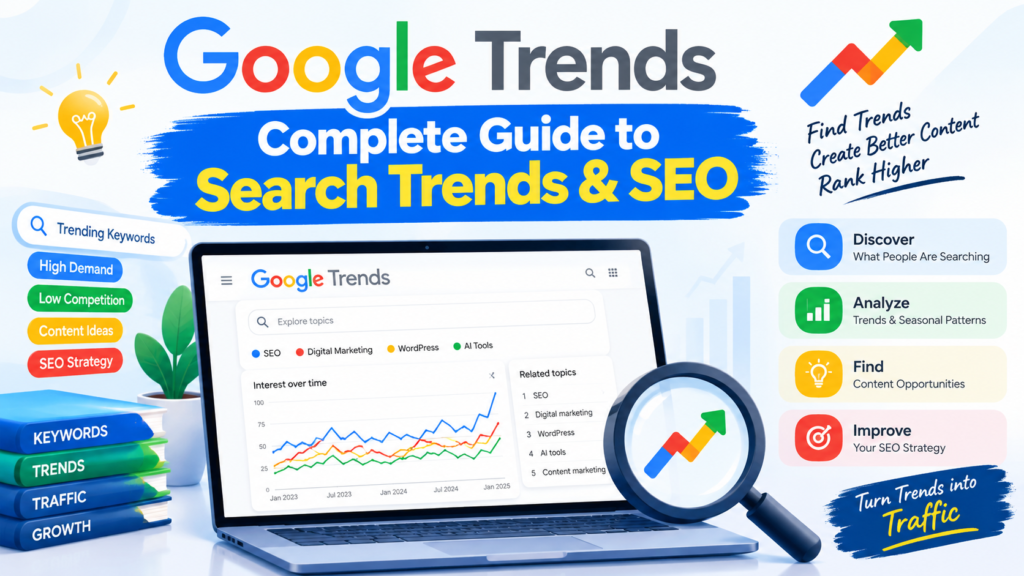
Table of Contents
What Is Google Trends?
Google Trends is an online tool that shows the relative popularity of search queries over time.
It allows you to investigate:
- Search interest over time
- Trending searches
- Search interest by country or region
- Related topics
- Related queries
- Seasonal search behavior
- Rising search terms
- Comparison between keywords
Google Trends does not normally show the exact number of searches for a keyword. Instead, it uses a normalized scale from 0 to 100, where 100 represents the highest relative search interest for the selected query, location, and time period.
Simple Example
Suppose you compare:
- SEO
- Digital Marketing
- Python
Google Trends may show that interest in these topics changes considerably depending on the selected period and location.
This can help a blogger decide which topic deserves further keyword research.
How Does Google Trends Work?
Google Trends analyzes a sample of Google searches and presents search interest in a normalized format.
The results can depend on:
- Location
- Time period
- Search type
- Search term
- Topic
- Search volume
- Relative popularity
The number 100 does not mean 100 searches. It represents the peak popularity within the selected comparison.
For example:
| Google Trends Score | Meaning |
| 100 | Highest relative interest in the selected data |
| 75 | High relative interest |
| 50 | Medium relative interest |
| 25 | Lower relative interest |
| 0 | Very low search interest or insufficient data |
Therefore, Google Trends should be used to understand search interest and trends, rather than as a direct replacement for a keyword-volume database.
Why Is Google Trends Important for SEO?
Google Trends can help SEO professionals discover topics that are gaining attention.
Traditional keyword research often focuses on:
- Search volume
- Keyword difficulty
- Competition
- CPC
- Search intent
Google Trends adds another important dimension:
How is interest changing over time?
For example, a keyword may have moderate search volume today but rapidly increasing interest. That could indicate an emerging topic worth investigating.
Example: AI Tools
Imagine you run a technology blog.
You are deciding whether to publish:
- Best AI Tools
- Best AI Tools for Students
- AI Video Generators
- AI Coding Tools
You can enter these topics into Google Trends and compare their relative search interest.
If one topic is rapidly gaining interest, you could investigate it further using keyword research tools before creating content.
What Is a Google Trends Search?
A Google Trends search is the process of entering a search term or topic into Google Trends to analyze its popularity.
For example, you could search for:
Google Trends → Search term: Excel
You can then examine:
- Interest over time
- Interest by subregion
- Related topics
- Related queries
You can also change the date range and location.
Example
Suppose you are preparing an article about Excel formulas.
Search for:
Excel formulas
Then examine the trend.
If interest increases during certain periods every year, this may indicate seasonal behavior.
You could then plan your content calendar around periods when interest historically increases.
How to Use Google Trends
Using Google Trends is relatively simple.
Step 1: Open Google Trends
Visit:
You can use Google Trends without purchasing a traditional SEO subscription.
Step 2: Enter a Search Term
Enter a topic or keyword into the search box.
For example:
Cyber Security
Google Trends will display information about the search interest associated with your query.
Step 3: Select the Location
You can investigate worldwide search interest or select a specific country.
For example:
- Worldwide
- United States
- United Kingdom
- India
- Pakistan
This is particularly useful for local SEO.
Step 4: Select the Time Period
You can investigate different periods, such as:
- Past hour
- Past 4 hours
- Past day
- Past 7 days
- Past 30 days
- Past 12 months
- Past 5 years
- 2004–present
The available time range depends on the type of Trends data being viewed.
Step 5: Select Search Type
Google Trends can provide different types of search data, including:
- Web Search
- Image Search
- News Search
- Google Shopping
- YouTube Search
This allows you to investigate search behavior across different Google properties.
Understanding Google Search Trends
Google search trends describe changes in what people search for over time.
For example, searches related to a particular technology may increase after:
- A product launch
- A software update
- A major news event
- A viral social media post
- A new government policy
- A seasonal event
Understanding these changes can help publishers create timely content.
Example: Smartphone Launch
Suppose a new smartphone is announced.
Before the announcement, searches for its name may be low.
After the announcement:
Search interest → increases
After several months:
Search interest → decreases
A technology blogger can use this information to decide when to publish:
- Specifications
- Features
- Price information
- Comparisons
- Reviews
- Buying guides
Google Trends Pakistan
Google Trends Pakistan is particularly useful if your target audience is in Pakistan.
Instead of analyzing worldwide search behavior, you can select Pakistan as the geographic location.
This helps you investigate topics that Pakistani users are searching for.
For example, a Pakistani technology website might research:
- AI tools
- Windows 11
- Cyber security
- Excel
- WordPress
- Freelancing
- Digital marketing
- Programming
- Mobile phones
- Internet services
Example: Google Trends Pakistan for Technology Content
Imagine you operate a technology blog targeting Pakistani readers.
You want to decide whether to write about:
“AI Tools for Students”
You select:
Location → Pakistan
Then examine the search interest over an appropriate period.
If the topic shows meaningful interest, you can conduct additional keyword research to determine:
- Search intent
- Related keywords
- Keyword difficulty
- Search volume
- Content format
Google Trends should be one research signal rather than the only factor used to select a topic.
Google Trends for Keyword Research
Google Trends can complement traditional keyword research.
A useful workflow is:
Google Trends → Keyword Research Tool → SERP Analysis → Content Creation
For example:
Step 1: Discover a topic
Use Google Trends to identify a growing topic.
Step 2: Find related keywords
Use keyword research tools to find:
- Long-tail keywords
- Search volume
- Keyword difficulty
- Related phrases
Step 3: Analyze search results
Search Google manually and examine the current results.
Look at:
- Search intent
- Competing pages
- Content quality
- Featured snippets
- People Also Ask
- Related searches
Step 4: Create useful content
Build an article that satisfies the searcher’s intent.
Google Trends for Content Ideas
One of the easiest ways to use Google Trends is to generate content ideas.
Suppose you have a technology website.
You search for:
Cyber Security
You may discover related topics and queries that can inspire future articles.
Possible article ideas could include:
- What Is Cyber Security?
- Types of Cyber Security
- Network Security Basics
- What Is a Firewall?
- What Is Two-Factor Authentication?
- What Is Credential Stuffing?
- What Is Phishing?
You should verify each idea with additional keyword and SERP research before publishing.
Google Trends for Seasonal Topics
Some searches naturally increase at specific times of the year.
Examples include:
- Christmas
- Ramadan
- Eid
- Black Friday
- Back-to-school topics
- Tax-related searches
- Exam preparation
- Weather-related searches
Example: Exam Content
Suppose you operate an educational website.
You notice that searches for:
Excel interview questions
increase during certain periods.
You can prepare your article before the expected increase instead of waiting until search interest peaks.
This is sometimes called seasonal content planning.
Google Trends for YouTube Research
Google Trends can also be useful for YouTube content research.
For example, a technology YouTuber could compare:
- Kali Linux
- Wireshark
- Burp Suite
- Nmap
The creator can investigate search interest and then combine that information with YouTube-specific research.
Possible video ideas include:
- Kali Linux Beginner Guide
- Wireshark Tutorial
- Burp Suite Beginner Tutorial
- Nmap Basic Commands
Google Trends can help identify interest, but YouTube competition and audience behavior should also be analyzed separately.
Google Trends for Comparing Keywords
Another useful feature is keyword comparison.
For example, you might compare:
Python vs Java vs JavaScript
The resulting chart can show how relative interest changes over time.
However, remember that a higher Trends score does not automatically mean that one keyword has more absolute monthly searches than another in every context.
The comparison is based on Google’s normalized Trends data.
Google Trends Related Queries
Google Trends can provide related queries associated with a search.
These can be valuable for discovering additional content opportunities.
For example, someone researching:
WordPress
may find related searches involving:
- WordPress themes
- WordPress plugins
- WordPress SEO
- WordPress hosting
- WordPress tutorial
These related queries can help you expand a content cluster.
Rising Queries vs Top Queries
Google Trends may show different types of related search information.
Top Queries
These are among the most frequently searched related queries for the selected context.
Rising Queries
These indicate queries that have experienced significant growth compared with the previous period.
Rising queries can be particularly useful for identifying emerging topics.
Google Trends for Local SEO
Businesses and publishers can use location-based Trends data for local research.
For example, suppose a business targets users in Pakistan.
Instead of researching only:
digital marketing
you could investigate the topic with:
Pakistan
selected as the location.
You can also explore regional interest when Google Trends provides sufficient data.
This can help businesses understand where relative interest is stronger.
Google Trends Example for a Pakistani Blogger
Imagine you run a Pakistani technology blog.
You are planning three articles:
- Best AI Tools
- Windows 11 Features
- Excel Formulas
You could research each topic using Google Trends Pakistan.
Then combine the findings with:
- Keyword volume
- Keyword difficulty
- Search intent
- SERP competition
- Content freshness
- Your website’s authority
- Audience relevance
This produces a more reliable content strategy than selecting topics based only on Trends scores.
Google Trends vs Google Keyword Planner
Google Trends and Google Keyword Planner serve different purposes.
| Feature | Google Trends | Google Keyword Planner |
| Trend analysis | Yes | Limited |
| Search interest over time | Yes | Yes, in keyword-planning context |
| Relative popularity | Yes | No |
| Keyword ideas | Yes | Yes |
| Geographic analysis | Yes | Yes |
| Advertising research | Limited | Strong |
| Exact monthly search volume | No | Provides volume estimates/ranges depending on account/context |
| Seasonal analysis | Strong | Available but different purpose |
The two tools can be used together.
Google Trends helps you understand how interest changes.
Keyword Planner can help with keyword planning and advertising-related research.
Google Trends vs Google Search
Google Search and Google Trends are not the same.
Google Search
Google Search helps you find actual webpages, websites, news, videos, products, and other information.
Google Trends
Google Trends helps you analyze search interest and changes in search behavior.
For example:
Google Search:
You search for “Windows 11 features.”
Google Trends:
You investigate how interest in “Windows 11” has changed over time.
Using both can provide better research.
Important Limitations of Google Trends
Google Trends is powerful, but it has limitations.
1. It Does Not Provide Exact Search Volume
A score of 100 does not mean 100 searches.
It represents the highest relative interest within the selected dataset.
2. Results Depend on Your Settings
Changing the:
- Location
- Date range
- Search type
- Search term
can change the results.
3. Low-Volume Keywords May Have Limited Data
Some keywords may show little or no usable Trends data.
4. Trends Does Not Measure Ranking Difficulty
A keyword can be trending but extremely competitive.
You still need SEO competition analysis.
5. Search Interest Does Not Guarantee Traffic
A rising topic does not automatically mean that your website will rank or receive visitors.
Best Practices for Using Google Trends
For better research, follow these practices:
1. Compare Multiple Keywords
Don’t analyze only one term when a comparison is possible.
2. Use Appropriate Locations
If your website targets Pakistan, investigate the Pakistani market.
3. Examine Longer Periods
A longer time period can reveal whether a trend is temporary or persistent.
4. Check Seasonality
Determine whether interest increases at predictable times.
5. Combine Trends With SEO Tools
Use additional keyword research and SERP analysis.
6. Analyze Search Intent
Understand why people are searching before creating content.
7. Check Current Search Results
Google Trends tells you about search interest, not whether your page can rank.
Practical Google Trends SEO Workflow
Here is a simple workflow you can use for your website:
Step 1: Choose a broad topic.
Step 2: Enter it into Google Trends.
Step 3: Select your target country.
Step 4: Choose an appropriate date range.
Step 5: Compare related topics.
Step 6: Review related queries.
Step 7: Identify potentially growing topics.
Step 8: Validate keywords using an SEO keyword research tool.
Step 9: Analyze Google search results.
Step 10: Create original, useful content.
Step 11: Monitor performance in Google Search Console.
This process combines trend discovery with actual SEO validation.
Conclusion
Google Trends is a valuable research tool for understanding how search interest changes over time. A Google Trends search can help you discover content ideas, investigate seasonal behavior, compare topics, and explore geographic differences.
For publishers targeting Pakistani users, Google Trends Pakistan can provide useful location-specific insight. Meanwhile, analyzing Google search trends can help you identify emerging topics and changes in user interest.
However, Google Trends should not be used alone. Combine it with keyword research, search-intent analysis, SERP research, Google Search Console, and content-quality analysis to develop a stronger SEO strategy.
Whether you are a blogger, YouTuber, SEO professional, student, or digital marketer, Google Trends can help you make content decisions based on search-interest data rather than assumptions.