
IP Addressing A Complete Guide with Examples
What Is IP Addressing?
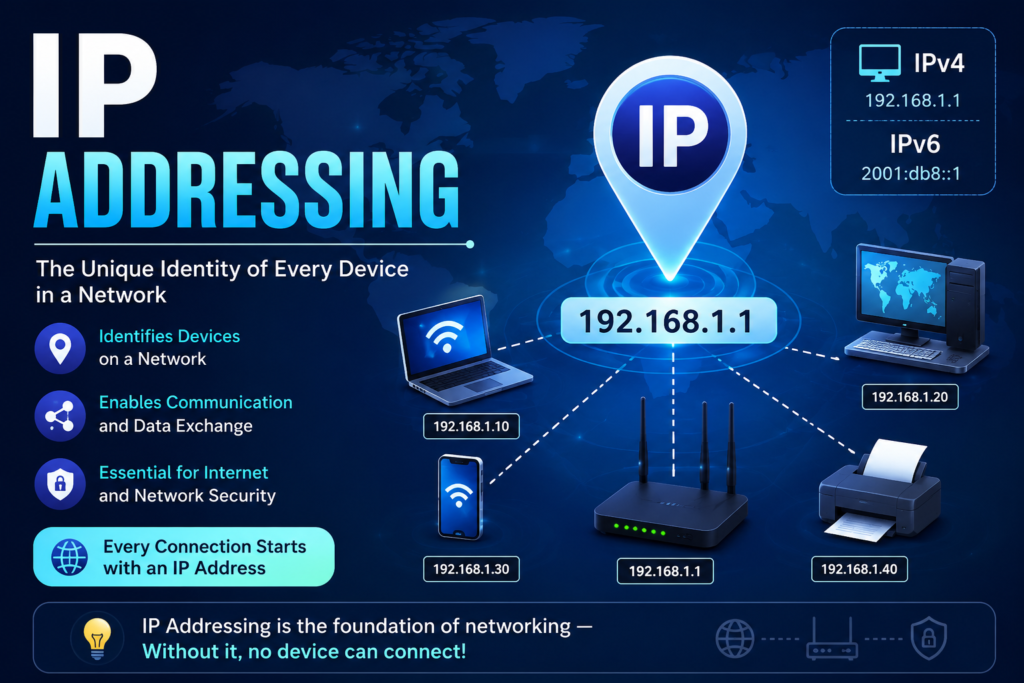
IP Addressing is that address which the system used to assign a unique address to every device that is connected to a network. As well as a house having a unique postal address, every device on a network needs a unique IP (Internet Protocol) address. So, data can be sent to the correct destination.
Whether you’re browsing a website, sending an email, watching YouTube, or chatting on social media, IP addressing makes communication between devices possible.
Example
Consider a city where every house has a unique address.
- House Number: 25
- Street: Main Street
- City: Islamabad
- Country: Pakistan
When the post office delivers a letter, it reads the address and sends it to the correct house.
Such as Networks work exactly the same way.
Suppose you open www.google.com.
- Your computer sends a request.
- The request contains your IP address.
- Google’s server receives it.
- Google sends the webpage back to your IP address.
Without IP addresses, computers would not know where to send or receive data.
What Is an IP Address?
An IP Address stand for (Internet Protocol Address) is a numerical label. That is assigned to every device which is connected to a network.
Example:
192.168.1.10
or
8.8.8.8
Every IP address identifies:
- A device
- Its location on the network
- Where data should be delivered
Why Is IP Addressing Important?
IP addressing helps networks:
- Identify devices
- Communicate between computers
- Route internet traffic
- Connect to websites
- Share files
- Access printers
- Manage network security
Without IP addressing, the Internet would not function.
Types of IP Addresses
There are two main versions of IP.
1. IPv4
IPv4 is the most common IP addressing system.
Example:
192.168.0.1
Characteristics:
- 32-bit address
- Four decimal numbers
- Separated by dots
- Around 4.3 billion unique addresses
Example:
172.16.0.20
2. IPv6
IPv6 is an advanced version of IP Address that was introduced because IPv4 addresses are running out.
Example:
2001:0db8:85a3:0000:0000:8a2e:0370:7334
Characteristics:
- 128-bit address
- Written in hexadecimal
- Almost unlimited addresses
Benefits:
- Better security
- Faster routing
- Supports billions of devices
- Ideal for IoT
Structure of an IPv4 Address
Example:
192.168.1.15
It consists of four sections called octets.
192 | 168 | 1 | 15
Each octet ranges from:
0 to 255
Public vs Private IP Address
Public IP Address
Assigned by an Internet Service Provider (ISP).
Example:
39.40.20.10
Used to communicate over the Internet.
Private IP Address
Used inside homes, schools, and offices.
Examples:
192.168.x.x
10.x.x.x
172.16.x.x – 172.31.x.x
Private IP addresses cannot be accessed directly from the Internet.
Static vs Dynamic IP Address
Static IP
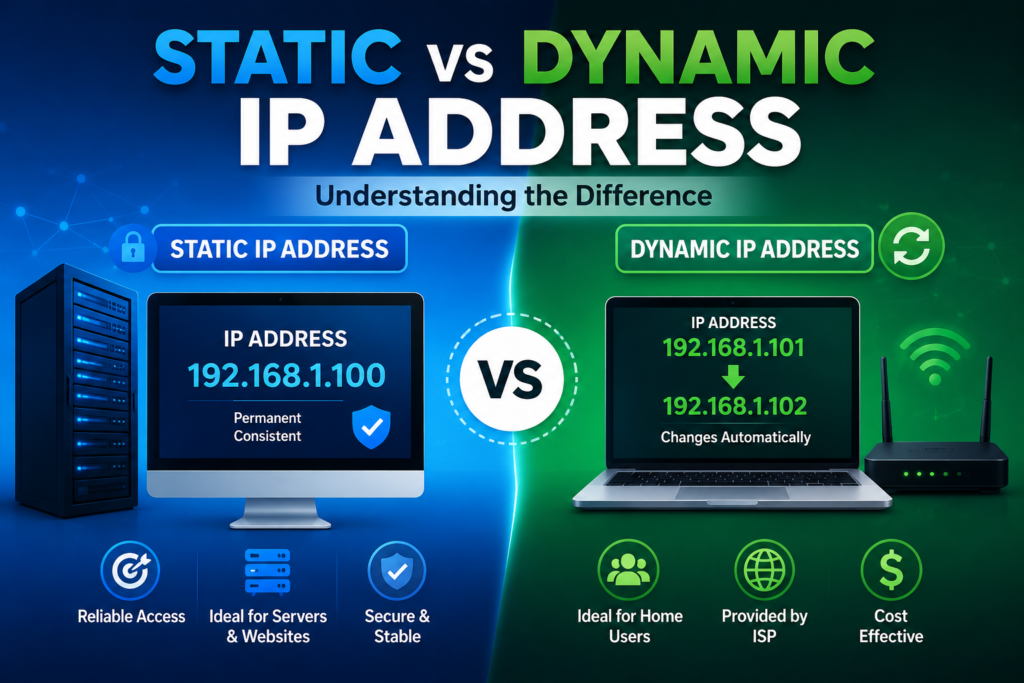
- Never changes
- Used for servers
- Suitable for hosting websites
- Reliable for remote access
Example:
203.0.113.20
Dynamic IP
Automatically assigned by DHCP.
Advantages:
- Easy management
- Cost-effective
- Common in home networks
Most home internet connections use dynamic IP addresses.
Network ID and Host ID
An IP address consists of two parts.
Example:
192.168.1.100
Network Part:
192.168.1
Host Part:
100
The network identifies the network, while the host identifies a specific device.
What Is a Subnet Mask?
A subnet mask tells the computer which part of the IP address belongs to the network and which part belongs to the host.
Example:
IP Address:
192.168.1.25
Subnet Mask:
255.255.255.0
This indicates:
- Network = 192.168.1
- Host = 25
Common Classes of IPv4 Addresses
| Class | Range | Default Subnet Mask | Use |
| A | 1 – 126 | 255.0.0.0 | Large organizations |
| B | 128 – 191 | 255.255.0.0 | Medium-sized networks |
| C | 192 – 223 | 255.255.255.0 | Small businesses and homes |
| D | 224 – 239 | Multicast | Group communication |
| E | 240 – 255 | Experimental | Research |
How Does IP Addressing Work?
Suppose:
Your laptop:
192.168.1.20
Router:
192.168.1.1
Website:
142.250.190.78
Steps:
- You type google.com.
- DNS converts the domain name into an IP address.
- Your computer sends packets to the router.
- The router forwards them over the Internet.
- Google’s server responds.
- The webpage is delivered back to your laptop.
Role of DHCP in IP Addressing
DHCP (Dynamic Host Configuration Protocol) automatically assigns IP addresses.
Without DHCP:
- Every device would need manual configuration.
With DHCP:
- Plug in the device.
- Connect to Wi-Fi.
- The router automatically assigns:
- IP address
- Subnet mask
- Gateway
- DNS server
Role of DNS
Humans remember names.
Computers use IP addresses.
Example:
www.facebook.com
DNS converts it into something like:
157.240.22.35
This makes websites easy to access without memorizing numeric IP addresses.
IP Addressing in a Home Network
Example:
Internet
│
Router (192.168.1.1)
├── Laptop (192.168.1.2)
├── Mobile (192.168.1.3)
├── Smart TV (192.168.1.4)
└── Printer (192.168.1.5)
Each device has its own private IP address, allowing them to communicate on the local network.
Advantages of IP Addressing
- Enables communication between devices
- Makes Internet access possible
- Supports file and printer sharing
- Helps identify network devices
- Improves network management
- Essential for cloud computing
- Supports remote access and online services
Disadvantages of IP Addressing
- IPv4 address exhaustion
- Public IPs may expose devices if not secured
- Manual configuration can lead to errors
- IP addresses may change when using dynamic allocation
- Requires proper network planning in large environments
Best Practices
- Use private IP addresses within internal networks.
- Enable DHCP for automatic IP assignment.
- Reserve static IP addresses for servers and network devices.
- Secure your router and firewall.
- Keep networking equipment updated with the latest firmware.
- Adopt IPv6 where supported to prepare for future growth.
Conclusion
IP addressing is the foundation of modern computer networking. Every smartphone, computer, server, and smart device relies on a unique IP address to communicate with others. By understanding IPv4, IPv6, public and private addressing, subnet masks, DHCP, and DNS, you gain the essential knowledge needed to build, manage, and troubleshoot networks. Mastering IP addressing is a key step toward learning networking, cybersecurity, cloud computing, and system administration.
FAQ
What is an IP address?
An IP address is a unique numerical identifier assigned to a device on a network so it can send and receive data.
What is the difference between IPv4 and IPv6?
IPv4 uses 32-bit addresses and is written in dotted decimal format (e.g., 192.168.1.1). IPv6 uses 128-bit addresses in hexadecimal format, providing a vastly larger address space.
What is the difference between a public and a private IP address?
A public IP address is used on the Internet and assigned by an ISP, while a private IP address is used within local networks such as homes, schools, and offices.
What is DHCP?
DHCP automatically assigns IP addresses and other network settings to devices, reducing manual configuration.
Why is IP addressing important?
IP addressing ensures that data reaches the correct device, making communication across local networks and the Internet possible.


