
Malware Types in Cybersecurity
Introduction to Malware
Malware is one of the most important topics in cybersecurity because it is commonly used to compromise computers, mobile devices, servers, and networks. Understanding malware helps cybersecurity students recognize digital threats, understand how attackers operate, and learn how to protect systems from unauthorized access and damage.
The term malware comes from the words malicious software. It refers to software, scripts, or code intentionally designed to perform harmful or unauthorized activities on a computer system.
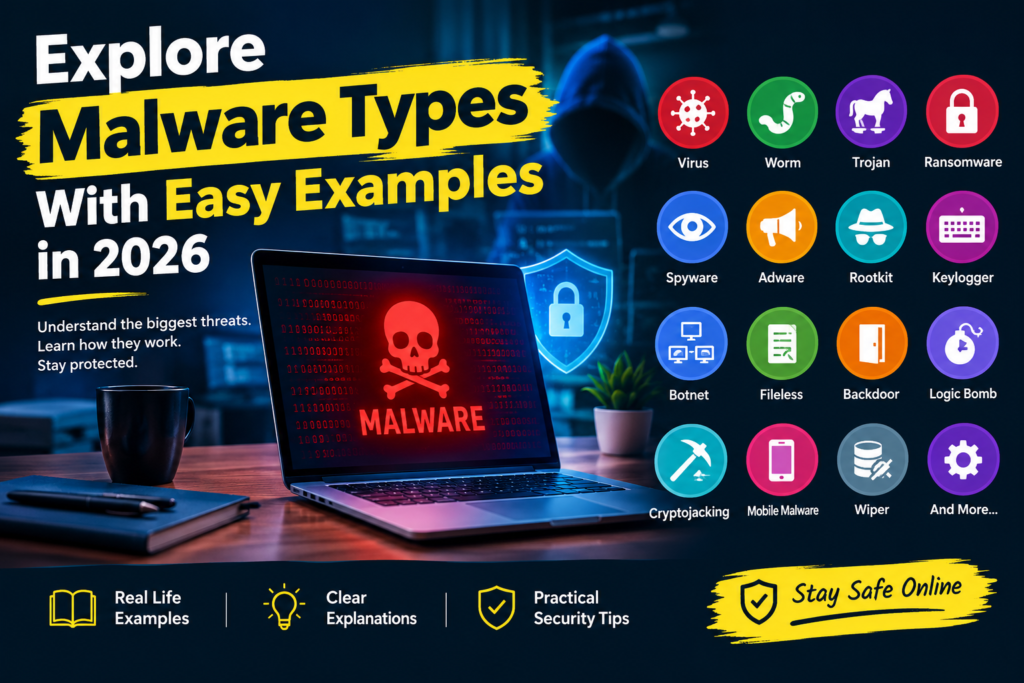
Table of Contents
Depending on its design, malware can perform several harmful activities, including:
- Stealing confidential information
- Encrypting important files
- Monitoring user activity
- Damaging or deleting data
- Disrupting business operations
- Providing attackers with unauthorized access
- Using computing resources without permission
Malware does not always make a computer stop working. Some malicious programs operate silently in the background for weeks or months while collecting information or maintaining unauthorized access.
For example, imagine a student downloads a free version of a premium application from an unfamiliar website. The application installs successfully and appears to work normally. However, it also installs a hidden program that collects browser credentials and sends them to an attacker. The student may not notice the infection until someone attempts to access their online accounts.
This example demonstrates why malware prevention requires more than simply avoiding suspicious files. Users must understand software sources, system vulnerabilities, authentication, network security, and endpoint protection.
Learning Objectives
By the end of this lecture, students will be able to:
- Understand the meaning and purpose of malware in cybersecurity
- Explain how malware enters and infects computer systems
- Identify the major types of malware and their characteristics
- Differentiate between viruses, worms, Trojans, ransomware, spyware, and other malicious programs
- Understand the relationship between malware delivery methods and malicious activities
- Analyze world malware incidents and their impact
- Recognize common indicators of a malware infection
- Apply preventive and defensive security measures
- Explain the basic process of malware incident response
- Understand how malware analysis can be performed safely in a controlled laboratory
What Is Malware
Malware is any software or code intentionally designed to perform harmful or unauthorized actions against a computer, network, application, or digital device.
The purpose of malware depends on the attacker’s objectives. Some malware is designed to steal passwords, while other malware focuses on financial fraud, surveillance, data destruction, unauthorized cryptocurrency mining, or disruption of essential services.
Malware can target:
- Individual computer users
- Educational institutions
- Businesses and private organizations
- Hospitals and healthcare systems
- Government departments
- Servers and cloud environments
- Smartphones and Internet of Things devices
Main Objectives of Malware
Data Theft
Some malware collects confidential information, including usernames, passwords, financial information, browser data, and business documents.
An attacker may use stolen information to access accounts, commit fraud, or sell the data to other criminals.
Financial Gain
Cybercriminals may use malware to:
- Steal banking credentials
- Conduct unauthorized transactions
- Demand ransom payments
- Steal cryptocurrency
- Commit identity theft
Unauthorized Access
Certain malware gives attackers a way to control an infected device remotely. This access may be used to install additional malicious software or investigate other systems on the network.
Espionage and Surveillance
Spyware and some advanced malware families monitor user activities, collect communications, or obtain confidential organizational information.
System Disruption
Some malware damages files, interrupts applications, consumes computing resources, or makes services unavailable.
Resource Abuse
Cryptojacking malware uses a victim’s processing power to perform cryptocurrency mining without appropriate authorization.
How Malware Enter into Computer System
Malware usually needs a delivery method to reach a target system. Different malware families can use the same infection technique.
Phishing Emails
Phishing is a social engineering technique in which attackers send deceptive messages designed to persuade users to open malicious attachments, visit fraudulent websites, or reveal confidential information.
Common warning signs include:
- Unexpected attachments
- Urgent requests for immediate action
- Suspicious website links
- Requests for passwords or verification codes
- Messages from unfamiliar senders
For example, an employee receives an email that appears to come from the company’s finance department. The email contains an unexpected invoice attachment. Opening the attachment may launch a malicious program.
Malicious Software Downloads
Attackers sometimes disguise malware as useful applications, games, document converters, browser extensions, or system utilities.
A download may contain the advertised application alongside an unwanted or malicious component.
Pirated Applications
Cracked software and unauthorized activation tools can expose users to malware because the files may have been modified by unknown parties.
For example, a user downloads a cracked application that installs a password stealer while activating the software.
Unpatched Security Vulnerabilities
A vulnerability is a weakness in software, hardware, or system configuration that an attacker may exploit.
When a vulnerability is known but remains unpatched, attackers may use it to:
- Execute unauthorized code
- Access sensitive information
- Gain access to a system
- Spread malware across a network
- Bypass security controls
Infected Removable Devices
USB drives and other removable storage devices can carry malicious files. If a user opens an infected file or a vulnerable system processes malicious content, an infection may occur.
Compromised Websites
Attackers may compromise legitimate websites or create malicious websites that encourage visitors to download dangerous files or exploit vulnerable software.
Weak or Stolen Credentials
Attackers may use stolen passwords or weak authentication to access a system and install malware manually.
This demonstrates that malware infections do not always begin with a malicious download. Sometimes attackers first compromise an account and then use their access to deploy malicious tools.
How Malware Works
Malware does not always follow the same process. However, many malware incidents involve several common stages.
Initial Access
The attacker obtains an initial opportunity to reach the target system.
Common methods include:
- Phishing
- Stolen credentials
- Malicious downloads
- Exposed remote access services
- Software vulnerabilities
Execution
The malicious code begins running on the target device.
Execution may occur when a user opens an infected file, launches a malicious application, or when an attacker exploits a vulnerability.
Establishing Persistence
Some malware attempts to remain active after a computer restarts.
It may abuse startup settings, scheduled tasks, services, or other operating system features. Legitimate programs also use these mechanisms, so their presence alone does not prove an infection.
Privilege Escalation
Some attackers attempt to obtain greater permissions than those initially available to them.
For example, an attacker who compromises an ordinary user account may try to exploit a vulnerability to obtain administrator privileges.
Command and Control Communication
Some malware communicates with an attacker controlled server to receive instructions or transmit information.
This communication may use ordinary network protocols, making suspicious behavior difficult to distinguish from legitimate traffic without proper monitoring.
Malicious Activity
The malware performs its intended function. It may:
- Steal credentials
- Encrypt files
- Monitor user activity
- Disrupt services
- Spread to other systems
- Collect confidential information
Defense Evasion
Some malware attempts to avoid detection by security tools. It may hide processes, alter its behavior, or misuse legitimate system utilities.
Not every malware family uses all these techniques. The process varies according to the malware’s design, the target environment, and the attacker’s objectives.
Major Types of Malware Virus
A computer virus is malicious code that attaches itself to a host file, document, or program and spreads when the infected content is executed or otherwise processed.
Traditional viruses generally depend on a host and some form of user interaction or execution. Their effects range from relatively minor changes to serious data corruption.
How a Virus Works
- A virus infects a host file or program.
- The infected content is executed or processed.
- The virus code may run.
- The virus attempts to infect other files or programs.
- Its harmful activity may occur immediately or after a particular condition is met.
Types of Computer Viruses
File Infector Virus
This virus infects executable files. When an infected program runs, the virus may execute and attempt to infect other executable files.
Macro Virus
A macro virus uses macro functionality in applications such as word processors or spreadsheets.
For example, a malicious document may encourage the user to enable macros, allowing malicious code to execute under the application’s security settings.
Boot Sector Virus
A boot sector virus targets boot related storage structures and may interfere with the startup process of a computer.
Polymorphic Virus
A polymorphic virus changes parts of its code or representation as it spreads, making simple signature based detection more difficult.
Example
An employee receives an infected document from an unknown sender. After opening the document and enabling unsafe active content, malicious code executes and attempts to infect other files.
The employee may discover the infection when documents become corrupted or security software raises an alert.
Prevention
- Use updated endpoint protection software.
- Avoid enabling macros in unexpected documents.
- Download files only from trusted sources.
- Keep operating systems and applications updated.
- Scan suspicious attachments before opening them.
Worm
A worm is malware that can replicate and spread between systems without needing to attach itself to a separate host program.
Worms commonly exploit software vulnerabilities, weak configurations, or exposed network services. Their ability to spread rapidly makes them particularly dangerous in connected environments.
How a Worm Works
- A worm identifies potential target systems.
- It attempts to exploit a weakness or use another infection method.
- It establishes itself on a vulnerable system.
- It searches for additional systems to infect.
- The infection may continue spreading across a network.
Characteristics of Worms
- Worms can spread automatically.
- Some worms exploit known vulnerabilities.
- They may consume network resources.
- Some deliver additional malware.
- They can affect many connected systems in a short period.
Example
The WannaCry outbreak in 2017 combined ransomware functionality with worm like spreading behavior. It exploited a vulnerability in certain Windows systems and affected organizations worldwide.
The incident showed how an unpatched system can become a starting point for a much larger network infection.
Prevention
- Install operating system security updates promptly.
- Disable unnecessary services.
- Restrict network connections using firewalls.
- Segment networks to limit the spread of infections.
- Monitor unusual traffic between devices.
- Maintain tested backups of important information.
Trojan Horse
A Trojan horse is malware that disguises itself as legitimate or useful software to deceive users into installing or executing it.
The name comes from the story of the Trojan horse, in which something that appeared harmless concealed a threat.
Unlike a traditional virus or worm, a conventional Trojan does not independently replicate itself by design. Instead, it relies on deception or another delivery mechanism to reach its target.
How a Trojan Works
- An attacker distributes a program that appears trustworthy.
- The user installs or runs the program.
- The program may perform its advertised function.
- Hidden malicious activities may occur in the background.
- The malware may steal credentials, download additional malware, or provide unauthorized access.
Types of Trojans
Banking Trojan
A banking Trojan targets financial information, such as online banking credentials or payment related data.
Remote Access Trojan
A remote access Trojan can provide an attacker with unauthorized remote control of a compromised device.
Downloader Trojan
A downloader Trojan retrieves additional malicious software after the initial program runs.
Dropper Trojan
A dropper delivers or installs another malicious component on the target system.
Fake Application Trojan
A fake application Trojan disguises itself as a legitimate utility, game, or productivity tool.
Example
A student downloads a free premium application from an unofficial website. The application opens successfully, but it also installs a hidden component that attempts to collect browser passwords.
The student believes the software is safe because its visible features work as expected.
Prevention
- Download software from official websites.
- Verify the publisher and digital signature when available.
- Avoid cracked applications and suspicious activation tools.
- Review application permissions.
- Use security software to inspect suspicious downloads.
Ransomware
Ransomware is malware that prevents victims from accessing files or systems and demands payment to restore access.
Some ransomware encrypts files, while other variants lock devices or disrupt access to important resources.
Modern ransomware incidents may also involve data theft. Attackers can threaten to publish stolen information if the victim refuses to pay.
How Ransomware Works
- The attacker gains access through phishing, stolen credentials, or a vulnerability.
- The attacker or malware accesses important systems and files.
- The ransomware encrypts accessible data or otherwise prevents access.
- A ransom message explains the attacker’s demand.
- The victim faces the decision of how to recover systems and protect sensitive information.
Paying the ransom does not guarantee recovery, and it may not prevent stolen information from being published.
Types of Ransomware
Crypto Ransomware
Crypto ransomware encrypts files so that the victim cannot normally access their contents without an appropriate recovery method.
Locker Ransomware
Locker ransomware prevents normal access to a device or its interface.
Double Extortion Ransomware
In double extortion attacks, criminals steal data and encrypt files. They may threaten both data disclosure and continued loss of access.
Example
In 2017, WannaCry spread across vulnerable Windows systems and encrypted files, demanding ransom payments. The incident disrupted organizations in multiple countries, including healthcare services in the United Kingdom.
This event demonstrated that a ransomware attack can affect public services and organizational operations, not just personal computers.
Prevention
- Maintain regular backups that are isolated from ordinary system access.
- Apply security updates promptly.
- Use multifactor authentication for important accounts.
- Restrict administrator privileges.
- Monitor unusual file activity and network connections.
- Prepare and test an incident response and recovery plan.
Spyware
Spyware is software designed to collect information about a user, device, or organization without appropriate authorization or awareness.
It may monitor browsing activity, collect credentials, gather personal information, or track user behavior.
Spyware can be used for financial theft, identity theft, surveillance, or corporate espionage.
How Spyware Works
- Spyware reaches a device through a malicious application, deceptive download, exploit, or another delivery method.
- It collects information within the capabilities available to it.
- Some spyware stores information locally.
- Other variants transmit collected data to an external server.
Types of Spyware
Password Stealer
A password stealer collects stored credentials or other authentication information.
Information Stealer
An information stealer collects data such as browser information, files, session tokens, or system details.
Tracking Spyware
Tracking spyware monitors user activity and may collect browsing or usage information without appropriate consent.
Stalkerware
Stalkerware is software used to monitor another person’s device or activity without their informed consent. It can create serious privacy and personal safety risks.
Example
An employee installs a browser extension that claims to improve productivity. The extension requests unnecessary permissions and secretly collects browsing information.
If the collected information includes access to confidential business systems, the incident could become a serious organizational security problem.
Prevention
- Install extensions only from trusted sources.
- Review permissions before installation.
- Remove unnecessary or suspicious extensions.
- Use updated endpoint protection.
- Monitor accounts for unusual activity.
Adware
Adware is software associated with displaying advertisements. Advertising supported software is not necessarily malicious, because many legitimate applications use advertising to support their services.
However, malicious adware may display deceptive advertisements, redirect searches, track users without appropriate consent, or install unwanted components.
How Adware Works
- Adware may be bundled with free software or distributed through deceptive downloads.
- After installation, it may change browser settings.
- It may open unwanted advertising pages.
- It may redirect the user to suspicious websites.
- Some forms also collect information about browsing behavior.
Example
A user installs a free file converter from an unfamiliar website. After installation, the browser begins displaying intrusive advertisements and redirects searches to an unfamiliar search engine.
The user may have installed unwanted software alongside the converter.
Prevention
- Download applications from trusted sources.
- Read installation options carefully.
- Avoid suspicious download managers.
- Review browser extensions and installed programs.
- Remove unwanted applications promptly.
Rootkit
A rootkit is a set of tools or techniques designed to conceal unauthorized activity or maintain privileged access to a system.
Some rootkits operate at the operating system kernel level, while others operate at user level or target firmware and other system components.
Rootkits can make investigations difficult because they may interfere with ordinary methods of viewing processes, files, or system activity.
How a Rootkit Works
- An attacker first gains a way to compromise a system.
- The attacker may install or use a rootkit.
- The rootkit attempts to conceal selected activity or manipulate system behavior.
- It may help maintain privileged access.
- Other malicious components may use the concealed access to continue an attack.
Types of Rootkits
User Mode Rootkit
A user mode rootkit operates within the user space of an operating system and may manipulate applications or user level processes.
Kernel Mode Rootkit
A kernel mode rootkit operates at a highly privileged level and may interfere with core operating system functions.
Bootkit
A bootkit targets the boot process or components involved in starting the operating system.
Firmware Rootkit
A firmware rootkit targets firmware components and can be particularly difficult to detect or remove.
Example
An attacker compromises a business server and uses a rootkit to conceal selected malicious processes. Routine checks may fail to reveal the full extent of the compromise.
Security professionals may need trusted offline scanning, forensic investigation, or a clean system rebuild.
Prevention
- Keep systems and firmware updated.
- Use secure boot features where supported.
- Restrict administrator privileges.
- Monitor unexpected changes to critical system components.
- Use trusted recovery media when investigating severe compromises.
Keylogger
A keylogger records keyboard input. Keylogging can be used legitimately in authorized testing or specific monitoring applications, but malicious keyloggers are designed to collect sensitive information without authorization.
They may capture usernames, passwords, messages, financial information, and other text entered by users.
How a Keylogger Works
- A malicious keylogger becomes active on a device.
- It records keyboard input.
- It may store the information locally.
- It may transmit recorded information to an attacker.
- Some variants also capture screenshots or clipboard data.
Example
An employee opens a malicious attachment that installs a keylogger. Later, the employee enters credentials for a company account.
The malware records the input, potentially allowing an attacker to attempt unauthorized account access.
Prevention
- Avoid suspicious attachments and downloads.
- Use multifactor authentication.
- Keep endpoint protection updated.
- Use a password manager where appropriate.
- Investigate unfamiliar processes and suspicious account activity.
Botnet Malware
A botnet is a collection of compromised devices that can be controlled remotely by an attacker. Malware is often used to infect these devices and make them part of the botnet.
Compromised devices may include desktop computers, servers, routers, security cameras, and other Internet of Things devices.
How Botnet Malware Works
- Malware compromises a device.
- It establishes a way to receive commands from an attacker controlled system.
- The infected device may continue functioning normally.
- The attacker coordinates multiple compromised devices.
- The botnet performs activities such as sending spam or launching distributed denial of service attacks.
Common Uses of Botnets
- Distributed denial of service attacks
- Sending spam messages
- Distributing additional malware
- Conducting credential attacks
- Performing other unauthorized network activities
Example
In 2016, the Mirai botnet infected vulnerable Internet of Things devices and used them as part of a botnet.
The compromised devices were involved in large scale distributed denial of service attacks that disrupted online services.
The incident demonstrated that insecure routers and connected devices can become part of a wider cyberattack.
Prevention
- Change default device passwords.
- Update router and IoT firmware.
- Disable unnecessary remote administration.
- Replace devices that no longer receive security updates.
- Monitor unusual outbound traffic.
File less Malware
Fileless malware uses legitimate system tools, scripts, memory based techniques, or other operating system capabilities to carry out malicious activities while reducing its reliance on conventional files stored on disk.
The term does not mean that an attack leaves no files or other traces. Some fileless attacks use scripts, registry entries, scheduled tasks, or additional downloaded components.
How Fileless Malware Works
- An attacker exploits a vulnerability or tricks a user into running a malicious script.
- The attack abuses legitimate tools or operating system features.
- It executes commands or retrieves malicious content.
- It attempts to access information or perform other unauthorized actions.
- Investigators examine system behavior and available evidence to identify the attack.
Example
An employee follows a deceptive link and is persuaded to run a command that they do not understand. The command abuses legitimate system utilities to retrieve malicious content and attempt unauthorized access.
The activity may be difficult to identify using file scanning alone.
Prevention
- Use endpoint detection and response tools where available.
- Restrict unnecessary scripting capabilities.
- Enable relevant security logging.
- Apply software updates.
- Train users not to run unknown commands.
- Monitor unusual activity involving legitimate system utilities.
Backdoor
A backdoor is a method of accessing a system that bypasses normal authentication or security controls.
A backdoor may be installed by malware, created by an attacker after compromising a system, or introduced through an insecure or unauthorized configuration.
Legitimate remote administration tools are not automatically backdoors. Their purpose, authorization, and security configuration determine whether their use is appropriate.
How a Backdoor Works
- An attacker establishes an unauthorized access mechanism.
- The mechanism allows the attacker to reconnect to the system.
- The attacker may execute commands or access files.
- Additional malicious software may be installed.
- Unauthorized access may continue until the backdoor is discovered and removed.
Example
An attacker exploits a vulnerable application on a company server and installs a hidden remote access component. Even after the original vulnerability is patched, the unauthorized access mechanism may remain until the system is properly investigated and cleaned.
Prevention
- Remove unauthorized remote access software.
- Review accounts and access permissions.
- Secure administrative interfaces.
- Monitor unexpected outbound connections.
- Investigate suspicious changes to system configuration.
Logic Bomb
A logic bomb is malicious code that performs an action when a specific condition is met.
The condition may be a date, a system event, a user action, or another programmed trigger.
A logic bomb can remain inactive for an extended period, which may delay discovery.
How a Logic Bomb Works
- The malicious code waits for a predefined condition.
- The condition is eventually satisfied.
- The code executes its intended action.
- The action may delete files, damage data, disable an application, or interrupt a service.
Example
A person with unauthorized access to a business application secretly modifies a script so that it deletes selected records on a particular date.
The script may appear to function normally until the trigger occurs.
Prevention
- Review important code changes.
- Use version control and approval procedures.
- Apply separation of duties.
- Monitor privileged account activity.
- Maintain tested and protected backups.
Cryptojacking Malware
Cryptojacking is the unauthorized use of another person’s computing resources to mine cryptocurrency.
Cryptojacking may consume significant CPU or GPU resources, increase electricity costs, and reduce system performance.
It may involve malicious software installed on a device or unauthorized scripts running in a browser.
How Cryptojacking Works
- Malicious code runs on the victim’s device.
- It uses the device’s processing resources for cryptocurrency mining.
- The attacker receives the potential financial benefit.
- The victim experiences performance and energy costs.
Example
A computer lab experiences unusually high CPU usage even when students are not running demanding applications. Investigation reveals unauthorized mining software operating in the background.
The computers may become slow, consume more electricity, and generate additional heat.
Prevention
- Monitor unusual CPU and GPU activity.
- Remove unauthorized applications and browser extensions.
- Keep operating systems updated.
- Use endpoint protection.
- Investigate persistent performance problems.
Mobile Malware
Mobile malware targets smartphones and tablets. It may steal personal information, display fraudulent advertisements, intercept messages, or abuse device permissions.
Mobile malware can affect Android and iOS devices, although the attack methods and platform security restrictions differ.
How Mobile Malware Works
- An attacker distributes a malicious application or exploits a vulnerability.
- The user may install the application or grant excessive permissions.
- The application attempts to perform unauthorized activities.
- It may collect information, abuse permissions, or interfere with normal device use.
Common Types of Mobile Malware
Mobile Banking Trojan
A mobile banking Trojan targets financial applications, credentials, or transactions.
Mobile Spyware
Mobile spyware monitors activity or collects personal information without appropriate authorization.
SMS Malware
SMS malware may abuse messaging capabilities, intercept verification messages, or send unauthorized messages.
Mobile Ransomware
Mobile ransomware may lock a device or interfere with access to information.
Example
A smartphone user downloads an unofficial application that claims to provide premium features for free. The application requests access to contacts and messages even though these permissions are not necessary for its advertised purpose.
The application may attempt to collect sensitive information or abuse the granted permissions.
Prevention
- Install applications from trusted sources.
- Review app permissions.
- Keep the mobile operating system updated.
- Avoid unknown application files.
- Do not grant unnecessary accessibility or administrator permissions.
Wiper Malware
Wiper malware is designed to destroy data or make systems unusable. Unlike ransomware, which commonly seeks payment in exchange for restoring access, a wiper focuses on destruction.
Some attacks may appear to involve ransomware but are actually designed to prevent recovery.
How Wiper Malware Works
- A wiper gains access to a system.
- It may delete files or overwrite data.
- It may damage storage structures or interfere with system startup.
- The affected system may become unusable.
- Recovery may require rebuilding systems and restoring clean backups.
Example
A company experiences an attack that destroys data on multiple servers. The systems become unavailable, and ordinary file recovery methods are ineffective.
The organization must rebuild affected systems and restore whatever information remains available from protected backups.
Prevention
- Maintain offline or isolated backups.
- Restrict administrative privileges.
- Monitor unusual bulk file changes.
- Segment critical systems.
- Prepare and test disaster recovery procedures.
Fileless Malware Compared With Traditional Malware
Traditional malware often relies on identifiable malicious files. Fileless techniques may instead abuse scripts, memory, or legitimate system utilities.
Modern malware may combine conventional files with fileless techniques during the same attack.
Traditional Malware
Common characteristics include:
- It may create executable files on disk.
- It can sometimes be detected through file signatures.
- It may install itself as a conventional application or service.
- Investigators may examine suspicious files and processes.
Fileless Techniques
Common characteristics include:
- They may rely on scripts or legitimate system utilities.
- They can make signature based detection more difficult.
- They may leave evidence in system logs, memory, registry settings, or other artifacts.
- They often require behavioral monitoring and contextual investigation.
World Malware Incidents
WannaCry in 2017
WannaCry was a ransomware outbreak that also used worm like spreading behavior. It exploited a vulnerability in certain Windows systems and disrupted organizations around the world.
The incident affected healthcare services in the United Kingdom and demonstrated the importance of applying security patches promptly.
Key lessons include:
- Install security updates without unnecessary delay.
- Maintain protected backups.
- Restrict network exposure.
- Prepare recovery procedures for major incidents.
NotPetya in 2017
NotPetya was a destructive malware incident that caused major operational and financial disruption across multiple industries.
Although it initially appeared to be ransomware, its destructive behavior made recovery difficult for many affected systems.
Key lessons include:
- Maintain tested backups.
- Segment networks.
- Protect administrative credentials.
- Prepare for destructive cyberattacks.
Mirai Botnet in 2016
Mirai infected vulnerable Internet of Things devices and used them as part of a botnet.
The compromised devices were involved in distributed denial of service attacks that disrupted online services.
Key lessons include:
- Change default device passwords.
- Update connected devices.
- Disable unnecessary remote access.
- Monitor unusual network traffic.
Zeus Banking Trojan
Zeus was a well known banking Trojan associated with the theft of financial credentials.
It demonstrated how malware can target online banking information and facilitate financial fraud.
Key lessons include:
- Protect financial credentials.
- Use multifactor authentication where supported.
- Monitor suspicious account activity.
- Keep systems and browsers updated.
Difference Between Malware Types
Virus
- Attaches to a host file or program
- May infect other files when executed
- Can damage files or disrupt operations
Worm
- Replicates and spreads between systems
- May exploit network vulnerabilities
- Can spread rapidly across connected devices
Trojan
- Disguises itself as legitimate software
- Relies on deception or another delivery method
- May install additional malicious components
Ransomware
- Encrypts files or blocks access
- May steal data before encryption
- Demands payment or uses other extortion methods
Spyware
- Secretly collects information
- May monitor browsing or credentials
- Can threaten privacy and confidentiality
Adware
- Displays advertisements, sometimes deceptively
- May redirect searches
- Can involve unwanted tracking
Rootkit
- Conceals malicious activity
- May support privileged access
- Can make investigation difficult
Keylogger
- Records keyboard input
- May collect usernames and passwords
- Can support credential theft
Botnet Malware
- Enrolls devices in a remotely controlled network
- May support denial of service attacks
- Can distribute spam or other malicious content
Fileless Malware
- Abuses scripts, memory, or system tools
- May reduce reliance on conventional files
- Can require behavioral investigation
Backdoor
- Provides unauthorized access
- May allow attackers to reconnect
- Can support further compromise
Logic Bomb
- Activates when a defined condition occurs
- May remain inactive for a long period
- Can damage data or interrupt services
Cryptojacking
- Uses computing resources without authorization
- May increase power consumption
- Can reduce device performance
Mobile Malware
- Targets smartphones and tablets
- May steal information or abuse permissions
- Can support fraud or surveillance
Wiper Malware
- Destroys data or damages systems
- May make recovery difficult
- Can cause substantial operational disruption
These categories are not mutually exclusive. One malware family may combine several characteristics. For example, a Trojan can install spyware, a worm can spread ransomware, and a backdoor can provide access for a later destructive attack.
Common Signs of a Malware Infection
Malware does not always produce visible symptoms. However, several warning signs may justify further investigation.
Unexpected System Slowdown
A device may become unusually slow because malicious processes consume CPU, memory, storage, or network resources.
Unknown Applications or Processes
Unfamiliar software, unexpected startup entries, or suspicious processes may indicate an unwanted application or malware infection.
However, unfamiliar processes are not automatically malicious. Investigate their location, publisher, behavior, and security reputation before removing them.
Unusual Network Activity
Unexpected outbound connections or large volumes of network traffic may indicate information theft, command and control communication, or unauthorized resource use.
Changed Browser Settings
Unwanted search engine changes, redirects, or new extensions may indicate adware or another unwanted program.
Missing or Encrypted Files
Files that disappear, become inaccessible, or acquire unfamiliar extensions may indicate a destructive incident or ransomware infection.
Unexpected Security Alerts
Repeated security warnings, disabled protection features, or unexplained configuration changes should be investigated.
Unusual Account Activity
Unexpected login notifications, password reset messages, or unfamiliar account sessions may indicate stolen credentials. Such activity does not prove that malware is present, but it requires attention.
Malware Prevention and Defensive Security
Malware prevention requires multiple layers of protection. Antivirus software is useful, but it cannot eliminate every threat.
Keep Systems Updated
- Install security updates for operating systems.
- Update browsers and applications.
- Update network devices and firmware.
- Prioritize actively exploited vulnerabilities.
- Remove unsupported software where possible.
Use Reputable Endpoint Protection
Use supported antivirus or endpoint protection software. Keep its detection capabilities updated and investigate alerts rather than automatically ignoring them.
Organizations may also use endpoint detection and response tools to identify suspicious behavior and support incident investigation.
Enable Firewall Protection
Firewalls control network traffic according to defined rules. They help reduce unwanted connections but cannot prevent every attack, especially when a user runs malicious software or an attacker abuses an authorized connection.
Use Strong Authentication
- Use unique passwords for different accounts.
- Enable multifactor authentication for important accounts.
- Secure administrative accounts separately.
- Avoid sharing credentials.
- Review account activity regularly.
Follow the Principle of Least Privilege
Give users and applications only the permissions they need to perform their tasks.
Reducing unnecessary administrator privileges can limit the damage caused by malware.
Maintain Reliable Backups
- Back up important data regularly.
- Keep at least one backup isolated from ordinary system access.
- Protect backups against unauthorized modification or deletion.
- Test restoration procedures.
- Verify backups before using them for recovery.
Secure Email and Web Browsing
- Verify unexpected attachments and links.
- Avoid suspicious downloads.
- Do not enable macros without a valid reason.
- Never execute commands merely because an unknown message instructs you to do so.
- Report suspicious messages to the responsible security team.
Monitor Systems and Networks
Review security alerts, authentication events, endpoint activity, and network traffic.
Monitoring helps identify suspicious behavior that might not be detected by traditional antivirus signatures.
Educate Users
Train employees and students to recognize phishing, suspicious software, social engineering, and unsafe permission requests.
Security awareness is particularly important because many attacks rely on deceiving users.
Basic Malware Incident Response
When malware is suspected, the response should focus on containment, investigation, recovery, and prevention of recurrence.
Step One: Identify the Incident
Determine which device or account is affected and record the warning signs.
Useful information may include:
- The time the problem was first noticed
- Security alerts and error messages
- Recently installed software
- Suspicious emails or downloads
- Unusual network or account activity
Step Two: Contain the Threat
Disconnect an affected device from the network when appropriate to reduce the risk of spreading or further unauthorized communication.
In an organization, follow the incident response plan and coordinate with the security team.
Step Three: Protect Sensitive Accounts
Avoid entering sensitive information on a potentially compromised device.
From a separate, trusted device:
- Change passwords that may have been exposed.
- Revoke suspicious account sessions where possible.
- Enable multifactor authentication.
- Notify the relevant service provider or security team if necessary.
Step Four: Investigate and Remove the Malware
Use trusted security tools and appropriate forensic procedures.
For a serious compromise, a clean system rebuild may be safer than relying on ordinary removal tools alone.
Step Five: Restore Data and Services
- Restore data from verified, clean backups.
- Confirm that the original infection method has been addressed.
- Apply missing security updates.
- Verify that security controls are working.
- Monitor the system after recovery.
Step Six: Review and Improve Security
Determine how the incident occurred.
Apply missing updates, strengthen access controls, improve monitoring, and revise security procedures as necessary.
Safe Malware Analysis for Cybersecurity Students
Malware analysis is the process of examining a suspicious program to understand its behavior, purpose, and potential impact.
Students should never execute unknown malware on their personal computers or production systems.
Static Analysis
Static analysis examines a suspicious file without executing it.
Analysts may inspect:
- File metadata
- Cryptographic hashes
- Digital signatures
- Embedded strings
- File structure
- Indicators associated with known threats
Static analysis can provide useful clues, but it may not reveal every capability of a sophisticated malware sample.
Dynamic Analysis
Dynamic analysis observes a program while it runs in a controlled environment.
Analysts may examine:
- Process activity
- File system changes
- Registry modifications
- Network connections
- System configuration changes
- Attempts to establish persistence
A properly isolated laboratory helps reduce risk during this process.
Behavioral Analysis
Behavioral analysis focuses on what a program does rather than relying only on its appearance or file signature.
Suspicious behaviors may include:
- Attempting to access credentials
- Modifying large numbers of files
- Creating unexpected startup entries
- Communicating with suspicious external servers
- Disabling security controls
Safe Laboratory Practices
- Use dedicated virtual machines or isolated laboratory systems.
- Take snapshots before controlled experiments.
- Disable shared folders and shared clipboard features where appropriate.
- Use isolated or carefully controlled networking.
- Do not connect malware samples to production networks.
- Use authorized training samples.
- Follow institutional security procedures.
A virtual machine alone does not guarantee complete containment. Laboratory isolation and careful configuration are essential.
Practical Classroom Scenario
Consider a small educational institution with fifty computers connected to a shared network.
One employee receives an unexpected email containing an invoice. The employee opens the attachment, and a malicious program begins running.
Within a short period, several computers display suspicious behavior. Some files become inaccessible, and network activity increases.
Questions for Students
- What infection method may have been used?
- Which malware types could explain the symptoms?
- What immediate steps should the institution take?
- How could network segmentation reduce the impact?
- Why are isolated backups important?
- Which security controls could help prevent a similar incident?
Suggested Analysis
The unexpected attachment suggests phishing as a possible delivery method. The inaccessible files may indicate ransomware, while increased network activity could have several causes, including malware propagation.
The institution should:
- Follow its incident response plan.
- Contain affected devices.
- Protect potentially compromised accounts.
- Preserve relevant evidence.
- Investigate the scope of the incident.
- Remove the threat or rebuild affected systems.
- Restore clean backups.
- Address the original security weakness.
This scenario demonstrates that identifying malware requires evidence. A symptom alone is not enough to determine the exact malware family.
Conclusion
Malware is a major cybersecurity threat because it can compromise confidentiality, integrity, and availability.
Viruses and worms can spread infections, Trojans deceive users, ransomware disrupts access to data, spyware collects information, and rootkits conceal malicious activity. Other threats, such as keyloggers, botnet malware, backdoors, logic bombs, cryptojacking, mobile malware, and wipers, target different aspects of system security.
Understanding these categories helps cybersecurity students recognize suspicious behavior and select appropriate defensive measures.
Effective protection depends on:
- Updated software
- Strong authentication
- Least privilege
- Endpoint security
- Network monitoring
- User awareness
- Reliable backups
- Tested incident response procedures
The most important lesson is that cybersecurity is not only about detecting malware after an infection. It is also about reducing the opportunities for attackers to gain access, limiting the damage they can cause, and ensuring that systems can recover safely when an incident occurs.
Frequently Asked Questions
What is malware in cybersecurity
Malware is malicious software or code designed to perform harmful or unauthorized activities, such as stealing information, damaging files, disrupting services, or providing unauthorized access.
What are the main types of malware
Common types include:
- Viruses
- Worms
- Trojans
- Ransomware
- Spyware
- Adware
- Rootkits
- Keyloggers
- Botnet malware
- Fileless malware
- Backdoors
- Logic bombs
- Cryptojacking malware
- Mobile malware
- Wiper malware
What is the difference between a virus and a worm
A virus attaches itself to a host file or program and generally spreads when the infected content is executed. A worm can replicate and spread between systems without attaching itself to another program.
What is the difference between a Trojan and a virus
A Trojan disguises itself as legitimate software to deceive users. A virus infects host files or programs and spreads through infected content. A Trojan can deliver a virus or another type of malware, but the terms describe different behaviors.
Which type of malware is most dangerous
There is no single most dangerous type for every situation. Ransomware can disrupt essential services, spyware can expose sensitive information, worms can spread rapidly, and wipers can destroy data. The risk depends on the malware’s capabilities and the systems it affects.
Can antivirus software remove all malware
No. Antivirus software can detect and remove many threats, but no security product detects every malware variant. Updates, access controls, backups, monitoring, and safe user behavior are also important.
Can malware spread through a USB drive
Yes. A USB drive can contain malicious files or exploit vulnerable systems. Users should avoid unknown removable devices and scan suspicious files using trusted security tools.
What is the difference between ransomware and wiper malware
Ransomware commonly blocks access to files or systems to demand payment. Wiper malware is designed to destroy data or make systems unusable. Some destructive malware disguises itself as ransomware.
How can students learn malware analysis safely
Students should use an isolated cybersecurity laboratory, dedicated virtual machines, controlled networking, and authorized training samples. They should never execute unknown malware on a personal computer or production network.


