
How Web Penetration Testing Perform
Introduction
Web penetration testing is an important part of cybersecurity. It is the process of checking a website or web application for security weaknesses.
A penetration tester thinks like an attacker, but the testing is performed with permission from the website or system owner.
The main purpose is to find security problems before real attackers discover them.
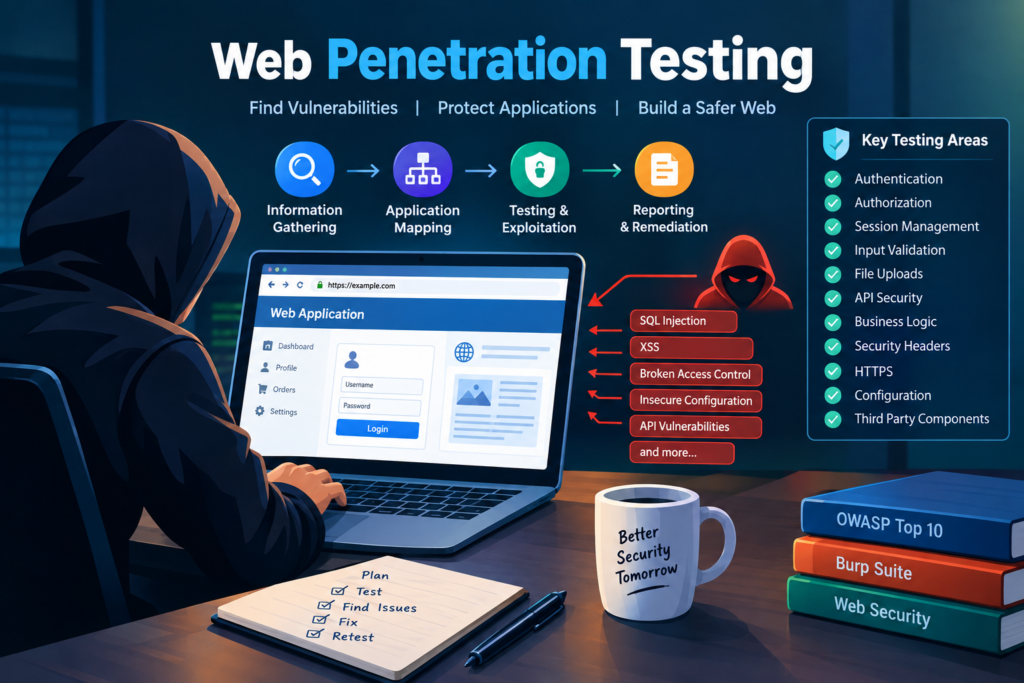
Table of Contents
Web applications are used for many important activities, including
- Online banking
- Online shopping
- University portals
- Hospital systems
- Government services
- Social media
- Business management systems
- Email platforms
- Learning management systems
- Online payment systems
Because these applications often store sensitive information, security testing is very important.
What Is Web Penetration Testing
Web penetration testing is an authorized security assessment of a website or web application.
During a penetration test, a security professional checks whether an attacker could misuse weaknesses in the application.
The tester may examine
- Login systems
- Registration systems
- Password recovery
- User accounts
- User permissions
- Cookies
- Sessions
- Forms
- Search boxes
- File uploads
- APIs
- Databases
- Payment functions
- Administrative panels
- Application configuration
The tester then documents the discovered weaknesses and provides recommendations for fixing them.
Simple Example
Imagine an online shopping website.
A customer logs into their account and sees their order at
example.com/order/1001
The application should make sure that the customer is allowed to see order 1001.
If the customer changes the number to another order and can see another customers information, the application has an access control problem.
A penetration tester can identify this type of weakness during an authorized security assessment.
The purpose of the test is to help the company fix the problem before a malicious attacker discovers it.
Why Web Penetration Testing Is Important
Web applications are often connected directly to the internet.
This means attackers from different locations can potentially interact with them.
A small security mistake can sometimes expose sensitive information.
Penetration testing helps organizations
- Find security weaknesses
- Protect customer information
- Protect employee information
- Identify insecure configurations
- Test authentication controls
- Test authorization controls
- Discover vulnerable components
- Improve application security
- Reduce security risks
- Verify security fixes
Information That Could Be at Risk
A vulnerable web application might expose information such as
- Names
- Email addresses
- Phone numbers
- Password information
- Customer records
- Financial information
- Business documents
- Personal information
- Internal system information
The exact impact depends on the vulnerability and the application.
Who Performs Web Penetration Testing
Web penetration testing is normally performed by cybersecurity professionals.
Common roles include
- Penetration testers
- Ethical hackers
- Application security engineers
- Red team professionals
- Security consultants
- Cybersecurity analysts
A professional tester needs both technical knowledge and an understanding of security processes.
Important Rule Before Testing
The most important rule is authorization.
You should never perform penetration testing against a website or application without permission.
Before testing begins, the organization normally defines the scope.
The scope may include
- Target website
- Target domain
- Target IP addresses
- APIs
- Testing dates
- Testing accounts
- Allowed techniques
- Restricted areas
- Emergency contact information
For example, a company may authorize testing of
test.example.com
but not
production.example.com
The tester must follow the agreed scope.
Web Penetration Testing Process
A typical web penetration test can be divided into several stages.
Step 1 Planning
The first stage is planning.
The tester learns about the target and defines the testing requirements.
Important questions include
- What application will be tested
- What domain will be tested
- Which features are included
- Which systems are excluded
- What type of testing is allowed
- When will testing take place
- Who should be contacted if a serious problem occurs
Good planning helps prevent unnecessary damage.
Step 2 Information Gathering
Information gathering is the process of learning about the target application.
A tester may identify
- Domains
- Subdomains
- Technologies
- Web servers
- Application frameworks
- Public APIs
- Login pages
- Public documents
- Application endpoints
- Security headers
- Publicly available information
The purpose is to understand the target and its attack surface.
Simple Example
Imagine a company owns an online learning platform.
The tester discovers
- Main website
- Student portal
- Teacher portal
- Administrator portal
- Mobile API
- File upload system
- Login system
All of these components may need to be reviewed according to the agreed scope.
What Is an Attack Surface
An attack surface is the collection of points through which an attacker could interact with an application or system.
For a web application, the attack surface may include
- Login forms
- Registration forms
- Search boxes
- Contact forms
- File uploads
- APIs
- URL parameters
- Cookies
- User accounts
- Administrative pages
- Payment systems
The larger the attack surface, the more areas may need security testing.
Step 3 Application Mapping
After information gathering, the tester maps the application.
Application mapping means understanding how different pages and functions work together.
For example, an online store may have
- Home page
- Registration
- Login
- Product search
- Product details
- Shopping cart
- Checkout
- Payment
- Order history
- Customer profile
- Support system
The tester studies how these functions interact.
Step 4 Authentication Testing
Authentication determines whether a user is actually the person they claim to be.
The most common example is a username and password.
A tester may review
- Login functionality
- Password requirements
- Password reset
- Account recovery
- Multi factor authentication
- Account lockout
- Session creation
- Authentication errors
- Login rate limiting
Example
Imagine an employee portal.
An employee forgets their password and uses the password recovery feature.
The application sends a password reset link.
The tester checks whether the reset process properly verifies the users identity.
If the application allows someone to reset another persons password without sufficient verification, it could create a serious account security problem.
Step 5 Authorization Testing
Authorization determines what an authenticated user is allowed to do.
This is different from authentication.
Authentication asks
Who are you
Authorization asks
What are you allowed to access
Example
A university application has three types of users
- Student
- Teacher
- Administrator
A student should normally have access to student functions.
A teacher may have access to course and student management functions.
An administrator may have additional management privileges.
The tester checks whether these boundaries are correctly enforced.
Example
Suppose a student can view their own examination result.
The application should verify that the requested result belongs to that student.
If a student can access another students result simply by changing an identifier in an authorized test environment, the application has an access control weakness.
Step 6 Session Management Testing
A session allows a web application to remember that a user has logged in.
Sessions are often managed using cookies or tokens.
A tester may check
- Session expiration
- Logout behavior
- Cookie security
- Session invalidation
- Session token protection
- Secure transmission
- Session fixation protection
Example
A user logs into an online banking application.
They then click logout.
The application should invalidate the previous session.
If the old authenticated session remains usable when it should no longer be valid, it can create a security risk.
Step 7 Input Validation Testing
Web applications receive information from users.
Examples include
- Names
- Email addresses
- Search terms
- Comments
- Product IDs
- Account numbers
- File names
Applications should properly validate and process this information.
A penetration tester checks whether unexpected input can cause security problems.
SQL Injection
SQL injection is a vulnerability that can occur when application input is incorrectly included in database queries.
A vulnerable application may allow specially crafted input to change the intended database operation.
Simple Example
Imagine a website has a login form.
The application receives
Username
Password
The application then checks these values against a database.
If the application builds database queries unsafely, specially crafted input could potentially manipulate the database query.
Modern applications should use safe techniques such as parameterized queries and prepared statements.
Why SQL Injection Is Dangerous
Depending on the application, SQL injection can potentially result in
- Unauthorized database access
- Exposure of sensitive information
- Modification of database records
- Authentication bypass
- Data destruction
The actual impact depends on the application’s architecture and security controls.
Cross Site Scripting
Cross Site Scripting is commonly called XSS.
It can occur when an application incorrectly handles untrusted content that is later interpreted by a users browser.
Common categories include
- Stored XSS
- Reflected XSS
- DOM based XSS
Example
Imagine a website that allows users to post comments.
A user submits a comment.
The application stores the comment in its database.
When another user opens the page, the comment is displayed.
If the application does not properly handle untrusted content, malicious browser code could potentially execute in another users browser.
Security controls such as output encoding and appropriate Content Security Policy settings can help reduce this risk.
Step 8 File Upload Testing
Many websites allow users to upload files.
Examples include
- Profile pictures
- Assignments
- Documents
- Resumes
- Reports
- Product images
File upload systems should carefully validate uploaded files.
A tester may examine
- File type validation
- File size restrictions
- File name handling
- File storage location
- File permissions
- Content validation
- Access controls
- Execution permissions
Example
An educational website allows students to upload assignments.
The application should not rely only on the file extension supplied by the user.
It should properly validate the uploaded content and store it in a safe location.
Step 9 API Security Testing
Modern websites often use APIs to communicate with mobile applications, browsers, and other services.
For example
A mobile banking application may communicate with a banking server through an API.
A tester may examine
- Authentication
- Authorization
- Input validation
- Rate limiting
- Error handling
- Sensitive data exposure
- Object level authorization
- API methods
- Access controls
Example
Suppose a banking API provides account information.
The application verifies that the user is logged in.
However, it also needs to verify that the requested account belongs to that user.
Being logged in does not automatically mean the user should have access to every account.
Step 10 Business Logic Testing
Business logic refers to the rules that control how an application is supposed to work.
Some vulnerabilities are not caused by traditional programming errors.
Instead, the application may allow a user to perform a sequence of actions that should not be possible.
Example
An online store offers a discount coupon.
The coupon should only be used once.
The application correctly checks that the coupon is valid.
However, if the application allows the same coupon to be repeatedly applied, there may be a business logic problem.
The tester checks whether the application follows its intended business rules.
Step 11 Security Configuration Testing
Security configuration problems can occur when an application or server is incorrectly configured.
A tester may look for
- Debug mode enabled
- Default credentials
- Unnecessary services
- Exposed administrative interfaces
- Detailed error messages
- Incorrect permissions
- Missing security headers
- Outdated software
- Unnecessary information disclosure
Example
A production website displays a detailed error message.
The message reveals
- Application framework
- Server information
- File paths
- Database information
This information may help an attacker understand the internal structure of the application.
A secure production application should normally provide users with safe error messages while recording useful diagnostic information securely on the server.
Step 12 HTTPS Testing
HTTPS protects communication between a browser and a web server.
A tester may examine
- HTTPS configuration
- TLS configuration
- Certificate validity
- HTTP to HTTPS behavior
- Secure cookie settings
- Sensitive information transmission
Example
Consider an online payment website.
Sensitive information should be transmitted through properly configured HTTPS.
Using secure transport helps protect information from unauthorized observation or modification during transmission.
Step 13 Security Headers Testing
Security headers provide additional browser security controls.
Common headers include
- Content Security Policy
- Strict Transport Security
- X Content Type Options
- Referrer Policy
- Frame protection controls
The correct configuration depends on the application.
A tester reviews whether security headers are present and appropriately configured.
Step 14 Vulnerable Components
Web applications often depend on third party components.
Examples include
- JavaScript libraries
- PHP packages
- Python packages
- WordPress plugins
- WordPress themes
- Web frameworks
- Server software
Older components may contain known security vulnerabilities.
A tester checks application dependencies and versions where this is within the scope of the assessment.
Example
A company uses an outdated web component.
A security vulnerability has been publicly documented for that version.
The organization may need to update the component or apply an appropriate security fix.
Automated Web Security Testing
Automated tools can help testers identify common security issues quickly.
Common tools include
- Burp Suite
- OWASP ZAP
- Nmap
- Nikto
- Nuclei
Automated tools are useful, but their results should be reviewed manually.
A scanner can sometimes report a vulnerability that does not actually exist.
This is called a false positive.
Why Manual Testing Is Important
Automated scanners may have difficulty understanding
- Business logic
- Complex authorization
- Multi step workflows
- Application specific rules
- User roles
- Complex API behavior
A human tester can understand how the application is intended to work and test whether its security controls actually enforce those rules.
Burp Suite in Web Penetration Testing
Burp Suite is widely used for web application security testing.
It can help testers
- Inspect HTTP requests
- Inspect HTTP responses
- Analyze cookies
- Test application behavior
- Review API requests
- Investigate authentication
- Test input handling
Burp Suite is commonly used in authorized security laboratories and professional penetration tests.
OWASP Web Security Testing
OWASP is an important resource for web application security.
The OWASP community publishes security guidance and testing resources.
The OWASP Top 10 covers major categories of web application security risks.
Important areas include
- Broken access control
- Cryptographic failures
- Injection
- Insecure design
- Security misconfiguration
- Vulnerable and outdated components
- Authentication failures
- Software and data integrity failures
- Logging and monitoring failures
- Server side request forgery
The OWASP documentation should be checked for the current version when creating a professional testing methodology.
Vulnerability Scanning and Penetration Testing
Vulnerability scanning and penetration testing are related but different.
Vulnerability Scanning
A vulnerability scanner automatically checks for known security weaknesses.
It is useful for
- Finding common vulnerabilities
- Identifying outdated software
- Checking configurations
- Performing repeated assessments
Penetration Testing
Penetration testing involves a broader assessment.
It can include
- Manual testing
- Vulnerability validation
- Authentication testing
- Authorization testing
- Business logic testing
- Application analysis
- Controlled exploitation
- Risk analysis
- Reporting
A scanner may identify a possible problem.
A penetration tester investigates whether the problem is real and what impact it could have.
White Box, Black Box, and Gray Box Testing
Web penetration testing can be performed using different levels of information.
Black Box Testing
The tester starts with limited information about the application.
This is similar to an external attacker who has little knowledge of the internal system.
White Box Testing
The tester receives extensive information about the application.
This may include
- Source code
- Architecture documentation
- Database information
- Application credentials
- Internal documentation
This approach can provide deeper visibility into the application.
Gray Box Testing
The tester receives some information but not everything.
For example, the tester may receive a normal user account but not administrative access.
The appropriate approach depends on the goals of the assessment.
Web Penetration Testing Report
A penetration test should end with a professional report.
A typical report contains
Executive Summary
This section explains the overall assessment in simple language.
It may describe
- What was tested
- When it was tested
- General security observations
- Important findings
- General remediation priorities
Scope
The report should clearly identify what was tested.
For example
- Website
- API
- Application
- Domain
- Testing environment
Methodology
The tester explains how the assessment was performed.
The methodology may include
- Information gathering
- Application mapping
- Authentication testing
- Authorization testing
- Input validation
- API testing
- Configuration review
- Manual testing
Vulnerability Details
Each vulnerability should be documented clearly.
A finding may contain
- Vulnerability name
- Description
- Affected component
- Security impact
- Evidence
- Severity
- Remediation
- Retesting status
Vulnerability Severity
Organizations often classify vulnerabilities according to risk.
Common classifications include
- Critical
- High
- Medium
- Low
- Informational
Some organizations also use CVSS to calculate a standardized vulnerability severity score.
Severity should be based on factors such as
- Impact
- Exploitability
- Required privileges
- User interaction
- Scope
- Exposure
Remediation
Finding a vulnerability is only part of the job.
The organization also needs to fix it.
For example
If the problem is broken access control, the application should perform proper server side authorization checks.
If the problem is SQL injection, developers should use parameterized queries and safe database access methods.
If the problem is XSS, developers should apply appropriate output encoding and input handling.
If the problem is an outdated component, the organization should evaluate upgrading or applying an appropriate security patch.
Retesting
After vulnerabilities are fixed, the penetration tester may perform a retest.
The purpose is to verify whether the security issue has actually been resolved.
For example
Initial test
The application allowed unauthorized access to another users record.
Fix
Developers added server side authorization checks.
Retest
The tester verifies that the unauthorized request is now rejected.
This creates a complete security testing cycle.
Web Penetration Testing Scenario
Consider an online education platform.
The platform contains
- Student accounts
- Teacher accounts
- Administrator accounts
- Course management
- Assignment uploads
- Examination results
- Payment records
- REST APIs
A security team is authorized to test the platform.
Phase One
The tester maps the application.
They identify
- Login
- Registration
- Password recovery
- Student dashboard
- Teacher dashboard
- Administrator dashboard
- Course APIs
- File upload functions
Phase Two
The tester checks authentication.
The password recovery process is reviewed.
The tester also checks session behavior after logout.
Phase Three
The tester checks authorization.
The tester verifies that
- Students can access their own information
- Teachers can access permitted course information
- Students cannot access teacher functions
- Normal users cannot access administrative functions
Phase Four
The tester checks input handling.
Search forms, comments, account fields, and API inputs are reviewed for unsafe processing.
Phase Five
The tester checks file uploads.
The assignment upload system is reviewed to determine whether uploaded files are properly validated and stored.
Phase Six
The tester checks APIs.
The tester verifies authentication, authorization, rate limiting, and data exposure.
Phase Seven
The tester prepares a report.
Each confirmed vulnerability is documented with evidence and remediation guidance.
Phase Eight
The developers fix the vulnerabilities.
The security team then performs retesting.
This process helps the organization improve the security of the application.
Common Web Application Vulnerabilities
Some vulnerabilities frequently discussed in web security include
Broken Access Control
Users can access resources or functions they should not be allowed to access.
Injection
Untrusted input is interpreted as part of another language or command.
Examples include SQL injection and command injection.
Cross Site Scripting
Untrusted content is incorrectly handled by the application and may execute in a users browser.
Authentication Problems
The application does not properly protect user accounts or login processes.
Security Misconfiguration
Security settings are incorrectly configured.
Sensitive Information Exposure
The application exposes information that should be protected.
Vulnerable Components
The application uses software with known security weaknesses.
Insecure File Upload
The application does not safely handle uploaded files.
Business Logic Problems
The application allows actions that violate its intended business rules.
Skills Required for Web Penetration Testing
A beginner should learn several technical areas.
Computer Fundamentals
Learn
- Operating systems
- Files and directories
- Processes
- Memory
- Users
- Permissions
Networking
Learn
- IP addresses
- TCP
- UDP
- DNS
- DHCP
- HTTP
- HTTPS
- Ports
- Routing
Web Technologies
Learn
- HTML
- CSS
- JavaScript
- HTTP
- Cookies
- Sessions
- APIs
- JSON
Programming
Basic knowledge of programming helps penetration testers understand application behavior.
Useful languages include
- Python
- JavaScript
- PHP
- SQL
- Bash
You do not need to master every language at the beginning.
Cybersecurity
Learn
- Authentication
- Authorization
- Cryptography
- Network security
- Web security
- Vulnerability management
- Security monitoring
Safe Practice Environments
Students should practice web penetration testing in legal environments.
Useful learning platforms include
- PortSwigger Web Security Academy
- OWASP WebGoat
- OWASP Juice Shop
- Hack The Box Academy
- TryHackMe
These platforms provide controlled environments where students can learn security concepts without targeting real organizations.
Best Practices
A professional web penetration tester should
- Obtain permission before testing
- Clearly define the scope
- Use authorized accounts
- Protect sensitive information
- Avoid unnecessary system disruption
- Keep accurate notes
- Verify vulnerabilities
- Document evidence
- Provide practical remediation
- Retest security fixes
- Follow organizational rules
- Keep assessment information confidential
Common Mistakes Made by Beginners
Beginners sometimes focus only on tools.
This can create problems because penetration testing is not simply about running commands.
Common mistakes include
- Depending completely on automated scanners
- Not understanding HTTP
- Ignoring authorization
- Ignoring business logic
- Not verifying scanner results
- Testing outside the authorized scope
- Failing to document findings
- Providing unclear remediation advice
- Confusing a potential vulnerability with a confirmed vulnerability
A strong tester focuses on understanding how the application works.
Web Penetration Testing Checklist
Before finishing an assessment, a tester may review
- Scope
- Authorization
- Information gathering
- Application mapping
- Authentication
- Password recovery
- Session management
- Authorization
- Input validation
- SQL injection
- Cross Site Scripting
- File uploads
- API security
- Business logic
- Security headers
- HTTPS
- Configuration
- Third party components
- Error handling
- Information disclosure
- Logging
- Reporting
- Remediation
- Retesting
Conclusion
Web penetration testing is an important cybersecurity practice used to identify security weaknesses in websites and web applications.
It involves much more than using a vulnerability scanner.
A professional assessment can include
- Information gathering
- Application mapping
- Authentication testing
- Authorization testing
- Session testing
- Input validation
- API security testing
- File upload testing
- Business logic testing
- Configuration testing
- Manual testing
- Vulnerability verification
- Security reporting
- Retesting
The most important concept for beginners is to understand how a web application works.
Once you understand HTTP, authentication, authorization, sessions, cookies, APIs, databases, and application logic, penetration testing becomes much easier to understand.
Web penetration testing should always be performed with proper authorization and within a defined scope. For practical learning, students should use deliberately vulnerable applications and security training platforms such as PortSwigger Web Security Academy, OWASP WebGoat, and OWASP Juice Shop.
A good penetration tester does not simply find problems. They understand the vulnerability, explain its security impact, provide useful remediation guidance, and verify that the problem has been fixed.


