
SEMrush is best SEO tool for Keyword Research, Traffic Analysis & Domain Overview
SEMrush is an all in one digital marketing and SEO platform used to research keywords, analyze competitors, monitor website performance, check backlinks, study search traffic, and improve organic visibility. It is widely used by SEO professionals, bloggers, marketers, agencies, and website owners.
Whether you are building a new website or trying to increase traffic to an existing website, SEMrush provides tools that can help you understand what people search for and how competing websites perform.
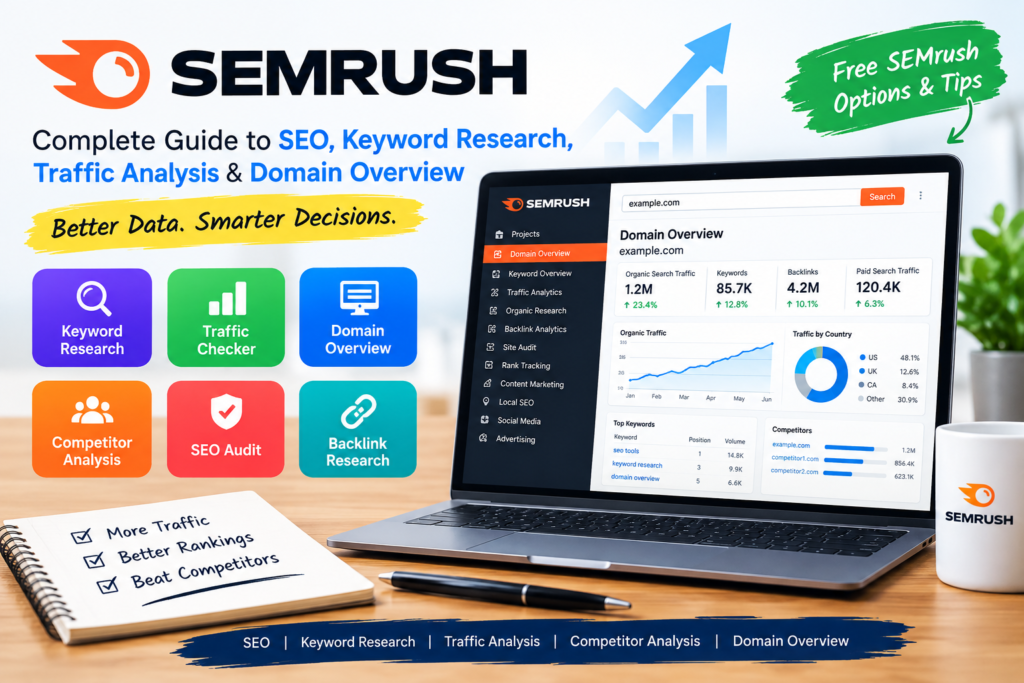
Table of Contents
What Is SEMrush?
SEMrush is a digital marketing and SEO platform that provides tools for:
- Keyword research
- Competitor analysis
- Website traffic analysis
- Domain analysis
- Backlink research
- Site audits
- Rank tracking
- Content research
- Advertising research
- Local SEO
- Social media marketing
For example, imagine you have a technology blog and want to write an article about Excel formulas. Instead of choosing a keyword randomly, you can use SEMrush to research related keywords, search demand, keyword difficulty, competitors, and ranking opportunities.
Example
Suppose your website is receiving very little traffic for the keyword “Excel formulas.”
Using SEMrush, you might discover related searches such as:
- Basic Excel formulas
- Excel formulas list
- Excel formulas for beginners
- Advanced Excel formulas
- Excel IF formula
- Excel formulas and functions
You can then create content around relevant search queries rather than targeting only one keyword.
What Can You Do With SEMrush?
SEMrush contains several tools that can be useful throughout the SEO process.
1. Keyword Research
You can investigate keywords and analyze metrics such as:
- Search volume
- Keyword difficulty
- Search intent
- Competitive density
- Keyword variations
- Related keywords
This is useful when planning blog posts, landing pages, tutorials, and product content.
2. Competitor Research
SEMrush can help you investigate competing domains and identify:
- Organic keywords
- Ranking pages
- Backlinks
- Estimated organic traffic
- Competitors
- Paid search information
For example, if you operate a technology education website, you could analyze another technology website to discover topics that generate organic search visibility.
3. Site Audit
The Site Audit tool can crawl a website and identify technical SEO issues, including certain problems involving:
- Broken links
- Crawlability
- Redirects
- Metadata
- HTTPS
- Internal linking
- Duplicate content
- Structured data
A site audit can help you prioritize technical SEO improvements.
What Is SEMrush Keyword Research?
SEMrush keyword research is the process of finding and evaluating search queries that could be relevant to your website.
The Keyword Overview and Keyword Magic Tool can help you investigate keyword opportunities.
Important metrics can include:
Search Volume
Search volume provides an estimate of how frequently a keyword is searched within a specified location and time period.
For example:
Keyword: Excel formulas
You can investigate its estimated search volume and compare it with related terms.
Keyword Difficulty
Keyword difficulty is an estimate of how difficult it may be to rank organically for a keyword.
A keyword with very high competition may require significantly more authority, quality content, links, and SEO effort than a less competitive query.
Search Intent
Search intent describes what the searcher is trying to accomplish.
Common categories include:
- Informational
- Navigational
- Commercial
- Transactional
For example:
“What is SEMrush?” → Informational intent
“SEMrush pricing” → Commercial investigation
“SEMrush login” → Navigational intent
What Is SEMrush Traffic Checker?
The SEMrush traffic checker refers to SEMrush tools that provide estimates and analysis related to website traffic.
Traffic Analytics can provide information such as:
- Estimated visits
- Engagement metrics
- Traffic sources
- Geographic distribution
- Audience behavior
- Competitor traffic comparisons
However, it is important to understand that third party traffic tools generally provide estimates, not the website owner’s exact Google Analytics or Search Console data.
Example
Suppose you want to research a competing technology website.
You enter its domain into SEMrush’s traffic analysis tools. You may be able to examine estimated traffic trends and sources.
You could then compare several competing websites to understand the broader market.
For your own website, first party tools such as Google Analytics and Google Search Console provide your actual site data and should be used alongside third party estimates.
What Is SEMrush Domain Overview?
SEMrush Domain Overview is a domain level analysis feature that provides an overview of a website’s SEO and online visibility.
Depending on the available database, location, and SEMrush plan, the overview can show information related to:
- Organic search
- Paid search
- Keywords
- Traffic estimates
- Backlinks
- Referring domains
- Competitors
- Authority related metrics
Example
Imagine you want to analyze:
example.com
You can enter the domain into SEMrush Domain Overview.
Instead of examining individual keywords one at a time, you can start with a high level view of the domain and then investigate specific areas.
For example:
Domain Overview → Organic Search → Keywords → Top Pages → Individual Article
This creates a practical workflow for competitor research.
Domain Overview SEMrush: How to Use It
A simple workflow is:
Step 1: Open SEMrush
Visit the official SEMrush website and sign in to your account.
Step 2: Enter a Domain
Enter the website you want to analyze.
For example:
example.com
Step 3: Select the Appropriate Database
SEO data can vary by country and database, so select the location relevant to your target audience when the tool provides that option.
Step 4: Review the Overview
Look at the available information about:
- Organic search visibility
- Keywords
- Traffic estimates
- Backlinks
- Competitors
- Historical trends
Step 5: Investigate Individual Pages
After identifying important keywords, examine the pages ranking for them.
This can help you understand what type of content is performing in that search market.
Is SEMrush Free?
SEMrush offers limited access to some tools and features without requiring a full paid subscription, while many advanced features and higher usage limits require a paid plan.
Therefore, searches such as “free SEMrush” and “SEMrush free” can refer to the platform’s limited free access rather than unrestricted access to every SEMrush feature.
Free access can be useful for beginners who want to explore the platform before deciding whether they need a paid subscription.
Important: Avoid websites offering “SEMrush premium accounts,” cracked versions, or unauthorized credentials. These can create security, privacy, and account access risks.
SEMrush Free vs Paid Access
The exact features and limits can change, so check SEMrush’s current official pricing and product pages before making a purchasing decision.
| Feature | Free/Limited Access | Paid Access |
| Keyword research | Limited | Higher limits |
| Domain research | Limited | More data |
| Competitor analysis | Limited | Expanded |
| Site Audit | Limited | Higher crawl limits |
| Traffic analysis | Limited | More detailed access |
| Historical data | Restricted | More extensive |
| Reports | Limited | More options |
| Projects | Restricted | More projects |
The important distinction is usage limits and available functionality, rather than simply whether a tool exists.
SEMrush for Bloggers
SEMrush can be particularly useful for bloggers because it can help connect keyword research with content planning.
Example
Suppose you run a technology blog and want to publish an article about Windows 11 features.
You could:
- Research the main keyword.
- Find related keywords.
- Examine search intent.
- Analyze competing pages.
- Identify content gaps.
- Create a comprehensive article.
- Optimize the article.
- Monitor rankings after publication.
This gives you a data driven content workflow.
SEMrush for Competitor Analysis
One of SEMrush’s common SEO applications is competitor research.
Suppose Website A is ranking above your website for several keywords.
You can investigate:
- Which keywords Website A ranks for
- Which pages receive organic visibility
- What topics they cover
- Their backlink profile
- Their competing domains
- Their estimated organic search performance
Example
Suppose you have a cybersecurity website and a competitor ranks for:
“What is Nmap?”
You could examine the competitor’s ranking page and identify the topics it covers, such as:
- What Nmap is
- Common uses
- Basic commands
- Port scanning
- Security testing
- Practical examples
You can then create original, more useful content based on search intent rather than simply copying the competitor.
SEMrush Backlink Analysis
Backlinks are links from other websites to your website.
SEMrush provides backlink related tools that can help you investigate:
- Referring domains
- Backlinks
- Anchor text
- Link attributes
- Competitor backlinks
- Backlink opportunities
Example
If a competitor has received links from technology publications and educational websites, you can investigate those referring domains and identify legitimate opportunities for your own content.
The goal should be earning relevant, editorial links rather than creating artificial links.
SEMrush Site Audit
Technical SEO problems can prevent search engines from efficiently crawling and understanding a website.
SEMrush Site Audit can help identify technical issues such as:
- Broken internal links
- Redirect problems
- Missing metadata
- Crawlability issues
- HTTPS problems
- Duplicate content
- Internal linking issues
Example
Suppose your website has 500 articles and several older articles link to URLs that no longer exist.
A site audit can help identify those broken links so you can:
- Update the URL
- Replace the link
- Redirect the old page where appropriate
- Remove the unnecessary link
SEMrush Rank Tracking
Rank tracking allows you to monitor how your website performs for selected keywords over time.
For example, you might track:
Keyword: Excel formulas
Your page could initially rank around position 50 and later move toward the first page.
Tracking changes can help you evaluate whether your SEO work is producing measurable improvements.
Remember that rankings can vary by location, device, personalization, search features, and time.
SEMrush vs Google Search Console
SEMrush and Google Search Console serve different purposes.
| SEMrush | Google Search Console |
| Third party SEO platform | Google’s first party search service |
| Competitor research | Your site’s Google Search performance |
| Keyword research | Search queries generating impressions/clicks for your site |
| Backlink analysis | Links reported by Google |
| SEO auditing | Search indexing and performance information |
| Traffic estimates | Actual Google Search performance data for your property |
For your own website, using both can provide a more complete SEO workflow.
How Beginners Can Use SEMrush
If you are new to SEO, don’t try to use every SEMrush feature immediately.
Start with these five areas:
1. Keyword Research
Find relevant keywords before creating content.
2. Competitor Research
Study websites already appearing for your target queries.
3. Domain Overview
Get a broad picture of a domain before examining individual pages.
4. Site Audit
Identify technical SEO problems.
5. Rank Tracking
Monitor important keywords after publishing content.
Practical SEMrush SEO Workflow
A simple workflow for a new article is:
Topic → Keyword Research → Search Intent → Competitor Analysis → Content Creation → On-Page SEO → Technical Check → Publish → Rank Tracking → Update
Example
Suppose your target topic is:
Post Quantum Cryptography
You could use SEMrush to discover related terms, examine competing pages, understand the search landscape, and identify questions users may have.
Then create an article that explains:
- What post quantum cryptography is
- Why it matters
- How it differs from traditional cryptography
- Major post quantum approaches
- Real world applications
- Common questions
The SEO tool supports the research process, but useful and accurate content remains essential.
Common Mistakes When Using SEMrush
1. Focusing Only on Search Volume
A keyword with high search volume isn’t automatically the best target.
Consider:
- Search intent
- Competition
- Relevance
- Business/content goals
- Your site’s authority
2. Treating Traffic Estimates as Exact
Third party traffic estimates should not be treated as exact website analytics.
3. Copying Competitors
Competitor research should help you understand the search landscape, not reproduce another site’s content.
4. Targeting Too Many Keywords
One well focused article can be better than creating dozens of thin pages targeting nearly identical queries.
5. Ignoring Search Intent
Even a page optimized for a popular keyword can perform poorly if it doesn’t satisfy what searchers are looking for.
Is SEMrush Good for SEO?
SEMrush can be useful for SEO research because it combines keyword research, competitor analysis, domain analysis, backlink research, technical auditing, and rank tracking in one platform.
Its value depends on how effectively you use the data. SEO tools provide information and estimates; they do not guarantee rankings or traffic.
Conclusion
SEMrush is a comprehensive SEO and digital marketing platform that can help with keyword research, competitor analysis, traffic analysis, domain overview, backlinks, technical SEO, and rank tracking.
For beginners, a practical approach is to start with SEMrush keyword research, analyze relevant competitors through Domain Overview, investigate traffic and ranking opportunities, and then use the findings to create useful content.
The most important point is that SEMrush should be treated as a research and analysis tool. Strong SEO results still depend on creating helpful content, satisfying search intent, maintaining a technically sound website, and continuously improving the user experience.



Pakistan ma ziada log roman english ma hi search krty hain ,, jesy ye kya hota ha ,, wo kya ha ,, to ph rhm roman english ma bhi article likh skty hain ,,agr sirf pakistani awam ko target krna ho to ,, english ma likhna ya roman english ma article likhny sy ranking pa koi frq hota ha?
gg ap ny bilkul thk kaha but dosre countries k b visitor hoty hn es lye majbori translator se adjust kr lo kindly bht jald ye urdu language k sath videos ma b provide kr dn ga. feedback dana k lye thanks…!