How to Use Ahrefs SEO Tools, for Keywords, Backlinks & Site Audits
Ahrefs is an SEO toolset used for keyword research, backlink analysis, competitor research, website auditing, rank tracking, and SEO performance analysis. It provides data that can help website owners, bloggers, marketers, and SEO professionals understand how websites perform in search engines.
Whether you run a small blog, an e-commerce website, or a large content site, Ahrefs can help you identify SEO opportunities, analyze competitors, discover keywords, check backlinks, and find technical SEO issues.
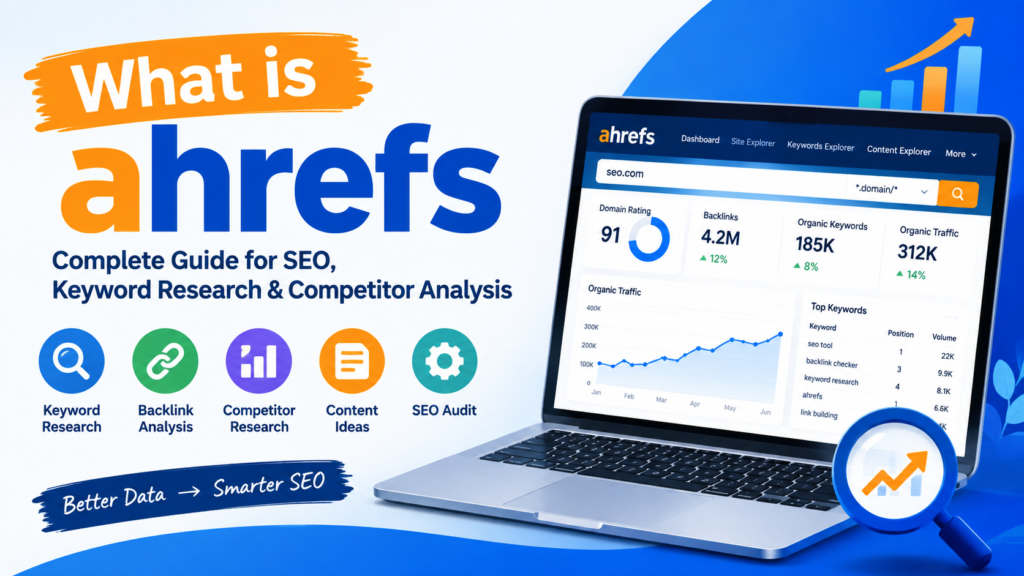
Table of Contents
What Is Ahrefs?
Ahrefs is an SEO platform that provides tools for researching websites, keywords, backlinks, competitors, and search performance.
Some commonly used Ahrefs features include:
- Keyword research
- Site Explorer
- Site Audit
- Backlink analysis
- Domain Rating analysis
- Keyword difficulty analysis
- Competitor research
- Rank tracking
- Content research
- Technical SEO auditing
Example
Suppose you have a technology blog and want to write an article about “Excel formulas.”
Instead of choosing a keyword randomly, you can use Ahrefs to investigate:
- How many people search for the keyword.
- How difficult it may be to rank for the keyword.
- Which websites currently rank.
- What backlinks those pages have.
- Related keywords that could be included in your article.
This can help you create a more data-driven SEO strategy.
What Is Ahrefs Used For?
Ahrefs can be used for several important SEO tasks.
1. Keyword Research
You can discover keywords related to your topic and investigate metrics such as search volume and keyword difficulty.
2. Competitor Research
Ahrefs can help you analyze competitors’ organic keywords, backlinks, top pages, and other SEO data.
3. Backlink Analysis
You can investigate which websites link to your website or your competitors.
4. Technical SEO
Ahrefs Site Audit can crawl a website and identify various technical and on-page SEO issues.
5. Website Authority Analysis
Ahrefs provides metrics such as Domain Rating (DR) that can be used to compare the strength of a website’s backlink profile
Ahrefs Site Explorer
Ahrefs Site Explorer is a tool for analyzing a website or URL.
Depending on the available data and account access, Site Explorer can provide information about:
- Organic keywords
- Organic traffic estimates
- Backlinks
- Referring domains
- Top pages
- Competing domains
- Domain Rating
- Historical SEO data
Example: Competitor Research
Imagine you have a website about cybersecurity and your competitor publishes an article about “What Is a Firewall?”
You can enter the competitor’s website or page into Ahrefs Site Explorer and investigate its SEO data.
You might discover that the page receives organic traffic from keywords such as:
- What is a firewall
- Firewall definition
- Types of firewall
- Network firewall
- Firewall security
You can then use this information to identify related topics for your own content.
Important: Competitor research should be used to understand search opportunities, not to copy another website’s content.
Ahrefs Site Audit
Ahrefs Site Audit is designed to crawl websites and identify technical and SEO-related issues.
It can help detect issues involving:
- Broken links
- Redirects
- Missing title tags
- Missing meta descriptions
- Duplicate content
- Canonical tags
- HTTP status codes
- Internal linking
- Indexability
- HTTPS
- Structured data
- Page performance-related issues
Example: Finding Broken Links
Suppose your website contains 500 articles. Over time, some external websites may remove their pages.
Your articles could contain links that now return a 404 Not Found response.
Running an Ahrefs Site Audit can help identify these broken links.
You can then:
- Open the affected page.
- Find the broken URL.
- Check whether a replacement resource exists.
- Update or remove the link.
- Run the audit again.
This makes technical SEO maintenance easier.
Ahrefs SEO Toolbar
The Ahrefs SEO Toolbar is a browser-based SEO tool that can provide SEO information while browsing websites and search results.
Depending on the current extension features and account access, it can help users inspect SEO-related information without constantly switching between browser tabs.
The toolbar can be useful for:
- SERP research
- Page analysis
- SEO metrics
- Competitor research
- Quick website analysis
Ahrefs Extension Chrome
The Ahrefs extension Chrome refers to Ahrefs’ browser extension functionality for accessing SEO information while browsing.
For example, when researching competitors, an SEO professional may want to quickly inspect a page instead of manually opening a separate SEO tool.
Example
Suppose you search Google for:
“best cybersecurity courses”
You can inspect ranking pages and use available Ahrefs browser functionality to investigate SEO information about those pages.
This can make competitor research more efficient.
Ahrefs Traffic Checker
People commonly search for terms such as “ahref traffic checker” and “ahref free traffic checker” when they want to estimate a website’s search traffic.
Ahrefs provides organic traffic estimates based on its SEO data.
However, an important distinction is necessary:
Ahrefs traffic estimates are not the same as a website owner’s actual Google Analytics or Search Console traffic.
For example, if Ahrefs estimates that a website receives 10,000 monthly organic visits, the site’s actual traffic may be different.
Example
You are considering writing for a technology niche and want to research a competitor.
You enter the competitor’s domain into Ahrefs and observe its estimated organic traffic.
You can then investigate:
- Which pages generate traffic?
- Which keywords generate traffic?
- Which countries generate traffic?
- Which pages have backlinks?
This provides useful competitor research information.
Ahrefs Free Traffic Checker
Ahrefs offers some free SEO tools and limited access to certain features, but the availability and limitations of free traffic-checking functionality can change.
When using any Ahrefs free traffic checker, remember that third-party SEO traffic estimates are estimates rather than first-party analytics.
For your own website, tools such as Google Search Console and Google Analytics can provide first-party performance information.
Ahrefs Backlink Checker
An Ahrefs backlinks checker can be used to investigate links pointing to a website or webpage.
Backlinks are links from one website to another.
For example:
Website A → Website B
Here, Website A has created a backlink to Website B.
Backlink analysis can help you understand:
- Referring domains
- Linking pages
- Anchor text
- New backlinks
- Lost backlinks
- Competitor backlink opportunities
Ahrefs Free Backlink Checker
Ahrefs provides free backlink-related tools with limitations compared with its full paid platform.
The Ahrefs free backlink checker can be useful when you want to perform an initial backlink investigation without immediately using the complete paid feature set.
Example
Suppose your website has recently published an article about “Post-Quantum Cryptography.”
After promoting the article, you want to determine whether other websites have linked to it.
A backlink checker can help you investigate whether new referring domains have appeared.
Ahrefs Backlinks Checker: Competitor Example
Imagine two cybersecurity websites compete for the keyword:
“What is SQL Injection?”
Website A ranks well and has backlinks from technology publications, educational websites, and security blogs.
You can analyze its backlink profile to understand:
- Which websites link to it?
- What type of content attracts links?
- Which pages receive the most backlinks?
- What anchor text is used?
You can then create original, useful resources that may naturally attract relevant links.
Ahrefs Domain Rating Checker
The Ahrefs Domain Rating Checker is associated with Ahrefs’ Domain Rating (DR) metric.
Domain Rating is a proprietary Ahrefs metric that represents the relative strength of a website’s backlink profile on a 0–100 scale.
A higher DR generally indicates a stronger backlink profile relative to other websites in Ahrefs’ index.
However, DR is not a Google ranking score.
Google does not use Ahrefs Domain Rating as a ranking factor.
Example
Suppose:
| Website | Ahrefs DR |
| Website A | 18 |
| Website B | 35 |
| Website C | 62 |
These numbers indicate differences in Ahrefs’ assessment of backlink-profile strength.
They do not mean that Website C will automatically rank above Website B or Website A for every keyword.
Ahrefs Authority Checker
The phrase Ahrefs authority checker is commonly used when referring to tools for checking website authority-related SEO metrics.
Ahrefs primarily uses Domain Rating (DR) to describe the strength of a site’s backlink profile.
It is important not to confuse DR with Google’s PageRank or an official Google “website authority” score.
Why Does Authority Matter?
Authority-related metrics can be useful for:
- Competitor analysis
- Link-building research
- Website comparisons
- Prospecting for outreach
- Understanding backlink profiles
But they should be considered alongside other SEO signals.
Ahrefs Website Authority Checker
An Ahrefs website authority checker can help you investigate the backlink strength of a domain through Ahrefs metrics such as Domain Rating.
For example, if you are researching websites for a guest-post campaign, you might examine:
- Domain Rating
- Referring domains
- Organic traffic estimates
- Relevant content
- Existing backlinks
- Website quality
A high DR alone does not guarantee that a website is useful for every link-building campaign.
Relevance and editorial quality also matter.
Ahrefs Free Keyword Generator
The Ahrefs Free Keyword Generator can help users discover keyword ideas based on a seed keyword.
For example, enter:
SEO
You may discover related keyword ideas such as:
- What is SEO
- SEO basics
- SEO tools
- SEO techniques
- SEO for beginners
- Technical SEO
- On-page SEO
- Off-page SEO
The exact suggestions and metrics can change as Ahrefs updates its database.
Keyword Research Example
Suppose you want to publish an article about:
“Cybersecurity for Beginners.”
Start with the seed keyword:
cybersecurity
Then investigate related keyword ideas.
You might organize your content around topics such as:
- What is cybersecurity?
- Types of cybersecurity
- Network security
- Information security
- Cybersecurity tools
- Cybersecurity careers
- Cybersecurity certifications
- Cybersecurity for beginners
Instead of creating one article containing every keyword, you can build a logical content structure.
For example:
Main guide:
Cybersecurity for Beginners
Supporting articles:
- What Is Cybersecurity?
- What Is Network Security?
- What Is a Firewall?
- What Is VPN?
- What Is IDS and IPS?
- What Is Two-Factor Authentication?
This approach can help create a useful topical structure.
Ahrefs Pricing
Ahrefs pricing depends on the plan, billing arrangement, and features available at the time you subscribe.
Because SEO software pricing and plan features can change, check the official Ahrefs pricing page for the current prices and feature limits.
When comparing plans, consider:
- Number of projects
- Keyword tracking limits
- Site Audit limits
- Site Explorer access
- Historical data
- Reports
- User seats
- API or advanced functionality
- Credits or usage limits
For a small website owner, the appropriate plan may be different from what an SEO agency or large organization needs.
Is Ahrefs Free?
Ahrefs is primarily a paid SEO platform, but Ahrefs also provides various free tools and limited-access resources.
Free tools can be useful for:
- Basic keyword research
- Initial backlink research
- SEO learning
- Quick website analysis
More advanced SEO research generally requires access to paid functionality.
Ahrefs vs Google Search Console
Ahrefs and Google Search Console serve different purposes.
| Feature | Ahrefs | Google Search Console |
| Competitor research | Yes | Limited |
| Backlink research | Yes | Limited |
| Keyword research | Yes | Search queries for your site |
| Technical SEO auditing | Yes | Some reports |
| Your Google search performance | Estimated/third-party | First-party |
| Search clicks | Estimated in some reports | Actual Search Console data |
| Search impressions | Estimated/third-party | Actual Search Console data |
| Keyword difficulty | Yes | No |
| Domain Rating | Yes | No |
Practical Example
If you want to know:
“Which keywords are bringing clicks to my own website from Google?”
Google Search Console is particularly useful because it provides first-party search performance data.
If you want to know:
“Which keywords and pages are bringing estimated organic traffic to my competitor?”
Ahrefs can be useful for competitor research.
Ahrefs vs Google Analytics
Google Analytics primarily focuses on website analytics, while Ahrefs focuses heavily on SEO and search-engine research.
Google Analytics can help you understand:
- Users
- Sessions
- Traffic sources
- Engagement
- Conversions
- User behavior
Ahrefs can help you research:
- Organic keywords
- Backlinks
- Competitors
- Keyword opportunities
- Technical SEO
- Search visibility
Using both types of tools can provide different perspectives on website performance.
How to Use Ahrefs for a New Website
If you have just launched a website, you can use Ahrefs as part of an SEO workflow.
Step 1: Research Keywords
Find relevant keywords related to your niche.
Step 2: Analyze SERPs
Study the pages currently ranking for your target keywords.
Step 3: Analyze Competitors
Use Site Explorer to investigate competing websites.
Step 4: Build Content
Create original content that satisfies the search intent.
Step 5: Run a Site Audit
Use Site Audit to identify technical SEO problems.
Step 6: Monitor Backlinks
Check whether other websites are linking to your content.
Step 7: Track Progress
Monitor rankings and organic-search visibility over time.
Example: SEO Code Hub
Suppose SEO Code Hub publishes a new article targeting:
“What Is SQL Injection?”
An SEO workflow using Ahrefs could look like this:
Keyword Research
Research related terms such as:
- SQL injection
- SQL injection attack
- SQL injection examples
- SQL injection prevention
- SQL injection types
Competitor Research
Use Site Explorer to analyze pages already ranking for the topic.
Content Research
Identify related questions and subtopics that users may expect the article to answer.
Technical Audit
Run Site Audit to check whether the website has technical SEO problems.
Backlink Research
After publication, monitor backlinks to determine whether other websites have referenced the article.
Performance Analysis
Compare the article’s search visibility and rankings over time using available SEO data and first-party tools such as Google Search Console.
This creates a complete SEO research and monitoring workflow.
Benefits of Using Ahrefs
Ahrefs can be useful because it combines multiple SEO research functions in one platform.
Important benefits include:
- Keyword research
- Competitor analysis
- Backlink analysis
- Technical SEO auditing
- Content research
- Rank tracking
- Domain analysis
- SEO opportunity discovery
For SEO professionals, having these functions together can reduce the need to use multiple separate tools for every research task.
Limitations to Consider
Ahrefs data should not be treated as a perfect representation of Google’s internal data.
For example:
- Organic traffic figures are estimates.
- Keyword databases have coverage limitations.
- Domain Rating is an Ahrefs metric, not a Google ranking score.
- Keyword difficulty is an estimation.
- Competitor data may differ from first-party data.
- Free tools have limitations compared with paid features.
For your own website, combine third-party SEO tools with first-party sources such as Google Search Console and Google Analytics.
Ahrefs SEO Workflow for Beginners
A beginner can follow this simple workflow:
Keyword Research → SERP Analysis → Competitor Research → Content Creation → Site Audit → Backlink Monitoring → Performance Tracking
For example:
Keyword: Excel formulas
↓
Research related keywords
↓
Analyze competing pages
↓
Create a comprehensive article
↓
Audit the page and website
↓
Promote useful content
↓
Monitor search performance
This provides a structured approach instead of publishing content based entirely on guesswork.
Conclusion
Ahrefs is a comprehensive SEO platform that can help with keyword research, competitor analysis, backlink checking, website auditing, and SEO performance research.
Tools such as Ahrefs Site Explorer, Ahrefs Site Audit, Ahrefs SEO Toolbar, Ahrefs Free Keyword Generator, Ahrefs Backlink Checker, and Domain Rating Checker can support different stages of an SEO workflow.
For the most reliable analysis, combine Ahrefs’ third-party SEO data with first-party sources such as Google Search Console and Google Analytics. This gives you a broader view of keyword visibility, technical SEO, backlinks, traffic, and website performance.